 |
GPAL - Generally Positive Automation Library v1.0
GPAL The Fluent Automation LIbrary
|
|
GPAL - Generally Positive Automation Library v1.0
GPAL The Fluent Automation LIbrary
|
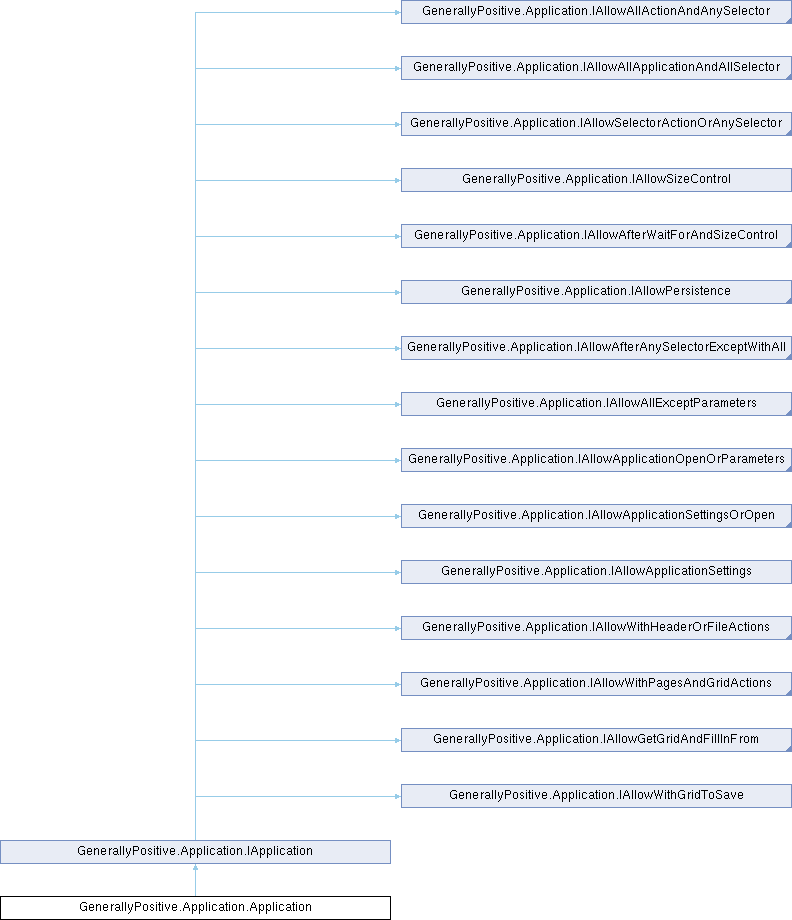
Application object that contains the fluent methods to create your Application workflow.
Instantiated using GPAL.Application.
More...
Public Member Functions | |
| delegate CallIfStatus | CallIfDelegate (Application application, List< IGPALAutomationElement > foundElements, List< IGPALAutomationElement > matchedElements, Selector selector, bool matchedAll) |
| Delegate callback for the CallIfFound/CallIfNotFound EventHandlers which will be invoked when a selector is found/not found CallIf handlers may be defined at two levels: At each selector or for a Unit of Work (UOW) [will be invoked for each Selector in the UOW] A UOW is defined as all Selectors between actions (first action is Open) More than one callback handler can be defined and subsequent handlers will only be invoked based upon return code values. | |
| delegate CallIfStatus | CallAfterFillInDelegate (Application application, IGPALGrid< string > tokens, int tokenIdx) |
| Delegate callback for the CallAfterFillIn EventHandler which will be invoked after each row of tokens is consumed. Invoked whenever FillInFrom/FilllInFromDatabase/FillInFrom are used. | |
| Application | ToGPALObject () |
| Return a GPAL.Application object so that GPAL.Application does not have to be cast. | |
| IAllowAllApplicationAndAllSelector | ResizeWindow (int width, int height) |
| Resize the window last matched by WaitForWindow to the specified pixel dimensions. | |
| IAllowAllApplicationAndAllSelector | MoveWindow (int x, int y) |
| Move the window last matched by WaitForWindow to the specified screen coordinates. | |
| IAllowSelectorActionOrAnySelector | AppendFrom (GPALDatabase inputDatabase) |
| Append the data from the database to the end of the input Selectors defined in the UOW One token (one column in the current row) per per input. If .WithAllThatMatch is defined on the current UOW, then the token is entered into {num} inputs that matches the corresponding Selector in the current UOW. If CallAfterFillIn callback is defined, it will be called after each row is consumed and the text is input. | |
| IAllowSelectorActionOrAnySelector | AppendFrom (GPALFile inputFile) |
| Append the data from the input file to the end of the input Selectors defined in the UOW One token (one string [between commas] from the current row) per per input. If .WithAllThatMatch is defined on the current UOW, then the token is entered into {num} inputs that matches the corresponding Selector in the current UOW. If CallAfterFillIn callback is defined, it will be called after each row is consumed and the text is input. | |
| IAllowSelectorActionOrAnySelector | AppendFrom (IGPALGrid< string > inputGrid) |
| Append the data from the input grid to the end of the input Selectors defined in the UOW One token (one string from the current row) per per input. If .WithAllThatMatch is defined on the current UOW, then this token is entered into {num} inputs that matches the corresponding Selector in the current UOW. If CallAfterFillIn callback is defined, it will be called after each row is consumed and the text is input. | |
| IAllowSelectorActionOrAnySelector | AppendFrom (string textToUse) |
| Append the given text to the first input in the UOW. Should probably only be used with one selector at a time. If .WithAllThatMatch is defined on the current UOW, then this text is entered into {num} inputs that matches the Selector(s) in the current UOW. | |
| IAllowAllExceptParameters | Open ([Directory()] string applicationPath) |
| Launch the application specified in the path. Find the root automation element and place into applicationSettings.RootAutomationElement Used in conjunction with .WithParameters. | |
| void | Close () |
| Close/terminate the application. This terminates the fluent interface and nothing can be chained to this command. | |
| IAllowSelectorActionOrAnySelector | FillInFrom (GPALDatabase inputDatabase) |
| FillIn data from the database overwriting text in the input Selector(s) defined in the UOW One token (one column in the current row) per input/element found. If .WithAllThatMatch is defined on the current UOW, then the token is entered into {num} inputs that matches the corresponding Selector in the current UOW. If CallAfterFillIn callback is defined, it will be called after each row is consumed and the text is input. | |
| IAllowSelectorActionOrAnySelector | FillInFrom (GPALFile inputFile) |
| FillIn data from the file overwriting text in the input Selector(s) defined in the UOW One token (one string [between commas] from the current row) per input/element found. If .WithAllThatMatch is defined on the current UOW, then the token is entered into {num} inputs that matches the corresponding Selector in the current UOW. If CallAfterFillIn callback is defined, it will be called after each row is consumed and the text is input. | |
| IAllowSelectorActionOrAnySelector | FillInFrom (IGPALGrid< string > inputGrid) |
| FillIn data from the grid overwriting text in the input Selector(s) defined in the UOW One token (one string from the current row) per input/element found. If .WithAllThatMatch is defined on the current UOW, then this token is entered into {num} inputs that matches the corresponding Selector in the current UOW. If CallAfterFillIn callback is defined, it will be called after each row is consumed and the text is input. | |
| IAllowSelectorActionOrAnySelector | FillInFrom (string textToUse) |
| FillIn the text from the string overwriting text in the first input in the UOW. Should probably only be used with one selector at a time. If .WithAllThatMatch is defined on the current UOW, then this text is entered into {num} inputs that matches the Selector(s) in the current UOW. | |
| IAllowSelectorActionOrAnySelector | Focus (Selector selector=null) |
| Focus the current element found via the Selector. Only the first element per Selector found will be focused. IF using hardwre emulation (.WithHardware) for this selector, for text inputs, focus is a click in the control. Otherwise, hardware emulation hovers the mouse over the control. If .WithAllThatMatch is defined on the current UOW, then focus will interate over every {num} elements that matches the Selector(s) in the current UOW. | |
| IAllowSelectorActionOrAnySelector | Hover (Selector selector=null) |
| Hover the mouse over the current element found via the Selector. Only the first element per Selector found will be focused. Using UIAutomation, setFocus is first called on the item, then the mouse moved to hover over the element. IF using hardwre emulation (.WithHardware) for this selector, for text inputs, focus is a click in the control. Otherwise, hardware emulation hovers the mouse over the control. If .WithAllThatMatch is defined on the current UOW, then focus will interate over every {num} elements that matches the Selector(s) in the current UOW. | |
| IAllowSelectorActionOrAnySelector | InsertFrom (string textToUse) |
| Insert the text from the string at the beginning of the first input in the UOW. Should probably only be used with one selector at a time. Example: If three inputs are defined and three 'InsertFrom' are defined, then the text is assigned to the same ordinal input element found via the Selector(s) If .WithAllThatMatch is defined on the current UOW, then this text is entered into {num} inputs that matches the corresponding Selector(s) in the current UOW. | |
| IAllowSelectorActionOrAnySelector | InsertFrom (GPALDatabase inputDatabase) |
| Insert the text from the database at the beginning of the input Selector(s) defined in the UOW One token (one column in the current row) per input/element found. If .WithAllThatMatch is defined on the current UOW, then the token is entered into {num} inputs that matches the corresponding Selector in the current UOW. If CallAfterFillIn callback is defined, it will be called after each row is consumed and the text is input. | |
| IAllowSelectorActionOrAnySelector | InsertFrom (IGPALGrid< string > inputGrid) |
| Insert the data from the grid at the beginning of the text in the input Selector(s) defined in the UOW One token (one string from the current row) per input/element found. If .WithAllThatMatch is defined on the current UOW, then this token is entered into {num} inputs that matches the corresponding Selector in the current UOW. If CallAfterFillIn callback is defined, it will be called after each row is consumed and the text is input. | |
| IAllowSelectorActionOrAnySelector | InsertFrom (GPALFile inputFile) |
| Insert the data from the file at the beginning of the text in the input Selector(s) defined in the UOW One token (one string [between commas] from the current row) per per input/element found. If .WithAllThatMatch is defined on the current UOW, then the token is entered into {num} inputs that matches the corresponding Selector in the current UOW. If CallAfterFillIn callback is defined, it will be called after each row is consumed and the text is input. | |
| IAllowSelectorActionOrAnySelector | LeftClick (Selector selector=null) |
| Left click the element found for Selector(s) defined in the UOW One left click for the first element found for each selector. Should probably be used with only one Selector in the UOW. If .WithAllThatMatch is defined on the current UOW, then a left click is performed on {num} elements that matches the corresponding Selector in the current UOW. . | |
| IAllowSelectorActionOrAnySelector | LeftClick (Enums.ModifierKeys modifierKeys) |
| Left click the element found for Selector(s) defined in the UOW, optionally emulating pressing a modifier key at the same time. | |
| IAllowSelectorActionOrAnySelector | LeftDoubleClick (Selector selector=null) |
| Left double click the element found for Selector(s) defined in the UOW. | |
| IAllowSelectorActionOrAnySelector | MiddleClick (Selector selector=null) |
| Middle click the element found for Selector(s) defined in the UOW. | |
| IAllowSelectorActionOrAnySelector | MoveTo (Selector selector=null) |
| Move the mouse cursor to the element found for Selector(s) defined in the UOW. | |
| IAllowSelectorActionOrAnySelector | LeftClickAndOpen (GPALFile file) |
| Clicks the element that raises an Open dialog, waits for the dialog, and answers it with the given file or folder. | |
| IAllowSelectorActionOrAnySelector | LeftClickAndSave (GPALFile file) |
| Clicks the element that raises a Save dialog, waits for the dialog, and answers it with the given file, saying yes to the prompt if that name is already taken. | |
| IAllowSelectorActionOrAnySelector | AnswerFileDialog (GPALFile file) |
| Answers a file dialog that is already on screen with the given file or folder. | |
| IAllowSelectorActionOrAnySelector | DragAndDrop (Selector selector=null) |
| Performs a drag from the source element to the target element, both found via Selector(s) defined in the UOW. | |
| IAllowSelectorActionOrAnySelector | DragAndDrop (ModifierKeys modifierKeys) |
| Performs a drag from the source element to the target element, both found via Selector(s) defined in the UOW, while holding the given modifier key. | |
| IAllowSelectorActionOrAnySelector | PressModifierKey (ModifierKeys modifierKeys) |
| Press and hold a modifier key (Alt, Control, Shift) using hardware emulation. | |
| IAllowSelectorActionOrAnySelector | ReleaseModifierKey (ModifierKeys modifierKeys) |
| Release a previously pressed modifier key (Alt, Control, Shift) using hardware emulation. | |
| IAllowSelectorActionOrAnySelector | SendKey (byte VKCode) |
| Type special characters like Enter, Page Up, Page Down, Tab, etc. Use GPAL.VK constants for ease of access to commmon keys. For all Virtual Keycodes, visit: https://docs.microsoft.com/en-us/windows/win32/inputdev/virtual-key-codes. | |
| IAllowSelectorActionOrAnySelector | SendString (string textToSend) |
| Send the string using hardware emulation. | |
| IAllowAllActionAndAnySelector | SwitchToTab (Selector selector=null) |
| Switch to any TabControl defined in the current UOW. This will hardware click the tab control if the SelectionItemPattern fails to allow a click If .WithAllThatMatch is defined on the current UOW, GPAL will attempt to switch to {num} tabs that matched the Selector(s) in the current UOW. | |
| IAllowAllActionAndAnySelector | SetRange (double rangeValue) |
| Set the value of a range-based control (e.g. a slider) found via Selector(s) defined in the UOW. | |
| IAllowSelectorActionOrAnySelector | RightClick (Selector selector=null) |
| Right click the element found for Selector(s) defined in the UOW One right click for the first element found for each selector. Should probably be used with only one Selector in the UOW. If .WithAllThatMatch is defined on the current UOW, then a right click is performed on {num} elements that matches the corresponding Selector in the current UOW. . | |
| IAllowAfterWaitForAndSizeControl | WaitFor (int timeoutInTicks) |
| Either wait the amount of time specified or wait UP TO the amount of time specified waiting for elements to be found for the Selector(s) in the current UOW. If an action has already been called, then this is interpretted as a sleep for the specified miliseconds. If only selectors have been defined in the current UOW, then this is a delay waiting for the selectors to be present before continuing with the workflow. Waiting for elements does not guarantee they will be present when the workflow continues. If they are not present, the CallIfNotFound handler will be invoked so you can deal with that. NOTE: WaitFor is not considered an action, it defines a time to wait for elements to be present before trying to perform actions. | |
| IAllowAfterWaitForAndSizeControl | WaitForWindow (string windowTitle) |
| Wait for a Windows window with title to appear on the desktop. Used in conjunction with .WithWaitForWindowTimeout to set the wait duration in seconds. Default is 10 seconds. | |
| IAllowAfterWaitForAndSizeControl | WaitForWindowRegex (string windowTitleRegex) |
| Wait for a Windows window with title that matches the regex pattern to appear on the desktop. Used in conjunction with .WithWaitForWindowTimeout to set the wait duration in seconds. Default is 10 seconds. | |
| IAllowSelectorActionOrAnySelector | ScrollHorizontalSmall (int iterations=1) |
| Scroll the element horizontally in a small increment. https://docs.microsoft.com/en-us/windows/win32/api/uiautomationcore/ne-uiautomationcore-scrollamount. | |
| IAllowSelectorActionOrAnySelector | ScrollHorizontalLarge (int iterations=1) |
| Scroll the element horizontally in a large increment. https://docs.microsoft.com/en-us/windows/win32/api/uiautomationcore/ne-uiautomationcore-scrollamount. | |
| IAllowSelectorActionOrAnySelector | ScrollHorizontalPercent (int percent) |
| Element's horizontal scroll position as a percentage of the total content area within the AutomationElement. . | |
| IAllowSelectorActionOrAnySelector | ScrollVerticalSmall (int iterations=1) |
| Scroll the element vertically in a small increment. https://docs.microsoft.com/en-us/windows/win32/api/uiautomationcore/ne-uiautomationcore-scrollamount. | |
| IAllowSelectorActionOrAnySelector | ScrollVerticalLarge (int iterations=1) |
| Scroll the element vertically in a large increment. https://docs.microsoft.com/en-us/windows/win32/api/uiautomationcore/ne-uiautomationcore-scrollamount. | |
| IAllowSelectorActionOrAnySelector | ScrollVerticalPercent (int percent) |
| Element's vertical scroll position as a percentage of the total content area within the AutomationElement. . | |
| void | RemoveCallIfHandlerEverywhere (Application.CallIfDelegate func) |
| Helper method for GPAL applications to remove a handler from all UOWs. Envisioned to be used in a persistent handler, but can be used anyway imagined. This is not fluent. | |
| IAllowApplicationSettingsOrOpen | WithName (string appName) |
| Sets the application's name, used when publishing events. | |
| IAllowPersistentCallBack | PersistentCallIfFound (CallIfDelegate persistentCallIfFound) |
| Add a persistent CallIfFound handler to be called if any defined persistent selectors find/match elements. Persistent selectors are always looked for before every action cross-cutting your workflow. Persistent handlers can remove themselves in the CallIfHandler by calling myApplication.RemoveCallIfHandlerEverywhere(handler) More than one callback may be defined and will cascade thru the list depending upon the callback return value. See: CallIfDelegate. | |
| IAllowPersistentCallBack | PersistentCallIfNotFound (CallIfDelegate persistentCallIfNotFound) |
| Add a persistent CallIfNotFound handler to be called if any defined persistent selectors DO NOT find/match elements. Persistent selectors are always looked for before every action cross-cutting your workflow. Persistent handlers can remove themselves in the CallIfHandler by calling myApplication.RemoveCallIfHandlerEverywhere(handler) More than one callback may be defined and will cascade thru the list depending upon the callback return value. See: CallIfDelegate. | |
| IAllowPersistence | WithPersistentSelector (Selector selector) |
| Add a persistent selector to the persistent UOW. Persistent selectors are always looked for whenever you perform an action on a UOW, like LeftClick, Hover, Focus, etc. Use in conjunction with the PersistentCallIf handlers to create workflows to deal with the persistent selector(s). Selectors may remove themselves from a UOW by using selector.Remove() Only one persistent Unit of Work exists. All selectors are evaluated in the order they are defined. Example: For applications, a persistent selector could be used with a timer in the callback, when elapsed time occurs, invoke an action on that Selector (like Save work). | |
| IAllowSelectorActionOrAnySelector | WithSelector (Selector selector) |
| Add a selector to the current UOW. Selectors make up a Unit of Work (UOW) to perform actions upon. A UOW is: All selectors defined between actions like Open, LeftClick, Hover, Focus, etc. Use in conjunction with the CallIf handlers to create workflows to deal with found/not found selector(s). Selectors may remove themselves from a UOW by using selector.Remove() . | |
| IAllowAfterAnySelectorExceptWithAll | WithAllThatMatch (int rowCount=int.MaxValue) |
| Indicates the Selectors refer to/match repeating, multiple elements on the page. Use after all your .WithSelector statements. Used two ways. For retrieving data: This is used to retrieve multiple rows of elements from the webpage, up to rowCount. For input tokens/strings: This will repeat the same input into multiple elements, up to rowCount of lines. For tokens, if columns repeat down the page, column 1 will be filled in with token 1, column 2 with token 2, etc. This will be repeated for each row. For extracting data from selectors using GetGrid/SaveTo[CSV/Excel/Tabbed] up to rowCount rows of elements matching the Selector will be retrieved for saving. Again, rowCount column 1 going down a page will be retrieved, column 2, etc. that is then pivoted to an output of rows/columns. | |
| IAllowWithHeaderOrFileActions | GetGrid (ref IGPALGrid< string > returnGrid) |
| Retrieve the current selectors' data (or a table/grid control's data) into a GPALGrid. The grid is passed by ref: pass an existing grid and GetGrid adds its rows into it (reuse one grid to accumulate across calls, it never replaces your reference); pass null to get a fresh grid back. GPAL also keeps the grid internally for any following SaveTo*/AppendTo* call. | |
| IAllowWithHeaderOrFileActions | WithHeader (string header) |
| Column header for exported data. Overrides selector names / table headers, in order. | |
| IAllowWithHeaderOrFileActions | WithGridToSave (IGPALGrid< string > gridToSave) |
| Supply a GPALGrid (perhaps built elsewhere) to be saved by a following SaveTo*. | |
| IAllowWithPagesAndGridActions | WithNextPageButton (Selector selector) |
| The control to click to load the next page when paging through results. | |
| IAllowGetGridAndFillInFrom | WithPages (int numberOfPages) |
| Number of result pages to retrieve. Use with WithNextPageButton. | |
| IAllowAllActionAndAnySelector | SaveTo (GPALFile file) |
| Save the retrieved grid. The output format and delimiter are determined by the GPALFile (its extension, e.g. .csv/.tsv/.txt/.xlsx/.json, or its explicit file settings). | |
| IAllowAllActionAndAnySelector | AppendTo (GPALFile file) |
| Append the retrieved grid. The output format and delimiter are determined by the GPALFile (its extension or explicit file settings). Headers are not repeated on append. | |
| IAllowAfterWaitForAndSizeControl | WithWaitForWindowTimeout (int waitTimeInSeconds) |
| Define the time in seconds to WaitForWindow/Regex. | |
| IAllowApplicationSettingsOrOpen | WithParameter (string parameter) |
| Define the parameters to use in the Open command. | |
| IAllowApplicationSettingsOrOpen | WithUseHardware (bool trueFalse) |
| Force all workflow element interactions to use hardware emulation (UIAutomation is default). | |
| IAllowApplicationSettingsOrOpen | WithNewInstance (bool trueFalse) |
| Launch a new copy of the program rather than attaching to one that is already running. | |
| IAllowApplicationSettingsOrOpen | WithHiddenDesktop (bool hiddenDesktop) |
| Run the program on a Win32 desktop object of its own, so it has a real window, real rendering and nothing on the screen you are working on. | |
| IAllowApplicationSettingsOrOpen | WithHiddenDesktop (string desktopName) |
| Run the program on the named Win32 desktop object. Programs naming the same desktop share it, and programs naming different ones get one each, so a browser and the program that opens what it fetched can be put together by both naming the same desktop. | |
| IAllowAfterAnySelector | CallIfFound (Application.CallIfDelegate callIfFoundDelegate) |
| Add a Unit of Work level CallIfFound handler to be called if any defined selectors find/match elements. This method will be called for every found selector in the current UOW. CallIf handlers can remove themselves by calling myApplication.RemoveCallIfHandlerEverywhere(handler) Selectors may remove themselves from a UOW by using selector.Remove() More than one callback may be defined and will cascade thru the list depending upon the callback return value. See: CallIfDelegate. | |
| IAllowAfterAnySelector | CallIfNotFound (Application.CallIfDelegate callIfNotFoundDelegate) |
| Add a Unit of Work level CallIfNotFound handler to be called if any defined selectors DO NOT find/match elements. This method will be called for every NOT FOUND selector in the current UOW. CallIf handlers can remove themselve by calling myApplication.RemoveCallIfHandlerEverywhere(handler) Selectors may remove themselves from a UOW by using selector.Remove() More than one callback may be defined and will cascade thru the list depending upon the callback return value. See: CallIfDelegate. | |
| IAllowAfterAnySelector | CallAfterFillIn (CallAfterFillInDelegate callAfterFillIn) |
| Add a handler to call after a row of tokens is consumed and after all inputs are filled in with data. Only one CallAfterFillIn handler is possible, no chaining. Use FillInFrom[Database|File|GPALGrid] to loop thru data in your main workflow and then perform next workflow steps in the CallAfterFillIn handler. | |
| bool | IsEndOfPage () |
| Whether the application's scrollable view is at the bottom, the way the browser answers it for a page. The view is the control with focus, or the nearest thing around it that scrolls; with nothing focused in this application, it is the first control in its window that scrolls vertically. UIAutomation gives a view's position as a percentage, and 100 is the bottom. A window with nothing that scrolls is at its end, since there is nothing further down to see, which is also what the browser answers when it cannot tell. | |
| Public Member Functions inherited from GenerallyPositive.Application.IAllowClicks | |
| IAllowSelectorActionOrAnySelector | LeftClick (ModifierKeys modifierKeys) |
| Public Member Functions inherited from GenerallyPositive.Application.IAllowCallBack | |
| IAllowAfterAnySelector | CallAfterFillIn (Application.CallAfterFillInDelegate CallAfterFillIn) |
| Public Member Functions inherited from GenerallyPositive.Application.IAllowPersistentCallBack | |
| IAllowPersistentCallBack | PersistentCallIfFound (Application.CallIfDelegate CallIfFound) |
| IAllowPersistentCallBack | PersistentCallIfNotFound (Application.CallIfDelegate CallIfNotFound) |
Properties | |
| IAllowAllApplicationAndAllSelector | Maximize [get] |
| Maximize the application to full-screen. | |
| IAllowAllApplicationAndAllSelector | Minimize [get] |
| Minimize the application to the taskbar. | |
| IAllowAllApplicationAndAllSelector | Restore [get] |
| Restore the application to 'original' size, unminimize. | |
| IAllowWithPagesAndGridActions | WithInfiniteScroll [get] |
| Scroll to load more rows between pages. Not supported for desktop apps (single page). | |
| IHiddenDesktop | HiddenDesktop [get] |
| The hidden desktop this program runs on, or null when it is on the desktop you are looking at. Peek at it through this, and while a peek is on screen hardware input works there. | |
| IReadOnlyList< string > | ColumnNames = new List<string>() [get] |
| The column names the last GetGrid read off the control itself, so a workflow can see what it is about to save under. Empty when the control named none. | |
| Process | Process [get, set] |
| The current Windows process for the program run via Open. Only one program can be Opened/controlled per application. This get is intended for debugging only. | |
| object | ManagedRootAutomationElement [get, set] |
| The root UI Automation element (AutomationElement) for the managed application's main window. | |
| AutomationElement | RootAutomationElement [get, set] |
| The starting AutomationElement for the application. All xpath searches start from this AutomationElement. | |
| string | Name [get, set] |
| A name you provide to be used when publishing events. Use .WithName to provide your own friendly name. If not supplied GPAL will assign the name application1, application2, etc This get is intended for debugging only. | |
| string | ApplicationPath [get, set] |
| The path of the program you Opened. This get is intended for debugging only. | |
Application object that contains the fluent methods to create your Application workflow.
Instantiated using GPAL.Application.
Definition at line 51 of file Application.cs.
| IAllowSelectorActionOrAnySelector GenerallyPositive.Application.Application.AnswerFileDialog | ( | GPALFile | file | ) |
Answers a file dialog that is already on screen with the given file or folder.
For a dialog raised by something other than a click: a keyboard shortcut, a menu item, or the application opening one by itself.
| file | The file or folder to answer the dialog with |
Implements GenerallyPositive.Application.IAllowFileDialog.
Definition at line 940 of file Application.cs.
| IAllowSelectorActionOrAnySelector GenerallyPositive.Application.Application.AppendFrom | ( | GPALDatabase | inputDatabase | ) |
Append the data from the database to the end of the input Selectors defined in the UOW
One token (one column in the current row) per per input.
If .WithAllThatMatch is defined on the current UOW, then the token is entered into {num} inputs that matches the corresponding Selector in the current UOW.
If CallAfterFillIn callback is defined, it will be called after each row is consumed and the text is input.
| inputDatabase | The GPAL Database definitoin |
Implements GenerallyPositive.Application.IAllowFillInFrom.
Definition at line 317 of file Application.cs.
| IAllowSelectorActionOrAnySelector GenerallyPositive.Application.Application.AppendFrom | ( | GPALFile | inputFile | ) |
Append the data from the input file to the end of the input Selectors defined in the UOW
One token (one string [between commas] from the current row) per per input.
If .WithAllThatMatch is defined on the current UOW, then the token is entered into {num} inputs that matches the corresponding Selector in the current UOW.
If CallAfterFillIn callback is defined, it will be called after each row is consumed and the text is input.
| inputFile | The GPAL File definition |
Implements GenerallyPositive.Application.IAllowFillInFrom.
Definition at line 332 of file Application.cs.
| IAllowSelectorActionOrAnySelector GenerallyPositive.Application.Application.AppendFrom | ( | IGPALGrid< string > | inputGrid | ) |
Append the data from the input grid to the end of the input Selectors defined in the UOW
One token (one string from the current row) per per input.
If .WithAllThatMatch is defined on the current UOW, then this token is entered into {num} inputs that matches the corresponding Selector in the current UOW.
If CallAfterFillIn callback is defined, it will be called after each row is consumed and the text is input.
| inputGrid | The input grid of tokens |
Implements GenerallyPositive.Application.IAllowFillInFrom.
Definition at line 349 of file Application.cs.
| IAllowSelectorActionOrAnySelector GenerallyPositive.Application.Application.AppendFrom | ( | string | textToUse | ) |
Append the given text to the first input in the UOW. Should probably only be used with one selector at a time.
If .WithAllThatMatch is defined on the current UOW, then this text is entered into {num} inputs that matches the Selector(s) in the current UOW.
| textToUse | The input text to use |
Implements GenerallyPositive.Application.IAllowFillInFrom.
Definition at line 362 of file Application.cs.
| IAllowAllActionAndAnySelector GenerallyPositive.Application.Application.AppendTo | ( | GPALFile | file | ) |
Append the retrieved grid. The output format and delimiter are determined by the GPALFile (its extension or explicit file settings). Headers are not repeated on append.
Implements GenerallyPositive.Application.IAllowFileActions.
Definition at line 1833 of file Application.cs.
| IAllowAfterAnySelector GenerallyPositive.Application.Application.CallAfterFillIn | ( | CallAfterFillInDelegate | callAfterFillIn | ) |
Add a handler to call after a row of tokens is consumed and after all inputs are filled in with data.
Only one CallAfterFillIn handler is possible, no chaining.
Use FillInFrom[Database|File|GPALGrid] to loop thru data in your main workflow and then perform next workflow steps in the CallAfterFillIn handler.
| callAfterFillIn | Your CallAfterFillIn method |
Definition at line 1990 of file Application.cs.
| delegate CallIfStatus GenerallyPositive.Application.Application.CallAfterFillInDelegate | ( | Application | application, |
| IGPALGrid< string > | tokens, | ||
| int | tokenIdx ) |
Delegate callback for the CallAfterFillIn EventHandler which will be invoked after each row of tokens is consumed.
Invoked whenever FillInFrom/FilllInFromDatabase/FillInFrom are used.
| application | The GPAL Application object being filled in |
| tokens | The current GPALGrid of tokens |
| tokenIdx | The current token row index |
| delegate CallIfStatus GenerallyPositive.Application.Application.CallIfDelegate | ( | Application | application, |
| List< IGPALAutomationElement > | foundElements, | ||
| List< IGPALAutomationElement > | matchedElements, | ||
| Selector | selector, | ||
| bool | matchedAll ) |
Delegate callback for the CallIfFound/CallIfNotFound EventHandlers which will be invoked when a selector is found/not found
CallIf handlers may be defined at two levels: At each selector or for a Unit of Work (UOW) [will be invoked for each Selector in the UOW]
A UOW is defined as all Selectors between actions (first action is Open)
More than one callback handler can be defined and subsequent handlers will only be invoked based upon return code values.
| application | The current application running |
| foundElements | All found elements |
| matchedElements | All matched elements. If a 'Match' criteria is set on a Selector, otherwise all found |
| selector | The Selector used |
| matchedAll | true - all elements matched in foundElements false - matchedElements out of foundElements |
| IAllowAfterAnySelector GenerallyPositive.Application.Application.CallIfFound | ( | Application.CallIfDelegate | callIfFoundDelegate | ) |
Add a Unit of Work level CallIfFound handler to be called if any defined selectors find/match elements.
This method will be called for every found selector in the current UOW.
CallIf handlers can remove themselves by calling myApplication.RemoveCallIfHandlerEverywhere(handler)
Selectors may remove themselves from a UOW by using selector.Remove()
More than one callback may be defined and will cascade thru the list depending upon the callback return value.
See: CallIfDelegate.
| callIfFoundDelegate | Callback delegate |
Implements GenerallyPositive.Application.IAllowCallBack.
Definition at line 1963 of file Application.cs.
| IAllowAfterAnySelector GenerallyPositive.Application.Application.CallIfNotFound | ( | Application.CallIfDelegate | callIfNotFoundDelegate | ) |
Add a Unit of Work level CallIfNotFound handler to be called if any defined selectors DO NOT find/match elements.
This method will be called for every NOT FOUND selector in the current UOW.
CallIf handlers can remove themselve by calling myApplication.RemoveCallIfHandlerEverywhere(handler)
Selectors may remove themselves from a UOW by using selector.Remove()
More than one callback may be defined and will cascade thru the list depending upon the callback return value.
See: CallIfDelegate.
| callIfNotFoundDelegate | Callback delegate |
Implements GenerallyPositive.Application.IAllowCallBack.
Definition at line 1978 of file Application.cs.
| void GenerallyPositive.Application.Application.Close | ( | ) |
Close/terminate the application.
This terminates the fluent interface and nothing can be chained to this command.
Implements GenerallyPositive.Application.IAllowClose.
Definition at line 556 of file Application.cs.
| IAllowSelectorActionOrAnySelector GenerallyPositive.Application.Application.DragAndDrop | ( | ModifierKeys | modifierKeys | ) |
Performs a drag from the source element to the target element, both found via Selector(s) defined in the UOW, while holding the given modifier key.
| modifierKeys | Modifier key to hold during the drag and drop |
Implements GenerallyPositive.Application.IAllowClicks.
Definition at line 966 of file Application.cs.
| IAllowSelectorActionOrAnySelector GenerallyPositive.Application.Application.DragAndDrop | ( | Selector | selector = null | ) |
Performs a drag from the source element to the target element, both found via Selector(s) defined in the UOW.
| selector | Optional selector to use; if provided, becomes the active selector for this UOW |
Implements GenerallyPositive.Application.IAllowClicks.
Definition at line 953 of file Application.cs.
| IAllowSelectorActionOrAnySelector GenerallyPositive.Application.Application.FillInFrom | ( | GPALDatabase | inputDatabase | ) |
FillIn data from the database overwriting text in the input Selector(s) defined in the UOW
One token (one column in the current row) per input/element found.
If .WithAllThatMatch is defined on the current UOW, then the token is entered into {num} inputs that matches the corresponding Selector in the current UOW.
If CallAfterFillIn callback is defined, it will be called after each row is consumed and the text is input.
| inputDatabase | The GPAL Database definitoin |
Implements GenerallyPositive.Application.IAllowFillInFrom.
Definition at line 653 of file Application.cs.
| IAllowSelectorActionOrAnySelector GenerallyPositive.Application.Application.FillInFrom | ( | GPALFile | inputFile | ) |
FillIn data from the file overwriting text in the input Selector(s) defined in the UOW
One token (one string [between commas] from the current row) per input/element found.
If .WithAllThatMatch is defined on the current UOW, then the token is entered into {num} inputs that matches the corresponding Selector in the current UOW.
If CallAfterFillIn callback is defined, it will be called after each row is consumed and the text is input.
| inputFile | The GPAL File definition |
Implements GenerallyPositive.Application.IAllowFillInFrom.
Definition at line 670 of file Application.cs.
| IAllowSelectorActionOrAnySelector GenerallyPositive.Application.Application.FillInFrom | ( | IGPALGrid< string > | inputGrid | ) |
FillIn data from the grid overwriting text in the input Selector(s) defined in the UOW
One token (one string from the current row) per input/element found.
If .WithAllThatMatch is defined on the current UOW, then this token is entered into {num} inputs that matches the corresponding Selector in the current UOW.
If CallAfterFillIn callback is defined, it will be called after each row is consumed and the text is input.
| inputGrid | The input grid of tokens |
Implements GenerallyPositive.Application.IAllowFillInFrom.
Definition at line 685 of file Application.cs.
| IAllowSelectorActionOrAnySelector GenerallyPositive.Application.Application.FillInFrom | ( | string | textToUse | ) |
FillIn the text from the string overwriting text in the first input in the UOW. Should probably only be used with one selector at a time.
If .WithAllThatMatch is defined on the current UOW, then this text is entered into {num} inputs that matches the Selector(s) in the current UOW.
| textToUse | The input text to use |
Implements GenerallyPositive.Application.IAllowFillInFrom.
Definition at line 697 of file Application.cs.
| IAllowSelectorActionOrAnySelector GenerallyPositive.Application.Application.Focus | ( | Selector | selector = null | ) |
Focus the current element found via the Selector. Only the first element per Selector found will be focused.
IF using hardwre emulation (.WithHardware) for this selector, for text inputs, focus is a click in the control. Otherwise, hardware emulation hovers the mouse over the control.
If .WithAllThatMatch is defined on the current UOW, then focus will interate over every {num} elements that matches the Selector(s) in the current UOW.
Implements GenerallyPositive.Application.IAllowFocus.
Definition at line 709 of file Application.cs.
| IAllowWithHeaderOrFileActions GenerallyPositive.Application.Application.GetGrid | ( | ref IGPALGrid< string > | returnGrid | ) |
Retrieve the current selectors' data (or a table/grid control's data) into a GPALGrid. The grid is passed by ref: pass an existing grid and GetGrid adds its rows into it (reuse one grid to accumulate across calls, it never replaces your reference); pass null to get a fresh grid back.
GPAL also keeps the grid internally for any following SaveTo*/AppendTo* call.
Implements GenerallyPositive.Application.IAllowGetGrid.
Definition at line 1454 of file Application.cs.
| IAllowSelectorActionOrAnySelector GenerallyPositive.Application.Application.Hover | ( | Selector | selector = null | ) |
Hover the mouse over the current element found via the Selector. Only the first element per Selector found will be focused.
Using UIAutomation, setFocus is first called on the item, then the mouse moved to hover over the element.
IF using hardwre emulation (.WithHardware) for this selector, for text inputs, focus is a click in the control. Otherwise, hardware emulation hovers the mouse over the control.
If .WithAllThatMatch is defined on the current UOW, then focus will interate over every {num} elements that matches the Selector(s) in the current UOW.
Implements GenerallyPositive.Application.IAllowHover.
Definition at line 723 of file Application.cs.
| IAllowSelectorActionOrAnySelector GenerallyPositive.Application.Application.InsertFrom | ( | GPALDatabase | inputDatabase | ) |
Insert the text from the database at the beginning of the input Selector(s) defined in the UOW
One token (one column in the current row) per input/element found.
If .WithAllThatMatch is defined on the current UOW, then the token is entered into {num} inputs that matches the corresponding Selector in the current UOW.
If CallAfterFillIn callback is defined, it will be called after each row is consumed and the text is input.
| inputDatabase | The GPAL Database definitoin |
Implements GenerallyPositive.Application.IAllowFillInFrom.
Definition at line 751 of file Application.cs.
| IAllowSelectorActionOrAnySelector GenerallyPositive.Application.Application.InsertFrom | ( | GPALFile | inputFile | ) |
Insert the data from the file at the beginning of the text in the input Selector(s) defined in the UOW
One token (one string [between commas] from the current row) per per input/element found.
If .WithAllThatMatch is defined on the current UOW, then the token is entered into {num} inputs that matches the corresponding Selector in the current UOW.
If CallAfterFillIn callback is defined, it will be called after each row is consumed and the text is input.
| inputFile | The GPAL File definition |
Implements GenerallyPositive.Application.IAllowFillInFrom.
Definition at line 780 of file Application.cs.
| IAllowSelectorActionOrAnySelector GenerallyPositive.Application.Application.InsertFrom | ( | IGPALGrid< string > | inputGrid | ) |
Insert the data from the grid at the beginning of the text in the input Selector(s) defined in the UOW
One token (one string from the current row) per input/element found.
If .WithAllThatMatch is defined on the current UOW, then this token is entered into {num} inputs that matches the corresponding Selector in the current UOW.
If CallAfterFillIn callback is defined, it will be called after each row is consumed and the text is input.
| inputGrid | The input grid of tokens |
Implements GenerallyPositive.Application.IAllowFillInFrom.
Definition at line 766 of file Application.cs.
| IAllowSelectorActionOrAnySelector GenerallyPositive.Application.Application.InsertFrom | ( | string | textToUse | ) |
Insert the text from the string at the beginning of the first input in the UOW. Should probably only be used with one selector at a time.
Example: If three inputs are defined and three 'InsertFrom' are defined, then the text is assigned to the same ordinal input element found via the Selector(s) If .WithAllThatMatch is defined on the current UOW, then this text is entered into {num} inputs that matches the corresponding Selector(s) in the current UOW.
| textToUse | The input text to use |
Implements GenerallyPositive.Application.IAllowFillInFrom.
Definition at line 737 of file Application.cs.
| bool GenerallyPositive.Application.Application.IsEndOfPage | ( | ) |
Whether the application's scrollable view is at the bottom, the way the browser answers it for a page. The view is the control with focus, or the nearest thing around it that scrolls; with nothing focused in this application, it is the first control in its window that scrolls vertically. UIAutomation gives a view's position as a percentage, and 100 is the bottom.
A window with nothing that scrolls is at its end, since there is nothing further down to see, which is also what the browser answers when it cannot tell.
Implements GenerallyPositive.Application.IApplication.
Definition at line 2013 of file Application.cs.
| IAllowSelectorActionOrAnySelector GenerallyPositive.Application.Application.LeftClick | ( | Enums.ModifierKeys | modifierKeys | ) |
Left click the element found for Selector(s) defined in the UOW, optionally emulating pressing a modifier key at the same time.
| modifierKeys | Modifier key to hold during the click |
Definition at line 805 of file Application.cs.
| IAllowSelectorActionOrAnySelector GenerallyPositive.Application.Application.LeftClick | ( | Selector | selector = null | ) |
Left click the element found for Selector(s) defined in the UOW
One left click for the first element found for each selector. Should probably be used with only one Selector in the UOW.
If .WithAllThatMatch is defined on the current UOW, then a left click is performed on {num} elements that matches the corresponding Selector in the current UOW.
.
Implements GenerallyPositive.Application.IAllowClicks.
Definition at line 793 of file Application.cs.
| IAllowSelectorActionOrAnySelector GenerallyPositive.Application.Application.LeftClickAndOpen | ( | GPALFile | file | ) |
Clicks the element that raises an Open dialog, waits for the dialog, and answers it with the given file or folder.
The dialog is answered through UIAutomation rather than by typing into it: the path goes into the file name field with ValuePattern and the accept button is invoked. So it needs no keystrokes and no focus, and it works on a desktop that is not receiving input.
The same call covers Open, Save As and the folder picker, because they are the same dialog. A GPALFile naming more than one file answers a dialog that allows more than one.
| file | The file or folder to answer the dialog with |
Implements GenerallyPositive.Application.IAllowFileDialog.
Definition at line 867 of file Application.cs.
| IAllowSelectorActionOrAnySelector GenerallyPositive.Application.Application.LeftClickAndSave | ( | GPALFile | file | ) |
Clicks the element that raises a Save dialog, waits for the dialog, and answers it with the given file, saying yes to the prompt if that name is already taken.
The same dialog as an Open, answered the same way. The difference is what happens first: naming a file that already exists in a Save is asking to replace it, so the file is deleted before the dialog is answered. The prompt asking whether to replace it then never appears, which is better than answering it, because a prompt that cannot happen cannot be missed, mistimed, or worded differently on the next version of Windows.
| file | The file to save as |
Implements GenerallyPositive.Application.IAllowFileDialog.
Definition at line 892 of file Application.cs.
| IAllowSelectorActionOrAnySelector GenerallyPositive.Application.Application.LeftDoubleClick | ( | Selector | selector = null | ) |
Left double click the element found for Selector(s) defined in the UOW.
| selector | Optional selector to use; if provided, becomes the active selector for this UOW |
Implements GenerallyPositive.Application.IAllowClicks.
Definition at line 816 of file Application.cs.
| IAllowSelectorActionOrAnySelector GenerallyPositive.Application.Application.MiddleClick | ( | Selector | selector = null | ) |
Middle click the element found for Selector(s) defined in the UOW.
| selector | Optional selector to use; if provided, becomes the active selector for this UOW |
Implements GenerallyPositive.Application.IAllowClicks.
Definition at line 828 of file Application.cs.
| IAllowSelectorActionOrAnySelector GenerallyPositive.Application.Application.MoveTo | ( | Selector | selector = null | ) |
Move the mouse cursor to the element found for Selector(s) defined in the UOW.
| selector | Optional selector to use; if provided, becomes the active selector for this UOW |
Implements GenerallyPositive.Application.IAllowMoveTo.
Definition at line 840 of file Application.cs.
| IAllowAllApplicationAndAllSelector GenerallyPositive.Application.Application.MoveWindow | ( | int | x, |
| int | y ) |
Move the window last matched by WaitForWindow to the specified screen coordinates.
Implements GenerallyPositive.Application.IAllowSizeControl.
Definition at line 303 of file Application.cs.
| IAllowAllExceptParameters GenerallyPositive.Application.Application.Open | ( | [Directory()] string | applicationPath | ) |
Launch the application specified in the path.
Find the root automation element and place into applicationSettings.RootAutomationElement
Used in conjunction with .WithParameters.
| applicationPath | Path to application to open/run/launch |
Implements GenerallyPositive.Application.IAllowApplicationOpen.
Definition at line 375 of file Application.cs.
| IAllowPersistentCallBack GenerallyPositive.Application.Application.PersistentCallIfFound | ( | CallIfDelegate | persistentCallIfFound | ) |
Add a persistent CallIfFound handler to be called if any defined persistent selectors find/match elements.
Persistent selectors are always looked for before every action cross-cutting your workflow.
Persistent handlers can remove themselves in the CallIfHandler by calling myApplication.RemoveCallIfHandlerEverywhere(handler)
More than one callback may be defined and will cascade thru the list depending upon the callback return value.
See: CallIfDelegate.
| persistentCallIfFound |
Definition at line 1347 of file Application.cs.
| IAllowPersistentCallBack GenerallyPositive.Application.Application.PersistentCallIfNotFound | ( | CallIfDelegate | persistentCallIfNotFound | ) |
Add a persistent CallIfNotFound handler to be called if any defined persistent selectors DO NOT find/match elements.
Persistent selectors are always looked for before every action cross-cutting your workflow. Persistent handlers can remove themselves in the CallIfHandler by calling myApplication.RemoveCallIfHandlerEverywhere(handler)
More than one callback may be defined and will cascade thru the list depending upon the callback return value.
See: CallIfDelegate.
| persistentCallIfNotFound |
Definition at line 1362 of file Application.cs.
| IAllowSelectorActionOrAnySelector GenerallyPositive.Application.Application.PressModifierKey | ( | ModifierKeys | modifierKeys | ) |
Press and hold a modifier key (Alt, Control, Shift) using hardware emulation.
| modifierKeys | Alt, Control, Shift |
Implements GenerallyPositive.Application.IAllowKeyboardActions.
Definition at line 978 of file Application.cs.
| IAllowSelectorActionOrAnySelector GenerallyPositive.Application.Application.ReleaseModifierKey | ( | ModifierKeys | modifierKeys | ) |
Release a previously pressed modifier key (Alt, Control, Shift) using hardware emulation.
| modifierKeys | Alt, Control, Shift |
Implements GenerallyPositive.Application.IAllowKeyboardActions.
Definition at line 989 of file Application.cs.
| void GenerallyPositive.Application.Application.RemoveCallIfHandlerEverywhere | ( | Application.CallIfDelegate | func | ) |
Helper method for GPAL applications to remove a handler from all UOWs. Envisioned to be used in a persistent handler, but can be used anyway imagined. This is not fluent.
| func | The CallIf handler to remove |
Definition at line 1299 of file Application.cs.
| IAllowAllApplicationAndAllSelector GenerallyPositive.Application.Application.ResizeWindow | ( | int | width, |
| int | height ) |
Resize the window last matched by WaitForWindow to the specified pixel dimensions.
Implements GenerallyPositive.Application.IAllowSizeControl.
Definition at line 294 of file Application.cs.
| IAllowSelectorActionOrAnySelector GenerallyPositive.Application.Application.RightClick | ( | Selector | selector = null | ) |
Right click the element found for Selector(s) defined in the UOW
One right click for the first element found for each selector. Should probably be used with only one Selector in the UOW.
If .WithAllThatMatch is defined on the current UOW, then a right click is performed on {num} elements that matches the corresponding Selector in the current UOW.
.
Implements GenerallyPositive.Application.IAllowClicks.
Definition at line 1069 of file Application.cs.
| IAllowAllActionAndAnySelector GenerallyPositive.Application.Application.SaveTo | ( | GPALFile | file | ) |
Save the retrieved grid. The output format and delimiter are determined by the GPALFile (its extension, e.g. .csv/.tsv/.txt/.xlsx/.json, or its explicit file settings).
Implements GenerallyPositive.Application.IAllowFileActions.
Definition at line 1816 of file Application.cs.
| IAllowSelectorActionOrAnySelector GenerallyPositive.Application.Application.ScrollHorizontalLarge | ( | int | iterations = 1 | ) |
Scroll the element horizontally in a large increment.
https://docs.microsoft.com/en-us/windows/win32/api/uiautomationcore/ne-uiautomationcore-scrollamount.
| iterations | Negative iterations scroll left. Positive scroll right. |
Scrolling ends the unit of work, because scrolling can replace what is on screen. Read what you have before you scroll and name the selectors again afterwards.
Implements GenerallyPositive.Application.IAllowScrolling.
Definition at line 1183 of file Application.cs.
| IAllowSelectorActionOrAnySelector GenerallyPositive.Application.Application.ScrollHorizontalPercent | ( | int | percent | ) |
Element's horizontal scroll position as a percentage of the total content area within the AutomationElement.
.
| percent | Percentage of the total content area [0-100] |
Scrolling ends the unit of work, because scrolling can replace what is on screen. Read what you have before you scroll and name the selectors again afterwards.
Implements GenerallyPositive.Application.IAllowScrolling.
Definition at line 1205 of file Application.cs.
| IAllowSelectorActionOrAnySelector GenerallyPositive.Application.Application.ScrollHorizontalSmall | ( | int | iterations = 1 | ) |
Scroll the element horizontally in a small increment.
https://docs.microsoft.com/en-us/windows/win32/api/uiautomationcore/ne-uiautomationcore-scrollamount.
| iterations | Negative iterations scroll left. Positive scroll right. |
Scrolling ends the unit of work, because scrolling can replace what is on screen. Read what you have before you scroll and name the selectors again afterwards.
Implements GenerallyPositive.Application.IAllowScrolling.
Definition at line 1160 of file Application.cs.
| IAllowSelectorActionOrAnySelector GenerallyPositive.Application.Application.ScrollVerticalLarge | ( | int | iterations = 1 | ) |
Scroll the element vertically in a large increment.
https://docs.microsoft.com/en-us/windows/win32/api/uiautomationcore/ne-uiautomationcore-scrollamount.
| iterations | Negative iterations scroll up. Positive scroll down. |
Scrolling ends the unit of work, because scrolling can replace what is on screen. Read what you have before you scroll and name the selectors again afterwards.
Implements GenerallyPositive.Application.IAllowScrolling.
Definition at line 1264 of file Application.cs.
| IAllowSelectorActionOrAnySelector GenerallyPositive.Application.Application.ScrollVerticalPercent | ( | int | percent | ) |
Element's vertical scroll position as a percentage of the total content area within the AutomationElement.
.
| percent | Percentage of the total content area [0-100] |
Scrolling ends the unit of work, because scrolling can replace what is on screen. Read what you have before you scroll and name the selectors again afterwards.
Implements GenerallyPositive.Application.IAllowScrolling.
Definition at line 1286 of file Application.cs.
| IAllowSelectorActionOrAnySelector GenerallyPositive.Application.Application.ScrollVerticalSmall | ( | int | iterations = 1 | ) |
Scroll the element vertically in a small increment.
https://docs.microsoft.com/en-us/windows/win32/api/uiautomationcore/ne-uiautomationcore-scrollamount.
| iterations | Negative iterations scroll up. Positive scroll down. |
Scrolling ends the unit of work, because scrolling can replace what is on screen. Read what you have before you scroll and name the selectors again afterwards.
Implements GenerallyPositive.Application.IAllowScrolling.
Definition at line 1241 of file Application.cs.
| IAllowSelectorActionOrAnySelector GenerallyPositive.Application.Application.SendKey | ( | byte | VKCode | ) |
Type special characters like Enter, Page Up, Page Down, Tab, etc.
Use GPAL.VK constants for ease of access to commmon keys.
For all Virtual Keycodes, visit:
https://docs.microsoft.com/en-us/windows/win32/inputdev/virtual-key-codes.
| VKCode | Virtual Keycode |
Implements GenerallyPositive.Application.IAllowKeyboardActions.
Definition at line 1014 of file Application.cs.
| IAllowSelectorActionOrAnySelector GenerallyPositive.Application.Application.SendString | ( | string | textToSend | ) |
Send the string using hardware emulation.
| textToSend | The text to send |
Implements GenerallyPositive.Application.IAllowKeyboardActions.
Definition at line 1032 of file Application.cs.
| IAllowAllActionAndAnySelector GenerallyPositive.Application.Application.SetRange | ( | double | rangeValue | ) |
Set the value of a range-based control (e.g. a slider) found via Selector(s) defined in the UOW.
| rangeValue | The value to set the range control to |
Implements GenerallyPositive.Application.IAllowSetRange.
Definition at line 1057 of file Application.cs.
| IAllowAllActionAndAnySelector GenerallyPositive.Application.Application.SwitchToTab | ( | Selector | selector = null | ) |
Switch to any TabControl defined in the current UOW. This will hardware click the tab control if the SelectionItemPattern fails to allow a click If .WithAllThatMatch is defined on the current UOW, GPAL will attempt to switch to {num} tabs that matched the Selector(s) in the current UOW.
Implements GenerallyPositive.Application.IAllowTabActions.
Definition at line 1045 of file Application.cs.
| Application GenerallyPositive.Application.Application.ToGPALObject | ( | ) |
Return a GPAL.Application object so that GPAL.Application does not have to be cast.
Implements GenerallyPositive.Application.IAllowToGPALObject< TResult >.
Definition at line 143 of file Application.cs.
| IAllowAfterWaitForAndSizeControl GenerallyPositive.Application.Application.WaitFor | ( | int | timeoutInTicks | ) |
Either wait the amount of time specified or wait UP TO the amount of time specified waiting for elements to be found for the Selector(s) in the current UOW.
If an action has already been called, then this is interpretted as a sleep for the specified miliseconds.
If only selectors have been defined in the current UOW, then this is a delay waiting for the selectors to be present before continuing with the workflow.
Waiting for elements does not guarantee they will be present when the workflow continues. If they are not present, the CallIfNotFound handler will be invoked so you can deal with that.
NOTE: WaitFor is not considered an action, it defines a time to wait for elements to be present before trying to perform actions.
| timeoutInTicks |
Implements GenerallyPositive.Application.IAllowWaitFor.
Definition at line 1085 of file Application.cs.
| IAllowAfterWaitForAndSizeControl GenerallyPositive.Application.Application.WaitForWindow | ( | string | windowTitle | ) |
Wait for a Windows window with title to appear on the desktop.
Used in conjunction with .WithWaitForWindowTimeout to set the wait duration in seconds.
Default is 10 seconds.
| windowTitle |
Implements GenerallyPositive.Application.IAllowWaitForWindow.
Definition at line 1103 of file Application.cs.
| IAllowAfterWaitForAndSizeControl GenerallyPositive.Application.Application.WaitForWindowRegex | ( | string | windowTitleRegex | ) |
Wait for a Windows window with title that matches the regex pattern to appear on the desktop.
Used in conjunction with .WithWaitForWindowTimeout to set the wait duration in seconds.
Default is 10 seconds.
| windowTitle |
Implements GenerallyPositive.Application.IAllowWaitForWindow.
Definition at line 1118 of file Application.cs.
| IAllowAfterAnySelectorExceptWithAll GenerallyPositive.Application.Application.WithAllThatMatch | ( | int | rowCount = int::MaxValue | ) |
Indicates the Selectors refer to/match repeating, multiple elements on the page.
Use after all your .WithSelector statements. Used two ways.
For retrieving data: This is used to retrieve multiple rows of elements from the webpage, up to rowCount.
For input tokens/strings: This will repeat the same input into multiple elements, up to rowCount of lines.
For tokens, if columns repeat down the page, column 1 will be filled in with token 1, column 2 with token 2, etc.
This will be repeated for each row.
For extracting data from selectors using GetGrid/SaveTo[CSV/Excel/Tabbed] up to rowCount rows of elements matching the Selector will be retrieved for saving.
Again, rowCount column 1 going down a page will be retrieved, column 2, etc. that is then pivoted to an output of rows/columns.
| rowCount | The number of rows of matching elements to work with. int.MaxValue [default] work with all rows. |
Implements GenerallyPositive.Application.IAllowWithAllThatMatch.
Definition at line 1433 of file Application.cs.
| IAllowWithHeaderOrFileActions GenerallyPositive.Application.Application.WithGridToSave | ( | IGPALGrid< string > | gridToSave | ) |
Supply a GPALGrid (perhaps built elsewhere) to be saved by a following SaveTo*.
A grid handed in is where the data comes from, so it starts a unit of work of its own the same way a selector does. Carrying on in the spent one meant the save inherited the last read's header list, control headers and selector names, and named this grid's columns after them. Any WithHeader for this grid follows this call, so those still land on the new unit of work.
Implements GenerallyPositive.Application.IAllowWithGridToSave.
Definition at line 1689 of file Application.cs.
| IAllowWithHeaderOrFileActions GenerallyPositive.Application.Application.WithHeader | ( | string | header | ) |
Column header for exported data. Overrides selector names / table headers, in order.
Implements GenerallyPositive.Application.IAllowWithHeader.
Definition at line 1671 of file Application.cs.
| IAllowApplicationSettingsOrOpen GenerallyPositive.Application.Application.WithHiddenDesktop | ( | bool | hiddenDesktop | ) |
Run the program on a Win32 desktop object of its own, so it has a real window, real rendering and nothing on the screen you are working on.
A desktop object is its own window set and its own input queue. Windows there cannot take the focus and are on no screen, which is what lets a workflow run while you carry on working. It is not a Windows virtual desktop, which is window grouping and shares the input queue.
UIAutomation only. Hardware input goes to whichever desktop is receiving input, so it either takes the screen from you or clicks at nothing. GPAL turns the hardware interaction type down here and says so once. What still works: focus, scrolling, filling controls in, and clicking anything a control offers a pattern for. What does not: hovering, which exists only as a mouse position, and a right click, which has no pattern to go through.
HiddenDesktop peeks at the desktop so you can watch. Peeking does not change what the workflow is allowed to do: hardware stays turned down throughout, because a peek lasts seconds and a click decided during one would land after it, on whatever you went back to.
A copy already running is on your desktop, so asking for a hidden one launches a new copy.
| hiddenDesktop | True [default] for a desktop of its own. False for the one in front of you. |
Implements GenerallyPositive.Application.IAllowApplicationSettings.
Definition at line 1914 of file Application.cs.
| IAllowApplicationSettingsOrOpen GenerallyPositive.Application.Application.WithHiddenDesktop | ( | string | desktopName | ) |
Run the program on the named Win32 desktop object. Programs naming the same desktop share it, and programs naming different ones get one each, so a browser and the program that opens what it fetched can be put together by both naming the same desktop.
Everything WithHiddenDesktop(bool) says applies here too.
| desktopName | What to call the desktop this program runs on. |
Implements GenerallyPositive.Application.IAllowApplicationSettings.
Definition at line 1941 of file Application.cs.
| IAllowApplicationSettingsOrOpen GenerallyPositive.Application.Application.WithName | ( | string | appName | ) |
Sets the application's name, used when publishing events.
| appName | Name to associate with this Application |
Implements GenerallyPositive.Application.IAllowApplicationSettings.
Definition at line 1333 of file Application.cs.
| IAllowApplicationSettingsOrOpen GenerallyPositive.Application.Application.WithNewInstance | ( | bool | trueFalse | ) |
Launch a new copy of the program rather than attaching to one that is already running.
Open attaches to a running copy by default, which is what you want for a program the workflow may have left open. It is wrong for a program that is always running: explorer.exe is the Windows shell, and Teams, Outlook and a browser are usually up before the workflow starts. Attaching to those hands back whatever window they already had and quietly drops the parameters Open was given.
| trueFalse | True to always launch |
Implements GenerallyPositive.Application.IAllowApplicationSettings.
Definition at line 1882 of file Application.cs.
| IAllowWithPagesAndGridActions GenerallyPositive.Application.Application.WithNextPageButton | ( | Selector | selector | ) |
The control to click to load the next page when paging through results.
Implements GenerallyPositive.Application.IAllowWithNextPageButton.
Definition at line 1700 of file Application.cs.
| IAllowGetGridAndFillInFrom GenerallyPositive.Application.Application.WithPages | ( | int | numberOfPages | ) |
Number of result pages to retrieve. Use with WithNextPageButton.
Implements GenerallyPositive.Application.IAllowWithPages.
Definition at line 1717 of file Application.cs.
| IAllowApplicationSettingsOrOpen GenerallyPositive.Application.Application.WithParameter | ( | string | parameter | ) |
Define the parameters to use in the Open command.
| parameters |
Implements GenerallyPositive.Application.IAllowApplicationSettings.
Definition at line 1856 of file Application.cs.
| IAllowPersistence GenerallyPositive.Application.Application.WithPersistentSelector | ( | Selector | selector | ) |
Add a persistent selector to the persistent UOW. Persistent selectors are always looked for whenever you perform an action on a UOW, like LeftClick, Hover, Focus, etc.
Use in conjunction with the PersistentCallIf handlers to create workflows to deal with the persistent selector(s).
Selectors may remove themselves from a UOW by using selector.Remove()
Only one persistent Unit of Work exists. All selectors are evaluated in the order they are defined.
Example: For applications, a persistent selector could be used with a timer in the callback, when elapsed time occurs, invoke an action on that Selector (like Save work).
Implements GenerallyPositive.Application.IAllowWithPersistentSelector.
Definition at line 1377 of file Application.cs.
| IAllowSelectorActionOrAnySelector GenerallyPositive.Application.Application.WithSelector | ( | Selector | selector | ) |
Add a selector to the current UOW. Selectors make up a Unit of Work (UOW) to perform actions upon.
A UOW is: All selectors defined between actions like Open, LeftClick, Hover, Focus, etc.
Use in conjunction with the CallIf handlers to create workflows to deal with found/not found selector(s).
Selectors may remove themselves from a UOW by using selector.Remove()
.
Implements GenerallyPositive.Application.IAllowWithSelector.
Definition at line 1400 of file Application.cs.
| IAllowApplicationSettingsOrOpen GenerallyPositive.Application.Application.WithUseHardware | ( | bool | trueFalse | ) |
Force all workflow element interactions to use hardware emulation (UIAutomation is default).
| trueFalse |
Implements GenerallyPositive.Application.IAllowApplicationSettings.
Definition at line 1866 of file Application.cs.
| IAllowAfterWaitForAndSizeControl GenerallyPositive.Application.Application.WithWaitForWindowTimeout | ( | int | waitTimeInSeconds | ) |
Define the time in seconds to WaitForWindow/Regex.
| waitTimeInSeconds |
Implements GenerallyPositive.Application.IAllowWaitForWindow.
Definition at line 1846 of file Application.cs.
|
getset |
The path of the program you Opened.
This get is intended for debugging only.
Implements GenerallyPositive.Application.IApplication.
Definition at line 2149 of file Application.cs.
|
get |
The column names the last GetGrid read off the control itself, so a workflow can see what it is about to save under. Empty when the control named none.
Implements GenerallyPositive.Application.IApplication.
Definition at line 2078 of file Application.cs.
|
get |
The hidden desktop this program runs on, or null when it is on the desktop you are looking at. Peek at it through this, and while a peek is on screen hardware input works there.
Implements GenerallyPositive.Application.IApplication.
Definition at line 2070 of file Application.cs.
|
getset |
The root UI Automation element (AutomationElement) for the managed application's main window.
Implements GenerallyPositive.Application.IApplication.
Definition at line 2099 of file Application.cs.
|
get |
Maximize the application to full-screen.
Implements GenerallyPositive.Application.IAllowSizeControl.
Definition at line 260 of file Application.cs.
|
get |
Minimize the application to the taskbar.
Implements GenerallyPositive.Application.IAllowSizeControl.
Definition at line 272 of file Application.cs.
|
getset |
A name you provide to be used when publishing events.
Use .WithName to provide your own friendly name. If not supplied GPAL will assign the name application1, application2, etc
This get is intended for debugging only.
Implements GenerallyPositive.Application.IApplication.
Definition at line 2132 of file Application.cs.
|
getset |
The current Windows process for the program run via Open.
Only one program can be Opened/controlled per application.
This get is intended for debugging only.
Implements GenerallyPositive.Application.IApplication.
Definition at line 2085 of file Application.cs.
|
get |
Restore the application to 'original' size, unminimize.
Implements GenerallyPositive.Application.IAllowSizeControl.
Definition at line 283 of file Application.cs.
|
getset |
The starting AutomationElement for the application. All xpath searches start from this AutomationElement.
Implements GenerallyPositive.Application.IApplication.
Definition at line 2114 of file Application.cs.
|
get |
Scroll to load more rows between pages. Not supported for desktop apps (single page).
Implements GenerallyPositive.Application.IAllowWithInfiniteScroll.
Definition at line 1707 of file Application.cs.
 1.17.0