 |
GPAL - Generally Positive Automation Library v1.0
GPAL The Fluent Automation LIbrary
|
|
GPAL - Generally Positive Automation Library v1.0
GPAL The Fluent Automation LIbrary
|
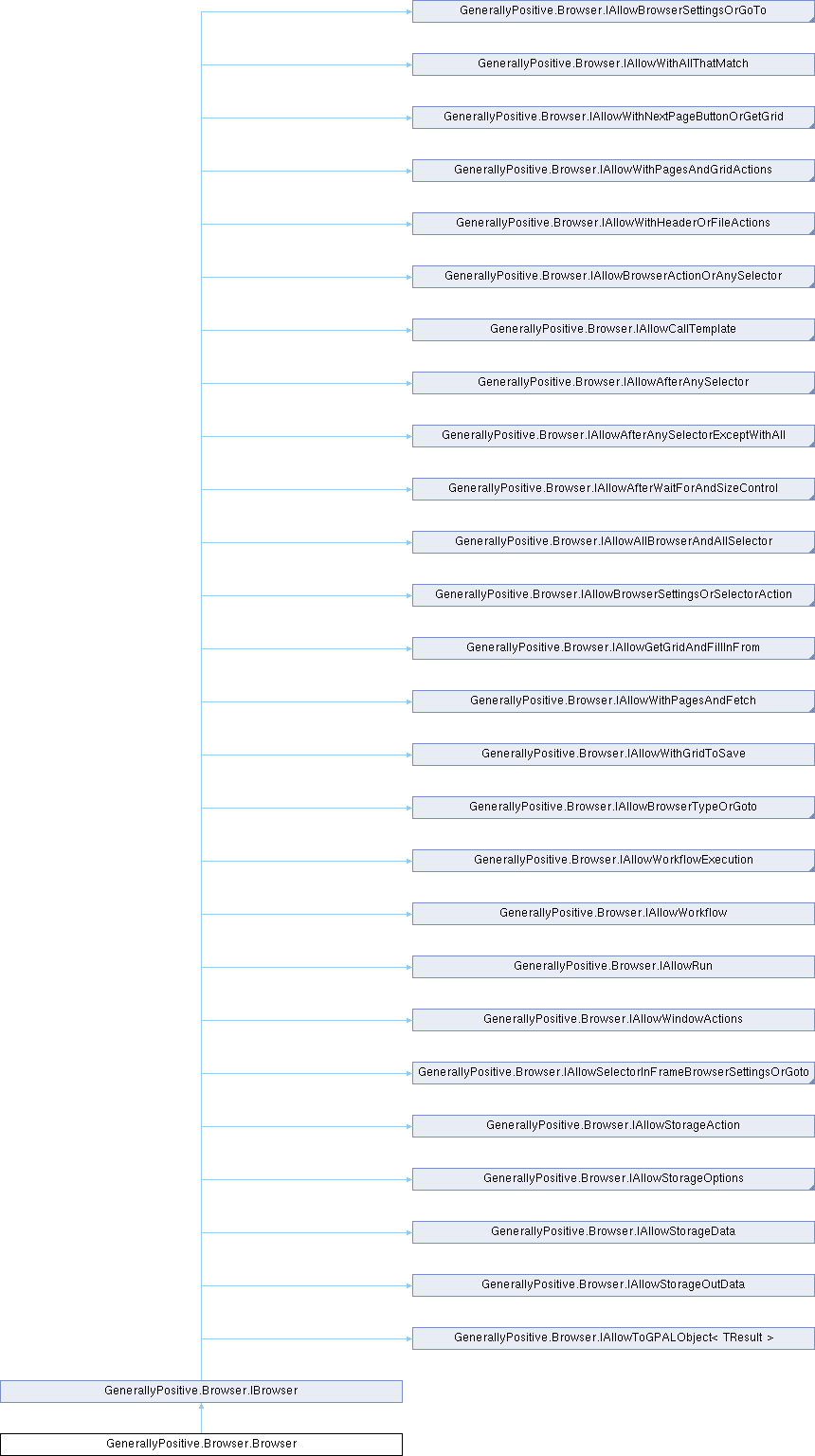
Browser object that contains the fluent methods to create your Browser workflow.
Instatiated using GPAL.Browser.
More...
Public Member Functions | |
| delegate CallIfStatus | CallIfDelegate (IBrowser browser, List< IGPALElement > foundElements, List< IGPALElement > matchedElements, Selector selector, bool matchedAll) |
| Delegate callback for the CallIfFound/CallIfNotFound EventHandlers which will be invoked when a selector is found/not found CallIf handlers may be defined at two levels: At each selector or for a Unit of Work (UOW) [will be invoked for each Selector in the UOW] A UOW is defined as all Selectors between actions (first action is Goto) More than one callback handler can be defined and subsequent handlers will only be invoked based upon return code values. | |
| delegate CallIfStatus | CallAfterFillInDelegate (IBrowser browser, IGPALGrid< string > tokens, int tokenIdx) |
| Delegate callback for the CallAfterFillIn EventHandler which will be invoked after each row of tokens is consumed. Invoked whenever FillInFrom/FilllInFromDatabase/FillInFrom are used. | |
| delegate CallIfStatus | CallAfterFetchDelegate (IBrowser browser, List< string > results, IGPALGrid< string > tokens, int tokenIdx) |
| Delegate callback for the CallAfterFetch handler declared on a GPALRequest, invoked after each row of tokens has been fetched, with every page that row produced. Invoked whenever .Fetch is used, once even when there is no token source. | |
| delegate CallIfStatus | CallOnFailDelegate (IBrowser browser, GPALFailure failure, string detail) |
| Delegate for the CallOnFail handler, invoked when something fails that the workflow, rather than GPAL, is in a position to decide about. GPAL fails forward: it reports what happened and keeps going, so a handler is how a workflow takes a different decision. Return NotHandled and everything proceeds exactly as it would without a handler, Handled to say the workflow dealt with it, or Terminate to end the run. | |
| IBrowser | ToGPALObject () |
| Return a GPAL.Browser object so that GPAL.Browser does not have to be cast. | |
| IAllowBrowserSettingsOrGoTo | WithDriverLocation (string directory) |
| Specifies the location where the browser driver executable is loaded from. Default location is the directory with the GPAL executable. | |
| IAllowBrowserSettingsOrGoTo | WithUseDirectDownload (bool trueFalse) |
| For use with .RightClickAndDownload, use websockets to directly download what the webelement references. | |
| IAllowBrowserSettingsOrGoTo | WithDownloadTimeoutInSec (int seconds) |
| Sets the maximum time to wait for a download to complete. | |
| IAllowBrowserSettingsOrGoTo | WithDownloadLocation (string directory) |
| Specifies the download location for this browser sessions, overrides the default. | |
| IAllowBrowserSettingsOrGoTo | WithBlockPopUps (bool blockPopUp) |
| Specifies whether to block popups in the browser. | |
| IAllowBrowserSettingsOrGoTo | WithHiddenDesktop (bool hiddenDesktop) |
| Run the browser on a Win32 desktop object of its own: a real window, real rendering, no headless fingerprint, on a desktop nobody is looking at. The machine stays usable while the workflow runs. NOTE: naming no desktop gets this browser one of its own that nothing else will be given. Sharing a desktop is what WithHiddenDesktop(string) is for. NOTE: this is not a Windows virtual desktop (Win+Tab). Those group windows within the one desktop and isolate nothing. NOTE: SendInput only reaches the desktop the user is on, so a hardware engine cannot drive a browser here. One asked for anyway steps down to the protocol engine of its own family, and the browser says which engine it settled on. | |
| IAllowBrowserSettingsOrGoTo | WithHiddenDesktop (string desktopName) |
| Run the browser on the named Win32 desktop object. Browsers naming the same desktop share it, and browsers naming different ones get one each, so three browsers on one desktop and three browsers on three desktops are the same call with different names. NOTE: everything WithHiddenDesktop(bool) says applies here too, hardware engines included. | |
| IAllowBrowserSettingsOrGoTo | WithBrowserType (BrowserType browserType) |
| Specify which browser to run the workflow in. NOTE: Chrome and Edge act mostly the same, Firefox has some behavioral differences. For all browsers, GPAL handles any differences for you. Of particular note is topping the browser window with Firefox requires a hardware click. | |
| IAllowBrowserSettingsOrGoTo | WithOverwriteExistingFile (bool overwriteFile) |
| Overwrite the destination file locally when downloading. If set to false, filenames will have a date timestamp appended to make each filename unique. Used with .LeftClickAndDownload(filename) and .RightClickAndDownload(filename). | |
| IAllowBrowserSettingsOrGoTo | WithLoadImages (bool loadImages) |
| Determine whether to show images on a webpage. . | |
| IAllowBrowserSettingsOrGoTo | WithScrollIntoView (bool trueFalse=true) |
| Scroll each scraped element into view as it is read, so the page visibly follows the workflow. This is for watching a run, not for correctness: GPAL reads elements whether or not they are on screen. Ignored in headless, where there is nothing to watch, and skipped for GPALElement matches, which have no place on the page to scroll to. | |
| IAllowBrowserSettingsOrGoTo | WithPromptForDownload (bool promptForDownload) |
| Set to true to always display the SAVE AS dialog box when downloading a file. Very useful with LeftClickAndDownload(filename). When set, every download will prompt you with the SAVE AS dialog, forcing you to fill in the filename. For maximum ease You can use .LeftClickAndDownload(filename) or write GPAL code like this (example) .LeftClick().WaitForWindowRegex("([sSaAvVeE])\w+*).SendString(filename).SendKey(GPAL.VK_RETURN). | |
| IAllowBrowserSettingsOrGoTo | WithOpenPDFExternally (bool openPDFExternally) |
| Specifies whether the browser will render PDFs or launch an external program. . | |
| IAllowWithHeaderOrFileActions | WithGridToSave (IGPALGrid< string > inputGrid) |
| Specifies a GPALGrid<string> that will be subsequently saved to disk. Headers can be specified inline using .WithHeader or, if not specified, will use the Selector name as the column header. If using the Selector name as the header, the names and order of the headers are from the current UOW and the order the Selectors are defined. NOTE: Scraping data occurs when .GetGrid(optionalOutGrid) is called. An internal grid is then created in the currentUOW. This internal grid will be used in any subsequent .SaveTo[CSV|TabbedText|Text] method calls. In this case, you do not need to specify an input grid using WithGridToSave. | |
| IAllowBrowserActionOrAnySelector | WithExistingCDPDebugPort (int port) |
| Specifies the port to use to connect to an existing session from another workflow started with .WithDebugPort MUST be the same port as used when calling .WithDebugPort(). | |
| IAllowBrowserSettingsOrGoTo | WithGPALRestAPIUrl (string restApiUrl) |
| Specifies the TCP port number to start the browser, but also connect to this browser session from a completely different GPAL workflow. NOTE: Mutually exclusive with Debug Pipe, DebugPipe will take precedence, if specific with DebugPort. | |
| IAllowBrowserSettingsOrGoTo | WithCDPDebugPort (int port=0xdead) |
| IAllowBrowserSettingsOrGoTo | WithAutomationEngine (AutomationEngine automationEngine) |
| Selects which automation engine drives the browser: Selenium, OttoMagic, or one of the Puppeteer connection modes. Firefox only supports Selenium or OttoMagic. | |
| IAllowBrowserSettingsOrGoTo | WithCDPDebugPipe (bool trueFalse=false) |
| Use CDP protocol over pipes, should this impply CDP because selenium doesn't support pipe, so this is all us? NOTE: Mutually exclusive with Debug Pipe, DebugPipe will take precedence, if specific with DebugPort NOTE: Firefox does not support CDP pipes. | |
| IAllowBrowserSettingsOrGoTo | WithWaitOnDocumentReady (int timeoutInMs) |
| Specifies GPAL will wait for a true in the browser DocumentReady flag before trying to locate elements. Mutally excludes WithWaitOnNetworkIdle - setting this true will set WithWaitOnNetworkIdle to false. | |
| IAllowBrowserSettingsOrGoTo | WithNavigationGrace (int graceInMs) |
| How long a click waits to see whether it started a navigation, before deciding it stayed on the page. A click returns as soon as the event is dispatched, so a slow site still reports the old url for a moment. Only clicks that navigate go on to wait for the load, which WithWaitOnDocumentReady controls. This is paid in full by every click that does not navigate, so it trades run time for not acting on a stale page. | |
| IAllowBrowserSettingsOrGoTo | WithWaitOnIdleConnection (bool trueFalse=true) |
| Specifies GPAL will wait for network to be idle on current page before trying to locate elements. Mutally excludes WithWaitOnDocumentReady - setting this true will set WithWaitOnDocumentReady to false. | |
| IAllowNetworkIdleSettings | WithNetworkIdleTimeoutMs (int networkIdleTimeoutMs=500) |
| Specifies max time in milliseconds to wait for the network idle before returning false. | |
| IAllowNetworkIdleSettings | WithNetworkIdleMaxConnections (int maxConnections=0) |
| Specifies the maximum duration to keep network stats before pruning old data. | |
| IAllowNetworkIdleSettings | WithNetworkIdlePruneMs (int networkIdlePruneMs=3_000) |
| Specifies the maximum duration to keep network stats before pruning old data The time to wait for new connections to count as open. eg, If prune is 3 seconds, if there are 9 connections and another one opens after 3 seconds, it is considered idle. | |
| IAllowBrowserSettingsOrGoTo | WithProfileDataDirectory (string profileDataDirectory) |
| Specify the profile directory to use for this browser automation session NOTE: if both Profile User Name and Profile Directory are defined, the specific directory will be used. | |
| IAllowBrowserSettingsOrGoTo | WithProfileUserName (string profileUserName) |
| Specify the operating system login username to find the profile directory to use for this browser automation session NOTE: if both Profile User Name and Profile Directory are defined, the specific directory will be used. | |
| IAllowBrowserSettingsOrGoTo | WithProfileName (string profileName) |
| Specify the profile name to use under the data directory for this browser automation session NOTE: use this if a data directory contains multiple profile directories and you do not want to use the default profile. | |
| IAllowBrowserSettingsOrGoTo | WithUseStealth (StealthType steathType) |
| Use stealth operations to block bot detection use Runtime.disable before clicking login button Add persistent script the runs before all others to inject anti-CDP detection script. | |
| IAllowBrowserSettingsOrGoTo | WithUseReferrer (string referrer="") |
| Set the refererrer to use with any Goto or Get for the rest of the browser sessions. Will only clear if you clear it explicitly with an empty string or no parameter. | |
| IAllowBrowserSettingsOrGoTo | WithUseUserAgent (string userAgent="") |
| Set the user agent to use with any Goto or Get for the rest of the browser sessions. Will only clear if you clear it explicitly with an empty string or no parameter. | |
| IAllowBrowserSettingsOrGoTo | WithUserAgentFromBrowser (bool userAgentFromBrowser=true) |
| Launch a browser purely to read its own user agent, instead of working one out without one. Headless browsers announce themselves in their user agent, so GPAL has always started a browser, read the real string, and taken the word Headless back out of it. That costs a browser launch on every headless start, and it is only worth paying when nothing better is known. Off by default, in which case the user agent comes from WithUseUserAgent if it was set, then the userAgent in gpal.yaml, then the per-browser template in gpal.yaml with the installed version filled in, which needs no browser and is what GPAL's own requests already use. | |
| IAllowAfterAnySelector | WithSelector (Selector selector) |
| Add a selector to the current UOW. Selectors make up a Unit of Work (UOW) to perform actions upon. A UOW is: All selectors defined between actions like GoTo, LeftClick, Hover, Focus, etc. Use in conjunction with the CallIf handlers to create workflows to deal with found/not found selector(s). Selectors may remove themselves from a UOW by using selector.Remove() . | |
| IAllowAfterAnySelector | WithSelector (string literalData) |
| Add literal data to a grid when using .GetGrid. | |
| IAllowAfterAnySelector | WithSelector (Func< string > dataFunction) |
| Add literal data to a grid by invoking this function when using .GetGrid. | |
| IAllowBrowserActionOrAnySelector | ContinueAsRESTClient (out IRESTClient client) |
| Carries on without the browser: hands back a RESTClient holding what this browser has, its origin, its cookies, the user agent and accept language it is really sending, and the credential it was given with .WithCredentials. The browser can be closed on the next line and the client keeps working. What does not come along is the TLS handshake, so a target that fingerprints the transport still needs .Fetch from inside the page. | |
| IAllowStorageOutData | RunGet (WebsiteStorageType storageType) |
| Reads data from browser storage (cookies, local/session storage, IndexedDB) using the domain/path/key configured by the preceding .WithStorage* calls. | |
| IAllowBrowserActionOrAnySelector | RunSet (WebsiteStorageType storageType) |
| Writes data to browser storage (cookies, local/session storage, IndexedDB) using the domain/path/key/data configured by the preceding .WithStorage* calls. | |
| IAllowBrowserActionOrAnySelector | RunDelete (WebsiteStorageType storageType) |
| Deletes data from browser storage (cookies, local/session storage, IndexedDB) using the domain/path/key configured by the preceding .WithStorage* calls. | |
| IAllowStorageOptions | WithStorageDomain (string domain) |
| Specifies the domain to scope the next storage Run* action to. Starts a new StorageAction if the previous one was already run. | |
| IAllowStorageOptions | WithStoragePath (string path) |
| Specifies the path to scope the next storage Run* action to. Starts a new StorageAction if the previous one was already run. | |
| IAllowStorageOptions | WithStorageKey (string key) |
| Specifies the key to scope the next storage Run* action to. Starts a new StorageAction if the previous one was already run. | |
| IAllowStorageOptions | WithStorageStoreName (string storeName) |
| Specifies the IndexedDB store name to scope the next storage Run* action to. Starts a new StorageAction if the previous one was already run. | |
| IAllowStorageOptions | WithStorageData (string data) |
| Specifies the data value to write for the next storage .RunSet action. Starts a new StorageAction if the previous one was already run. | |
| IAllowStorageOptions | WithUserDefinedFilter (string userDefined) |
| Specifies a user-defined filter string passed through to the storage action implementation. Starts a new StorageAction if the previous one was already run. | |
| IAllowBrowserActionOrAnySelector | GetStorageData (out string data) |
| Retrieves the data read by the most recent .RunGet storage action. | |
| IAllowAfterAnySelector | InElement (Selector selector) |
| InElement indicates the root element for following withselector element searches which would use a relative selector Example: on ebay, we could use a generic selector to get all descriptions, links, prices and images, but that assumes 1:1 correlation of the globally found items or, we can find all the result spans, then search for the description, link, price and image relative to that containing div/span/element. | |
| IAllowAfterAnySelector | InFrame (Selector selector) |
| Specify that the following .WithSelector(s) are contained in an iFrame specified by the Selector. Use .InMainDom() to get back to working with the main document. | |
| IAllowAfterAnySelector | InShadowDom (Selector shadowDomSelector) |
| Specify that the following .WithSelectors are contained in an a shadow dom specified by the Selector. Use .InMainDom() to get back to working with the main document. NOTE: can only use CSS selectors in shadow dom. | |
| IAllowAfterAnySelector | InMainDom () |
| Specify that GPAL is no longer working in an iFram or shadow dom and reset back to the main document. | |
| IAllowWithPagesAndGridActions | WithNextPageButton (Selector nextPageButtonselector) |
| Specifies the Next Page button used to retrieve multiple pages of data. Use with .GetPages(numOfPages) to specify how to get those next pages. .GetGrid or any .SaveTo[CSV|Excel|File] will treat the current UOW as output Selectors from which to retrieve data. Retrieving data will retrieve only the current page if nothing is specified. Also useful with .WithAllThatMatch to retrieve repeating results (like on eBay) See also .WithInfiniteScroll. | |
| IAllowGetGridAndFillInFrom | WithPages (int pageCount) |
| Specified the number of pages to retrieve when using GetGrid or any .SaveTo[CSV|Excel|File] Must also specify the Next Page button [.WithNextPageButton(selector)] or Infinite scroll [.WithInfiniteScroll] to tell GPAL how to retrieve next pages. . | |
| IAllowWithPagesAndFetch | WithTokensFrom (IGPALGrid< string > inputGrid) |
| Supply the values .Fetch drops into the numbered tokens of its request, one row per set of requests. A column of the row fills the token of the same number, so the first column fills {0}, the second {1}, the same way FillInFrom hands a row of tokens to a row of inputs. | |
| IAllowWithPagesAndFetch | WithTokensFrom (GPALFile inputFile) |
| IAllowWithPagesAndFetch | WithTokensFrom (GPALDatabase inputDatabase) |
| IAllowWithPagesAndFetch | WithTokensFrom (string tokens) |
| IAllowAfterAnySelector | CallAfterFillIn (Browser.CallAfterFillInDelegate callAfterFillIn) |
| Add a handler to call after a row of tokens is consumed and after all inputs are filled in with data. Only one CallAfterFillIn handler exists. Use FillInFrom[Database|File|GPALGrid] to loop thru data in your main workflow and then perform next workflow steps in the CallAfter handler. | |
| IAllowAfterAnySelector | CallIfFound (Browser.CallIfDelegate callIfFoundDelegate) |
| Add a Unit of Work level CallIfFound handler to be called if any defined selectors find/match elements. This method will be called for every found selector in the current UOW. CallIf handlers can remove themselves by calling myBrowser.RemoveCallIfHandlerEverywhere(handler) Selectors may remove themselves from a UOW by using selector.Remove() More than one callback may be defined and will cascade thru the list depending upon the callback return value. See: CallIfDelegate. | |
| IAllowAfterAnySelector | CallIfNotFound (Browser.CallIfDelegate callIfNotFound) |
| Add a Unit of Work level CallIfNotFound handler to be called if any defined selectors DO NOT find/match elements. This method will be called for every NOT FOUND selector in the current UOW. CallIf handlers can remove themselve by calling myBrowser.RemoveCallIfHandlerEverywhere(handler) Selectors may remove themselves from a UOW by using selector.Remove() More than one callback may be defined and will cascade thru the list depending upon the callback return value. See: CallIfDelegate. | |
| IAllowAfterWaitForAndSizeControl | WithWaitForWindowTimeout (int waitTimeInSeconds) |
| Define the time in seconds to WaitForWindow/Regex. | |
| IAllowBrowserSettingsOrGoTo | PersistentCallIfFound (CallIfDelegate persistentCallIfFound) |
| Add a persistent CallIfFound handler to be called if any defined persistent selectors find/match elements. Persistent selectors are always looked for before every action cross-cutting your workflow. Persistent handlers can remove themselves in the CallIfHandler by calling myApplication.RemoveCallIfHandlerEverywhere(handler) More than one callback may be defined and will cascade thru the list depending upon the callback return value. See: CallIfDelegate. | |
| IAllowBrowserSettingsOrGoTo | PersistentCallIfNotFound (CallIfDelegate persistentCallIfNotFound) |
| Add a persistent CallIfNotFound handler to be called if any defined persistent selectors DO NOT find/match elements. Persistent selectors are always looked for before every action cross-cutting your workflow. Persistent handlers can remove themselves in the CallIfHandler by calling myApplication.RemoveCallIfHandlerEverywhere(handler) More than one callback may be defined and will cascade thru the list depending upon the callback return value. See: CallIfDelegate. | |
| IAllowBrowserSettingsOrGoTo | WithCredentials (ICredentials credentials) |
| Add a handler to be called when something fails on this browser that the workflow is in a position to decide about, a navigation that never loaded a page being the case that exists today. GPAL fails forward, so without a handler the failure is reported and the run carries on, which for a dead page means the selectors find nothing and the CallIfNotFound handlers fire. A handler is how a workflow takes a different decision: retry the url, go somewhere else, or terminate. A browser with no handler of its own falls through to GPAL.CallOnFail, so several workflows can share one handler and tell themselves apart by the browser they are handed. | |
| IAllowBrowserSettingsOrGoTo | CallOnFail (CallOnFailDelegate callOnFail) |
| IAllowBrowserSettingsOrGoTo | WithPersistentSelector (Selector selector) |
| Add a persistent selector to the persistent UOW. Persistent selectors are always looked for whenever you perform an action on a UOW, like LeftClick, Hover, Focus, etc. Use in conjunction with the PersistentCallIf handlers to create workflows to deal with the persistent selector(s). Selectors may remove themselves from a UOW by using selector.Remove() Only one persistent Unit of Work exists. All selectors are evaluated in the order they are defined. Example: For browser, a persistent selector could look for a popup panel like 'Accept all cookies' that displays on all pages and may block processing.. NOTE: persisten selectors are only looked for in content/frame 0 as they are designed to deal with page popups eminating from base content. Use workflows to deal with elements in frames. | |
| IAllowWithHeaderOrFileActions | WithHeader (string header) |
| Specify a column header for output. Headers are output in order defined. | |
| IAllowAfterAnySelectorExceptWithAll | WithAllThatMatch (int rowCount=int.MaxValue) |
| Indicates the Selectors refer to/match repeating, multiple elements on the page. Use after all your .WithSelector statements. Used two ways. For scraping: This is used to retrieve multiple rows of data from the webpage, up to rowCount. For input tokens/strings: This will repeat the same input into multiple elements, up to rowCount of lines. NOTE: if called before any. | |
| IAllowAllBrowserAndAllSelector | WithWindowSize (Rectangle windowSize) |
| Set the default window size for when the browser opens. As well, exiting fullscreen will return to this size. IF NOT SET: 'Normal' to restore the window will restore the window to the Size before enterinng fullscreen. | |
| IAllowBrowserSettingsOrGoTo | WithObeyRobotsTxt (bool trueFalse=false) |
| Set whether to deny navigating to webpage if denied by robots.txt. | |
| IAllowBrowserSettingsOrGoTo | WithRespectRobotMetaTags (bool trueFalse=false) |
| Set whether to respect robots-related meta tags (e.g. noindex/nofollow) on the page. | |
| IAllowBrowserActionOrAnySelector | Get (GPALUrl URL) |
| IAllowBrowserActionOrAnySelector | GoTo (GPALUrl URL) |
| Navigate to the URL specified. If no browser is open, one will be launched. If using an already open browser, navigate in the current tab. Use .WithNewTab before .GoTo to navigate on a new tab. | |
| IAllowBrowserActionOrAnySelector | CloseTab (dynamic URLorTabId=null) |
| Close the current in focus, active tab. | |
| IAllowBrowserActionOrAnySelector | NewTab (GPALUrl url) |
| Used to specify the next GoTo command should open in a new tab. The new tab is then the active tab. Use .NextTab and .PreviousTab to navigate tabs. NOTE: Applies only once. Use .WithNewTab before each .GoTo to open in a new tab. | |
| IAllowBrowserActionOrAnySelector | LeftClick () |
| Left click the element found for Selector(s) defined in the UOW One left click for the first element found for each selector. If .WithAllThatMatch is defined on the current UOW, then a left click is performed on {num} elements that matches the corresponding Selector in the current UOW. . | |
| IAllowBrowserActionOrAnySelector | LeftClick (ModifierKeys modifierKeys) |
| Left click the element found for Selector(s) defined in the UOW One left click for each element found for selector. If .WithAllThatMatch is defined on the current UOW, then a left click is performed on {num} elements that matches the corresponding Selector in the current UOW. . | |
| IAllowBrowserActionOrAnySelector | LeftClick (Selector selector) |
| Left click the element(s) found for Selector parameter, creates a UOW of 1 element One left click w/ no modiofiers pressed for each element found for the selector. If .WithAllThatMatch is defined on the current UOW, then a left click is performed on {num} elements that matches the corresponding Selector in the current UOW. . | |
| IAllowBrowserActionOrAnySelector | SelectClick (SelectClickType selectClickType) |
| Clicks the option element(s) found for the current selector(s) using the given select-click behavior (e.g. RandomSelect, SequentialSelect). | |
| IAllowBrowserActionOrAnySelector | StealthLeftClick (Selector selector) |
| IAllowBrowserActionOrAnySelector | LeftDoubleClick () |
| Left double click the element found for Selector(s) defined in the UOW One left click for each element found for each selector. Should probably be used with only one Selector in the UOW. If .WithAllThatMatch is defined on the current UOW, then a left click is performed on {num} elements that matches the corresponding Selector in the current UOW. . | |
| IAllowBrowserActionOrAnySelector | MiddleClick () |
| Midle click the element found for Selector(s) defined in the UOW One middle click for each element found for each selector. If .WithAllThatMatch is defined on the current UOW, then a left click is performed on {num} elements that matches the corresponding Selector in the current UOW. . | |
| IAllowBrowserActionOrAnySelector | RightClick (Selector selector=null) |
| Right click the element found for Selector(s) defined in the UOW One right click for the first element found for each selector. Should probably be used with only one Selector in the UOW. If .WithAllThatMatch is defined on the current UOW, then a left click is performed on {num} elements that matches the corresponding Selector in the current UOW. . | |
| IAllowBrowserActionOrAnySelector | LeftClickAndDownload (GPALFile gPalFileToDownloadTo) |
| Left clicks the element(s) found for the current selector(s) and downloads the resulting file to gPalFileToDownloadTo . | |
| IAllowBrowserActionOrAnySelector | LeftClickAndUpload (GPALFile gPalFileToUpload) |
| Left click the input[type=file] or custom control button Headful - enter filename in open file dialog Headless - selenium and puppeteer can use CDP top populate files, OttoMagic requires the native app to stream the file to the browser... | |
| IAllowBrowserActionOrAnySelector | RightClickAndDownload (GPALFile filenames) |
| Right click the element(s) found for Selector(s) defined in the UOW, select 'Save as...', wait for the SAVE AS dialog, enter the filename and save the file. The saved filename is then added to the end of the filename list. Useful if files are not overwritten. One right click for the first element found for each selector. Should probably be used with only one Selector in the UOW. If .WithAllThatMatch is defined on the current UOW, then a right click is performed on {num} elements that matches the corresponding Selector in the current UOW. . | |
| IAllowBrowserActionOrAnySelector | AppendFrom (GPALDatabase inputDatabase) |
| Append data from the database to the end of any input Selectors defined in the UOW One token (one column in the current row) per input. Inputs are filled by tokens in the order they are both declared. If .WithAllThatMatch is defined on the current UOW, then the token is entered into {num} inputs that matches the corresponding Selector in the current UOW. If CallAfterFillIn callback is defined, it will be called after each row is consumed and the text is input. | |
| IAllowBrowserActionOrAnySelector | InsertFrom (GPALDatabase inputDatabase) |
| Insert the text from the database at the beginning of the input Selector(s) defined in the UOW One token (one column in the current row) per input/element found. Inputs are filled by tokens in the order they are both declared. If .WithAllThatMatch is defined on the current UOW, then the token is entered into {num} inputs that matches the corresponding Selector in the current UOW. If CallAfterFillIn callback is defined, it will be called after each row is consumed and the text is input. | |
| IAllowBrowserActionOrAnySelector | FillInFrom (GPALDatabase inputDatabase) |
| FillIn data from the database overwriting text in the input Selector(s) defined in the UOW One token (one column in the current row) per input/element found. Inputs are filled by tokens in the order they are both declared. If .WithAllThatMatch is defined on the current UOW, then the token is entered into {num} inputs that matches the corresponding Selector in the current UOW. If CallAfterFillIn callback is defined, it will be called after each row is consumed and the text is input. | |
| IAllowBrowserActionOrAnySelector | AppendFrom (GPALFile inputFile) |
| Append the data from the input file to the end of any input Selectors defined in the UOW One token (one string [between commas] from the current row) per input. Inputs are filled by tokens in the order they are both declared. If .WithAllThatMatch is defined on the current UOW, then the token is entered into {num} inputs that matches the corresponding Selector in the current UOW. If CallAfterFillIn callback is defined, it will be called after each row is consumed and the text is input. | |
| IAllowBrowserActionOrAnySelector | FillInFrom (GPALFile inputFile) |
| FillIn data from the file overwriting text in the input Selector(s) defined in the UOW One token (one string [between commas] from the current row) per input. Inputs are filled by tokens in the order they are both declared. If .WithAllThatMatch is defined on the current UOW, then the token is entered into {num} inputs that matches the corresponding Selector in the current UOW. If CallAfterFillIn callback is defined, it will be called after each row is consumed and the text is input. | |
| IAllowBrowserActionOrAnySelector | InsertFrom (GPALFile inputFile) |
| Insert the data from the file at the beginning of the text in the input Selector(s) defined in the UOW One token (one string [between commas] from the current row) per input. Inputs are filled by tokens in the order they are both declared. If .WithAllThatMatch is defined on the current UOW, then the token is entered into {num} inputs that matches the corresponding Selector in the current UOW. If CallAfterFillIn callback is defined, it will be called after each row is consumed and the text is input. | |
| IAllowBrowserActionOrAnySelector | AppendFrom (IGPALGrid< string > inputGrid) |
| Append the data from the input grid to the end of any input Selectors defined in the UOW One token (one string from the current row) per input. Inputs are filled by tokens in the order they are both declared. If .WithAllThatMatch is defined on the current UOW, then this token is entered into {num} inputs that matches the corresponding Selector in the current UOW. If CallAfterFillIn callback is defined, it will be called after each row is consumed and the text is input. | |
| IAllowBrowserActionOrAnySelector | FillInFrom (IGPALGrid< string > inputGrid) |
| FillIn data from the grid overwriting text in the input Selector(s) defined in the UOW One token (one string from the current row) per input. Inputs are filled by tokens in the order they are both declared. If .WithAllThatMatch is defined on the current UOW, then this token is entered into {num} inputs that matches the corresponding Selector in the current UOW. If CallAfterFillIn callback is defined, it will be called after each row is consumed and the text is input. | |
| IAllowBrowserActionOrAnySelector | InsertFrom (IGPALGrid< string > inputGrid) |
| Insert the data from the grid at the beginning of the text in the input Selector(s) defined in the UOW One token (one string from the current row) per input. Inputs are filled by tokens in the order they are both declared. If .WithAllThatMatch is defined on the current UOW, then this token is entered into {num} inputs that matches the corresponding Selector in the current UOW. If CallAfterFillIn callback is defined, it will be called after each row is consumed and the text is input. | |
| IAllowBrowserActionOrAnySelector | AppendFrom (string text) |
| Append the given text to the first input in the UOW. Should probably only be used with one selector at a time. If .WithAllThatMatch is defined on the current UOW, then this text is entered into {num} inputs that matches the Selector(s) in the current UOW. | |
| IAllowBrowserActionOrAnySelector | FillInFrom (string text) |
| Overwrite all text in the first input in the UOW. Should probably only be used with one selector at a time. If .WithAllThatMatch is defined on the current UOW, then this text is entered into {num} inputs that matches the Selector(s) in the current UOW. | |
| IAllowBrowserActionOrAnySelector | InsertFrom (string textToUse) |
| Insert text at the beginning of the first input in the UOW. Should probably only be used with one selector at a time. Example: If three inputs are defined and three 'InsertFrom' are defined, then the text is assigned to the same ordinal input element found via the Selector(s) If .WithAllThatMatch is defined on the current UOW, then this text is entered into {num} inputs that matches the corresponding Selector(s) in the current UOW. | |
| IAllowBrowserActionOrAnySelector | Focus (Selector selector) |
| Focus the current element found via the Selector. Only the first element per Selector found will be focused. IF using hardwre emulation (.WithHardware) for this selector, for text inputs, focus is a click in the control. Otherwise, hardware emulation hovers the mouse over the control. If .WithAllThatMatch is defined on the current UOW, then focus will interate over {num} elements that matches the Selector(s) in the current UOW. | |
| IAllowBrowserActionOrAnySelector | Hide (Selector selector=null) |
| Hides the element(s) found for selector (or the current selector(s) if none is given) by setting their CSS display to none. | |
| IAllowSetAttributeValue | WithAttribute (string attribute) |
| Names the DOM attribute to set on the current selector(s). Must be followed by SetAttribute(string) to supply the value and complete the action. See IAllowSetAttributeValue.SetAttribute for the distinction between this and SendString/FillIn*. | |
| IAllowBrowserActionOrAnySelector | SetAttribute (string value) |
| Assigns value to the attribute named by the preceding WithAttribute call, completing the SetAttribute action. | |
| IAllowBrowserActionOrAnySelector | SetValueFrom (Selector selector) |
Sets the value of the element(s) matched by the preceding WithSelector call from the value of the element matched by selector , i.e. destElement.value =
srcElement.value. Uses OttoMagic, Puppeteer or JavaScript depending on the active engine, and fires "input"/"change" events on the destination so the page reacts to the new value. | |
| IAllowBrowserActionOrAnySelector | Hover (Selector selector=null) |
Fluent alias for MoveTo(Selector). Moving the mouse to an element is a real input-layer event on every engine, so the browser naturally updates CSS :hover state and fires mouseenter/mouseover/mouseleave - this is what reveals hover-triggered menus and tooltips. There is no separate "hover" operation; Hover exists only because it's the more discoverable name for this intent. | |
| IAllowBrowserActionOrAnySelector | MoveTo (Selector selector=null) |
| Moves the mouse to the current element found via the Selector. Only the first element per Selector found will be 'moved to'. IF using hardwre emulation (.WithHardware) for this selector, the mouse is moved to hover over the control. If .WithAllThatMatch is defined on the current UOW, then MoveTo will move the mouse over {num} elements that matches the Selector(s) in the current UOW. How and where on the page an element is moved to differs depending upon the technique: Hardware, OttoMagic, Puppeteer or Selenium all perform a real cursor move (triggering CSS :hover and mouseover/mouseenter/mouseleave). As a last resort, when no real cursor is available (e.g. plain Selenium in headless mode), a synthetic "mouseover" event is dispatched via JavaScript - this only fires JS mouseover listeners and does NOT trigger CSS :hover. | |
| IAllowBrowserActionOrAnySelector | StartWorkflow () |
| Start a workflow to invoke CallIf handlers (if no other action is being used in the workflow) A LeftClick, Hover, GetGrid, SaveTo. FillIn and other actions will all start the workflow. Sometimes your Unit of Work (UOW) consists of finding one repeating element, then chaining to a CallIfFound handler. StartWorkflow will kick off looking for your UOW selectors. NOTE: Only call this if you have not called another action. Any prior action will start the workflow and this will be ignored if used. But if you have not called an action, you can use .StartWorkflow to kick off the workflow which will invoke your CallIf handlers. | |
| IAllowBrowserActionOrAnySelector | GetElements (out List< GPALElement > elements) |
| IAllowWithHeaderOrFileActions | GetGrid (ref IGPALGrid< string > returnGrid) |
| Retrieve the current UOW selectors data into a <string> of columns and rows to use with GPAL or however you want. using GenerallyPositive.Common;. | |
| IAllowCallTemplate | WithCallFilter (string urlFragment) |
| Save the retrieved grid. The output format and delimiter are determined by the GPALFile (its extension, e.g. .csv/.tsv/.txt/.xlsx/.json, or its explicit file settings). The single save syntax; the output format and delimiter come from the GPALFile. | |
| IAllowBrowserActionOrAnySelector | CaptureCallTemplate (out GPALRequest template) |
| Waits for the page to make a call the filter matches, then hands it back as a request ready to issue. This is how a workflow carries a value it cannot know: a token minted per session, a signed parameter, a header the page's own code adds. Nothing is pasted and nothing goes stale, because the template is taken from the run that is happening. The last match wins, since a page that calls an endpoint more than once has settled by the last one. Hands back null when nothing matched in time, so the workflow decides what that means. | |
| IAllowBrowserActionOrAnySelector | CaptureCalls (bool capture=true) |
| IAllowBrowserActionOrAnySelector | CaptureCalls (out List< GPALCall > calls) |
| Records what the page asks for and hands back everything recorded so far, so an endpoint can be read off a site rather than guessed at. Say it before going anywhere and say it again whenever you want what has happened since. Each call hands back its own list, so a workflow reading one is never reading what the browser is still writing. | |
| IAllowBrowserActionOrAnySelector | ClearCapturedCalls () |
| Forgets everything recorded so far, so what is captured next is what happened next. Recording carries on, and what was already handed back to a workflow is untouched. | |
| IAllowWithHeaderOrFileActions | Fetch (GPALRequest request) |
| IAllowBrowserActionOrAnySelector | SaveTo (ref string data) |
| Hand back what .Fetch retrieved, as a JSON array holding one response body per page requested, so a single page and twenty pages come out in the same shape. | |
| IAllowBrowserActionOrAnySelector | SaveTo (GPALFile file) |
| IAllowBrowserActionOrAnySelector | AppendTo (GPALFile file) |
| Append the retrieved grid. The output format and delimiter are determined by the GPALFile (its extension or explicit file settings). Headers are not repeated on append. | |
| IAllowAfterWaitFor | WaitFor (WaitTime waitForTimeInMs) |
| Either wait the amount of time specified or wait UP TO the amount of time specified waiting for elements to be found for the Selector(s) in the current UOW. If an action has already been called, then this is interpretted as a sleep for the specified miliseconds. If only selectors have been defined in the current UOW, then this is a delay waiting for the selectors to be present before continuing with the workflow. Waiting for elements does not guarantee they will be present when the workflow continues. If they are not present, the CallIfNotFound handler will be invoked so you can deal with that. NOTE: WaitFor is not considered an action, if defines a time to wait for elements to be present before trying to perform actions. | |
| IAllowAfterWaitFor | WaitFor (Selector waitForSelector) |
| Wait for the specified elements(s) defined by withForSelector to be present and defined on-page. | |
| IAllowAfterWaitFor | WaitFor (ElementState elementState) |
| Waitfor an element to eneter the specified state. This is an action. | |
| IAllowAfterWaitForAndSizeControl | WaitForWindow (string waitForTitle) |
| Wait for a Windows window with title to appear on the desktop. Used in conjunction with .WithWaitForWindowTimeout to set the wait duration in seconds. . | |
| IAllowAfterWaitForAndSizeControl | WaitForWindowRegex (string waitForTitleRegex) |
| Wait for a Windows window with title that matches the regex pattern to appear on the desktop. Used in conjunction with .WithWaitForWindowTimeout to set the wait duration in seconds. . | |
| IAllowBrowserActionOrAnySelector | WithPageOrientation (PageOrientation pageOrientation) |
| Sets the page orientation (Portrait/Landscape) used by PrintToPDF. | |
| IAllowBrowserActionOrAnySelector | PrintToPDF (GPALFile gpalFile) |
| Prints each selector on the unit of work to a PDF of its own, and the whole page when the unit of work names no selector. An action, so it waits out the unit of work's .WaitFor and consumes every selector named before it. Every file is taken from GPALFile.Next, so the names the workflow supplied are used in order and anything past them is built from the last one. What was written is in ReturnFilenames. | |
| IAllowBrowserActionOrAnySelector | SendString (string textToSend) |
| Type in the literal string provided. NOTE: If you press SHIFT then SendString a mixed-case string, SHIFT will be released. To send ALL CAPS, press SHIFT then send an all lowercase string. | |
| IAllowBrowserActionOrAnySelector | PressModifierKey (ModifierKeys modifierKeys) |
| Press the specified modifer keys (can be ORd) NOTE: If you SendString a mixed case string, the SHIFT key will be released if it is pressed. | |
| IAllowBrowserActionOrAnySelector | ReleaseModifierKey (ModifierKeys modifierKeys) |
| Release the specified modifer keys (can be ORd) NOTE: If you SendString a mixed case string, the SHIFT key will be released if it is pressed. | |
| IAllowBrowserActionOrAnySelector | SendKey (byte VKCode) |
| Type special characters like Enter, Page Up, Page Down, Tab, etc. Use GPAL.VK constants for ease of access to commmon keys. For all Virtual Keycodes, visit: https://docs.microsoft.com/en-us/windows/win32/inputdev/virtual-key-codes. | |
| IAllowBrowserActionOrAnySelector | ScrollWindowHorizontal (int scrollAmountInPixels) |
| Scroll the browser window horizontally the number of pixels. Negative numbers scroll left. JavaScript only. | |
| IAllowBrowserActionOrAnySelector | ScrollWindowVertical (int scrollAmountInPixels) |
| Scroll the browser window horizontally the number of pixels. Negative numbers scroll up. JavaScript only. | |
| IAllowBrowserActionOrAnySelector | ScrollElementHorizontal (int scrollAmountInPixels) |
| Scroll the element horizontally by number of pixels. Negative numbers scroll left. JavaScript only. | |
| IAllowBrowserActionOrAnySelector | ScrollElementVertical (int scrollAmountInPixels) |
| Scroll the element vertically by number of pixels. Negative numbers scroll up. JavaScript only. | |
| IAllowBrowserActionOrAnySelector | GoToTab (dynamic URLorTabTuple=null) |
| Goto the tab with the specified URL If using OttoMagic, you can use the tabid from browser.BrowserSettings.TabIds[tabid] search for matching URL. | |
| IAllowBrowserActionOrAnySelector | DragAndDrop (ModifierKeys modifierKeys) |
| Left click the element found for Selector(s) defined in the UOW One left click for the first element found for each selector. If .WithAllThatMatch is defined on the current UOW, then a left click is performed on {num} elements that matches the corresponding Selector in the current UOW. . | |
| IAllowBrowserActionOrAnySelector | DragAndDrop (Selector selector=null) |
| Drags the element(s) found for selector (or the current selector(s) if none is given) by the selector's DeltaX/DeltaY. | |
| IAllowBrowserActionOrAnySelector | ExecuteJavaScriptObj (string javascript) |
| Executes JavaScript in the browser and stores the raw result object in JavaScriptResultObj. | |
| IAllowBrowserActionOrAnySelector | ExecuteJavaScriptStr (string javascript) |
| Executes JavaScript in the browser and stores the result as a string in JavaScriptResultStr. | |
| IAllowBrowserActionOrAnySelector | WithDialogsAccepted (bool accept) |
| Answers the alert, confirm and prompt dialogs the page raises instead of letting them open and stop everything until somebody clicks. True is OK, and confirm reads true; false is Cancel, and confirm reads false. Not calling this leaves dialogs alone, so they open and block the way they would for a person. Selenium and Puppeteer answer them at the browser: the driver does it as a capability and Puppeteer over CDP, and the page's own alert, confirm and prompt are untouched, so nothing about it is visible to the page. OttoMagic cannot do that, because an open dialog stops the page thread the extension talks through, so there GPAL replaces those three functions before the page runs and no dialog is ever raised. That replacement is the one thing here a page could notice, which is why it is only done on the engine that has no other way. | |
| IAllowBrowserActionOrAnySelector | WithDialogText (string text) |
| What a prompt hands back when dialogs are accepted. Left unsaid, the prompt's own default stands. | |
| IAllowBrowserActionOrAnySelector | ClearDialogHandling () |
| Stops answering dialogs, so they open and block again the way they would for a person. This is the opposite of WithDialogsAccepted(bool) rather than the false half of it: false is still answering, with Cancel. Puppeteer stops at once. On OttoMagic the three functions stay replaced, because a script cannot be unregistered one at a time, but they hand every call straight to the real one, so the page behaves as it would untouched. To take them off altogether, ClearInjectedScripts and navigate. Selenium cannot stop: the driver was started with the capability and keeps it until it closes. | |
| IAllowBrowserActionOrAnySelector | GetWindowRectangle (out Rectangle window) |
| The browser window position and size in screen coordinates, chrome included. Puppeteer reads it from the browser over CDP, which needs no page. Selenium and OttoMagic read the screen position and outer size from the page. A window that cannot be measured returns empty. | |
| IAllowBrowserActionOrAnySelector | InjectScript (string script) |
| Registers a script (raw JS string) to run on every new document load. Callable before the first .GoTo()/.Get() (active from the first page load) or at any later point (applies to subsequent navigations). Persists until ClearInjectedScripts is called. | |
| IAllowBrowserActionOrAnySelector | InjectScript (GPALFile scriptFile) |
| Registers script(s) loaded from scriptFile to run on every new document load - if multiple filenames are specified (e.g. via wildcard), all are loaded and injected as separate scripts. Persists until ClearInjectedScripts is called. | |
| IAllowBrowserActionOrAnySelector | ClearInjectedScripts () |
| Removes all scripts previously registered via InjectScript(string) or InjectScript(GPALFile). | |
| IAllowBrowserActionOrAnySelector | SetRange (int rangeValue) |
| Sets the value of a range/slider input element matched by the current selector(s) by scrolling it into view and setting its value to rangeValue . | |
| void | Close (bool killWebDrivers=false) |
| Close/terminate the browser. This terminates the fluent browser workflow and nothing can be chained to this command. NOTE: If you are ending your application, pass in true to kill all running web drivers. | |
| void | RemoveCallIfHandlerEverywhere (CallIfDelegate func) |
| bool | IsEndOfPage () |
| Helper method to check whether the current page is at the bottom. | |
| IAllowBrowserActionOrAnySelector | OpenWindow (GPALUrl URL) |
| Opens a new browser tab/window navigated to URL and switches focus to it. | |
| IAllowBrowserActionOrAnySelector | GoToWindow (dynamic urlOrId) |
| Switches focus to the browser tab/window matching the given URL or window/tab id. | |
| IAllowBrowserActionOrAnySelector | CloseWindow (dynamic urlOrId=null) |
| Closes the current browser tab/window, or the one matching the given URL or window/tab id, and switches focus to the next available window. | |
| IAllowBrowserActionOrAnySelector | Run () |
| Runs the workflows added via WithWorkflow against this browser, in the order they were added. To give each workflow a browser of its own and run several at once, see GPAL.Workflow. | |
| IAllowWorkflowExecution | WithWorkflow (Action< IBrowser > workflow) |
| Adds a workflow to run against this browser, used with Run, While and Until(Selector). Workflows run in the order they were added, one after another, and the browser handed to each is this one. | |
| IAllowWorkflowExecution | WhileLoopTimeout (int timeoutMs) |
| Sets the maximum amount of time a While/Until loop is allowed to run before it is aborted. | |
| IAllowWorkflowExecution | WhileLoopMaxIterations (int maxIterations) |
| Sets the maximum number of iterations a While/Until loop is allowed to run before it is aborted. | |
| IAllowBrowserActionOrAnySelector | While (Func< Browser, bool > predicate) |
| Repeats the workflow added via WithWorkflow for as long as the given predicate returns true, subject to WhileLoopTimeout and WhileLoopMaxIterations. | |
| IAllowBrowserActionOrAnySelector | Until (Selector selector) |
| Repeats the workflow added via WithWorkflow until the given selector matches an element on the page, subject to WhileLoopTimeout and WhileLoopMaxIterations. | |
| IAllowBrowserActionOrAnySelector | Until (Func< Browser, bool > predicate) |
| Repeats the workflow added via WithWorkflow until the given predicate returns true, subject to WhileLoopTimeout and WhileLoopMaxIterations. | |
| IAllowBrowserActionOrAnySelector | GetHydratedData (out NextJsHydrationResult hydrationResult) |
| Extracts Next.js hydration data (e.g. NEXT_DATA) embedded in the current page's HTML. | |
| IAllowBrowserActionOrAnySelector | SaveHydratedData (GPALFile hydrationFile) |
| IAllowBrowserActionOrAnySelector | GetLLMDigest (out LLMDigestResult digestResult, string ruleSetName=null) |
| Converts the current page's HTML into an LLM-optimized markdown digest. | |
| IAllowBrowserActionOrAnySelector | SaveLLMDigest (GPALFile llmDigestFile, string ruleSetName=null) |
| Converts the current page's HTML into an LLM-optimized markdown digest and saves it to a file. | |
| IAllowBrowserActionOrAnySelector | GetPageSource (out string pageSource) |
| Gets the current page's HTML source, cleaned of escape sequences and control characters. | |
| IAllowBrowserActionOrAnySelector | GetSiteMap (out string sitemapXML) |
| Gets the raw XML/source of the current page, intended for use when the current page is itself a sitemap. | |
| IAllowBrowserActionOrAnySelector | ClearResultCache () |
| Clears the cached sitemap / LLM digest / hydration results for this browser, forcing the next Get*/Save* to re-walk or re-fetch instead of reusing an earlier result. | |
| IAllowBrowserActionOrAnySelector | GetSiteMapUrls (out List< string > sitemapUrls, string sitemapUrl=null) |
| Discovers and walks the site's sitemap(s) (via robots.txt, the current page, or heuristic detection), extracting all URLs found, then returns to the original page. | |
| IAllowBrowserActionOrAnySelector | SaveSiteMapUrls (GPALFile sitemapUrlsFile) |
| Discovers and walks the site's sitemap(s), then saves the extracted URLs to a file. The output format (csv, txt, json, yaml, xml, ...) is chosen from the file extension by the converter, so one call turns a crawl into whatever downstream format you need. | |
| IAllowBrowserActionOrAnySelector | CastTab (string sinkName) |
| Casts (mirrors) the current browser tab to the named cast sink (e.g. a Chromecast device). Supported via Puppeteer and Selenium; not available via OttoMagic. | |
| IAllowBrowserActionOrAnySelector | CastDesktop (string sinkName) |
| Casts (mirrors) the entire desktop to the named cast sink (e.g. a Chromecast device). Supported via Puppeteer and Selenium; not available via OttoMagic. | |
| IAllowBrowserActionOrAnySelector | StopCasting () |
| Stops any active cast (tab or desktop mirroring) started via CastTab or CastDesktop. | |
| Public Member Functions inherited from GenerallyPositive.Browser.IAllowBrowserSettings | |
| IAllowBrowserSettingsOrGoTo | WithDriverLocation ([Directory(Description="Location of browser driver for this instance. [./ (default)(same dir as exe)]")] string driverPath) |
| Public Member Functions inherited from GenerallyPositive.Browser.IAllowSizeControl | |
| IAllowAllBrowserAndAllSelector | WithWindowSize (System.Drawing.Rectangle windowSize) |
| Public Member Functions inherited from GenerallyPositive.Browser.IAllowPersistentCallBack | |
| IAllowBrowserSettingsOrGoTo | PersistentCallIfFound (Browser.CallIfDelegate CallIfFound) |
| IAllowBrowserSettingsOrGoTo | PersistentCallIfNotFound (Browser.CallIfDelegate CallIfNotFound) |
| IAllowBrowserSettingsOrGoTo | CallOnFail (Browser.CallOnFailDelegate CallOnFail) |
| Public Member Functions inherited from GenerallyPositive.Browser.IAllowGetWindowRectangle | |
| IAllowBrowserActionOrAnySelector | GetWindowRectangle (out System.Drawing.Rectangle window) |
Properties | |
| int | CurrentTabIdx = 0 [get, set] |
| Index of the currently active browser tab/window. | |
| bool | AreRobotsAllowed [get, set] |
| True if the current page's robots.txt/meta tags allow automation, as determined by WithRespectRobotMetaTags. | |
| IAllowAfterAnySelector | WithHardware [get] |
| Specifies to use hardware emulation when interacting with the Selector just defined with .WithSelector. Use this to override what is defined on the Selector. Selenium is the default method to interact with elements, but sometimes hardware emulation is the only way that works. You can also specify to execute javascript on the page to interact with elements. | |
| IAllowAfterAnySelector | WithJavaScript [get] |
| Specifies to execute javascript on the page to interact with the Selector just defined with .WithSelector. Use this to override what is defined on the Selector. This is different than Selenium interaction. Selenium is the default method to interact with elements, but sometimes that doesn't work as expected. You can also specify to use hardware emulation to interact with elements. | |
| IAllowWithPagesAndGridActions | WithInfiniteScroll [get] |
| Indicates the current page does not have a Next Page button, but an infinite scroll. GPAL pagination then consists of moving to the bottom and waiting for the DocumentReady before paging again. | |
| IAllowBrowserActionOrAnySelector | Back [get] |
| Navigate back one page. | |
| IAllowBrowserActionOrAnySelector | Forward [get] |
| Navigate forward one page. | |
| IAllowBrowserActionOrAnySelector | Refresh [get] |
| Refresh the current page. | |
| IAllowBrowserActionOrAnySelector | PageDown [get] |
| Scroll the current tab window down one page. Scrolling ends the unit of work, because scrolling can replace what is on the page. Read what you have before you scroll and name the selectors again afterwards. Nothing here needs the window on top, because every engine scrolls through its own protocol rather than through the mouse. | |
| IAllowBrowserActionOrAnySelector | PageEnd [get] |
| Scroll the current tab window to the bottom of the page. Scrolling ends the unit of work, because scrolling can replace what is on the page. Read what you have before you scroll and name the selectors again afterwards. Nothing here needs the window on top, because every engine scrolls through its own protocol rather than through the mouse. | |
| IAllowBrowserActionOrAnySelector | PageTop [get] |
| Scroll the current tab window to the top of the page. Scrolling ends the unit of work, because scrolling can replace what is on the page. Read what you have before you scroll and name the selectors again afterwards. Nothing here needs the window on top, because every engine scrolls through its own protocol rather than through the mouse. | |
| IAllowBrowserActionOrAnySelector | PageUp [get] |
| Scroll the current tab window up one page. Scrolling ends the unit of work, because scrolling can replace what is on the page. Read what you have before you scroll and name the selectors again afterwards. Nothing here needs the window on top, because every engine scrolls through its own protocol rather than through the mouse. | |
| IAllowAllBrowserAndAllSelector | Restore [get] |
| Restore the browser to window state, unminimize. | |
| IAllowAllBrowserAndAllSelector | FullScreen [get] |
| Make the browser window fullscreen, saving the current window size so it can be restored later via Restore. | |
| IAllowAllBrowserAndAllSelector | Maximize [get] |
| Maximize the browser to full-screen. | |
| IAllowAllBrowserAndAllSelector | Minimize [get] |
| Minimize the browser to the taskbar. | |
| IAllowBrowserActionOrAnySelector | NextTab [get] |
| Navigate to the next tab. If at the last tab nothing will happen. NOTE: New window is just another tab. So, if a window is opened, should be able to still use .NextTab. | |
| IAllowBrowserActionOrAnySelector | PreviousTab [get] |
| Navigate to the previous tab. If at the first tab nothing will happen. | |
| int | ServerResponseCode [get, set] |
| HTTP status code of the most recent page navigation/response. | |
| string | CurrentUrl [get, set] |
| The URL of the page currently loaded in the browser. | |
| bool | UseSelenium [get] |
| True if this Browser is using the Selenium automation engine. | |
| bool | UsePuppeteer [get] |
| True if this Browser is using the Puppeteer automation engine. | |
| bool | UseOttoMagic [get] |
| True if this Browser is using the OttoMagic automation engine. | |
| Process | Process [get] |
| The OS process hosting the browser, if started and tracked by GPAL. | |
| AutomationEngine | AutomationEngine [get, set] |
| The automation engine (OttoMagic, Puppeteer, or Selenium) used by this Browser. | |
| bool? | FileDownloaded [get, set] |
| True if the most recent download action successfully downloaded a file. Null if no download has been attempted. | |
| BrowserType | BrowserType [get] |
| Return the current browser type. | |
| IWebDriver | BrowserDriver [get, set] |
| The browser driver controlling the current Browser. Only available after the first .GoTo NOTE: Only for extended Selenium control access. Be careful. | |
| string | RestApiBaseUrl [get] |
| Where this browser's GPALRestAPI is listening, e.g. http://localhost:3117/, taken from the port it announced while starting. Null on a browser not running OttoMagic, which has no REST API of its own. | |
| BrowserSettings | BrowserSettings [get, set] |
| The settings backing this Browser, including configuration, state, and engine handles. | |
| PuppeteerCommunicator | PuppeteerCommunicator [get, set] |
| Communicator used to send/receive messages to the Puppeteer engine for this Browser. | |
| bool | IsAlive [get] |
| IPuppeteerClient | PuppeteerClient [get, set] |
| The Puppeteer client used to issue commands when this Browser is using the Puppeteer engine. | |
| MagicHelper | MagicHelper [get] |
| The MagicHelper used to issue commands when this Browser is using the OttoMagic engine. | |
| IRESTClient | OttoMagicClient [get] |
| The client for the OttoMagic REST API this browser is running. Only the OttoMagic engines start GPALRestAPI, so on any other engine there is no API to talk to and this says so rather than handing back a client that fails at its first call. | |
| IHiddenDesktop | HiddenDesktop [get] |
| The hidden desktop this browser is running on, or null when it is on the desktop you are looking at. Null rather than an empty object, the same way RestApiBaseUrl is null on a browser not running OttoMagic, so a workflow can ask whether there is one by asking for it. | |
| IAllowBrowserActionOrAnySelector | NextWindow [get] |
| Switches focus to the next browser tab/window in the window list, wrapping around to the first. | |
| IAllowBrowserActionOrAnySelector | PreviousWindow [get] |
| Switches focus to the previous browser tab/window in the window list, wrapping around to the last. | |
| List< string > | RobotsTxt [get, set] |
| The lines of the current site's robots.txt, as parsed by WithRespectRobotMetaTags/WithObeyRobotsTxt. | |
| object | JavaScriptResultObj [get, set] |
| The result object returned by the most recent ExecuteJavaScriptObj call. | |
| string | JavaScriptResultStr [get, set] |
| The result string returned by the most recent ExecuteJavaScriptStr call. | |
| string | BrowserVersion [get, set] |
| The version of the browser being automated. | |
| string | SiteMapSource = string.Empty [get] |
| The sitemap text the last GetSiteMapUrls read, so a workflow can tell an index from a urlset from an html page without sending the browser there and reading the page again. Empty when that call answered from the cache, since the text itself is not cached: a site's sitemaps run to megabytes and the urls are what the cache is for. | |
| IReadOnlyList< string > | ColumnNames = new List<string>() [get] |
| The column names the last GetGrid read off the page itself, from the header row of a table it was pointed at. Empty when the read was column-per-selector, or when the table named no columns, which is when a saved file falls back to the selector names and then to generated ones. | |
Browser object that contains the fluent methods to create your Browser workflow.
Instatiated using GPAL.Browser.
Definition at line 66 of file Browser.cs.
| IAllowBrowserActionOrAnySelector GenerallyPositive.Browser.Browser.AppendFrom | ( | GPALDatabase | inputDatabase | ) |
Append data from the database to the end of any input Selectors defined in the UOW
One token (one column in the current row) per input. Inputs are filled by tokens in the order they are both declared.
If .WithAllThatMatch is defined on the current UOW, then the token is entered into {num} inputs that matches the corresponding Selector in the current UOW.
If CallAfterFillIn callback is defined, it will be called after each row is consumed and the text is input.
| inputDatabase | The GPAL Database definitoin |
Implements GenerallyPositive.Browser.IAllowFillInFrom.
Definition at line 4753 of file Browser.cs.
| IAllowBrowserActionOrAnySelector GenerallyPositive.Browser.Browser.AppendFrom | ( | GPALFile | inputFile | ) |
Append the data from the input file to the end of any input Selectors defined in the UOW
One token (one string [between commas] from the current row) per input. Inputs are filled by tokens in the order they are both declared.
If .WithAllThatMatch is defined on the current UOW, then the token is entered into {num} inputs that matches the corresponding Selector in the current UOW.
If CallAfterFillIn callback is defined, it will be called after each row is consumed and the text is input.
| inputFile | The GPAL File definition |
Implements GenerallyPositive.Browser.IAllowFillInFrom.
Definition at line 4798 of file Browser.cs.
| IAllowBrowserActionOrAnySelector GenerallyPositive.Browser.Browser.AppendFrom | ( | IGPALGrid< string > | inputGrid | ) |
Append the data from the input grid to the end of any input Selectors defined in the UOW
One token (one string from the current row) per input. Inputs are filled by tokens in the order they are both declared.
If .WithAllThatMatch is defined on the current UOW, then this token is entered into {num} inputs that matches the corresponding Selector in the current UOW.
If CallAfterFillIn callback is defined, it will be called after each row is consumed and the text is input.
| inputGrid | The input grid of tokens |
Implements GenerallyPositive.Browser.IAllowFillInFrom.
Definition at line 4846 of file Browser.cs.
| IAllowBrowserActionOrAnySelector GenerallyPositive.Browser.Browser.AppendFrom | ( | string | text | ) |
Append the given text to the first input in the UOW. Should probably only be used with one selector at a time.
If .WithAllThatMatch is defined on the current UOW, then this text is entered into {num} inputs that matches the Selector(s) in the current UOW.
| textToUse | The input text to use |
Implements GenerallyPositive.Browser.IAllowFillInFrom.
Definition at line 4886 of file Browser.cs.
| IAllowBrowserActionOrAnySelector GenerallyPositive.Browser.Browser.AppendTo | ( | GPALFile | file | ) |
Append the retrieved grid. The output format and delimiter are determined by the GPALFile (its extension or explicit file settings). Headers are not repeated on append.
Implements GenerallyPositive.Browser.IAllowFileActions.
Definition at line 6079 of file Browser.cs.
| delegate CallIfStatus GenerallyPositive.Browser.Browser.CallAfterFetchDelegate | ( | IBrowser | browser, |
| List< string > | results, | ||
| IGPALGrid< string > | tokens, | ||
| int | tokenIdx ) |
Delegate callback for the CallAfterFetch handler declared on a GPALRequest, invoked after each row of tokens has been fetched, with every page that row produced.
Invoked whenever .Fetch is used, once even when there is no token source.
| browser | The GPAL Browser object that issued the requests |
| results | The response bodies for this row, one per page, in the order requested |
| tokens | The current GPALGrid<string> of tokens, null when there is no token source |
| tokenIdx | The current token row index |
| IAllowAfterAnySelector GenerallyPositive.Browser.Browser.CallAfterFillIn | ( | Browser.CallAfterFillInDelegate | callAfterFillIn | ) |
Add a handler to call after a row of tokens is consumed and after all inputs are filled in with data.
Only one CallAfterFillIn handler exists.
Use FillInFrom[Database|File|GPALGrid] to loop thru data in your main workflow and then perform next workflow steps in the CallAfter handler.
| callAfterFillIn | Your callback |
Implements GenerallyPositive.Browser.IAllowCallBack.
Definition at line 2136 of file Browser.cs.
| delegate CallIfStatus GenerallyPositive.Browser.Browser.CallAfterFillInDelegate | ( | IBrowser | browser, |
| IGPALGrid< string > | tokens, | ||
| int | tokenIdx ) |
Delegate callback for the CallAfterFillIn EventHandler which will be invoked after each row of tokens is consumed.
Invoked whenever FillInFrom/FilllInFromDatabase/FillInFrom are used.
| browser | THe GPAL Browser object being filled in |
| tokens | The current GPALGrid<string> of tokens |
| tokenIdx | The current token row index |
| delegate CallIfStatus GenerallyPositive.Browser.Browser.CallIfDelegate | ( | IBrowser | browser, |
| List< IGPALElement > | foundElements, | ||
| List< IGPALElement > | matchedElements, | ||
| Selector | selector, | ||
| bool | matchedAll ) |
Delegate callback for the CallIfFound/CallIfNotFound EventHandlers which will be invoked when a selector is found/not found
CallIf handlers may be defined at two levels: At each selector or for a Unit of Work (UOW) [will be invoked for each Selector in the UOW]
A UOW is defined as all Selectors between actions (first action is Goto)
More than one callback handler can be defined and subsequent handlers will only be invoked based upon return code values.
| browser | The current browser running |
| foundElements | All found elements |
| matchedElements | All matched elements. If a 'Match' criteria is set on a Selector, otherwise all found |
| selector | The Selector used |
| matchedAll | true - all elements matched in foundElements false - matchedElements out of foundElements |
| IAllowAfterAnySelector GenerallyPositive.Browser.Browser.CallIfFound | ( | Browser.CallIfDelegate | callIfFoundDelegate | ) |
Add a Unit of Work level CallIfFound handler to be called if any defined selectors find/match elements.
This method will be called for every found selector in the current UOW.
CallIf handlers can remove themselves by calling myBrowser.RemoveCallIfHandlerEverywhere(handler)
Selectors may remove themselves from a UOW by using selector.Remove()
More than one callback may be defined and will cascade thru the list depending upon the callback return value.
See: CallIfDelegate.
| callIfFoundDelegate | Your callback |
Implements GenerallyPositive.Browser.IAllowCallBack.
Definition at line 2152 of file Browser.cs.
| IAllowAfterAnySelector GenerallyPositive.Browser.Browser.CallIfNotFound | ( | Browser.CallIfDelegate | callIfNotFound | ) |
Add a Unit of Work level CallIfNotFound handler to be called if any defined selectors DO NOT find/match elements.
This method will be called for every NOT FOUND selector in the current UOW.
CallIf handlers can remove themselve by calling myBrowser.RemoveCallIfHandlerEverywhere(handler)
Selectors may remove themselves from a UOW by using selector.Remove()
More than one callback may be defined and will cascade thru the list depending upon the callback return value.
See: CallIfDelegate.
| callIfNotFoundDelegate | Your callback |
Implements GenerallyPositive.Browser.IAllowCallBack.
Definition at line 2168 of file Browser.cs.
| IAllowBrowserSettingsOrGoTo GenerallyPositive.Browser.Browser.CallOnFail | ( | CallOnFailDelegate | callOnFail | ) |
Definition at line 2263 of file Browser.cs.
| delegate CallIfStatus GenerallyPositive.Browser.Browser.CallOnFailDelegate | ( | IBrowser | browser, |
| GPALFailure | failure, | ||
| string | detail ) |
Delegate for the CallOnFail handler, invoked when something fails that the workflow, rather than GPAL, is in a position to decide about.
GPAL fails forward: it reports what happened and keeps going, so a handler is how a workflow takes a different decision. Return NotHandled and everything proceeds exactly as it would without a handler, Handled to say the workflow dealt with it, or Terminate to end the run.
| browser | The browser the failure happened on, which is what tells one workflow from another when the handler is the global one |
| failure | What failed |
| detail | What the engine said about it, including the url where that applies |
| IAllowBrowserActionOrAnySelector GenerallyPositive.Browser.Browser.CaptureCalls | ( | bool | capture = true | ) |
Implements GenerallyPositive.Browser.IAllowFetch.
Definition at line 5783 of file Browser.cs.
| IAllowBrowserActionOrAnySelector GenerallyPositive.Browser.Browser.CaptureCalls | ( | out List< GPALCall > | calls | ) |
Records what the page asks for and hands back everything recorded so far, so an endpoint can be read off a site rather than guessed at.
Say it before going anywhere and say it again whenever you want what has happened since. Each call hands back its own list, so a workflow reading one is never reading what the browser is still writing.
| calls | Receives the calls, empty when nothing was captured |
Implements GenerallyPositive.Browser.IAllowFetch.
Definition at line 5855 of file Browser.cs.
| IAllowBrowserActionOrAnySelector GenerallyPositive.Browser.Browser.CaptureCallTemplate | ( | out GPALRequest | template | ) |
Waits for the page to make a call the filter matches, then hands it back as a request ready to issue.
This is how a workflow carries a value it cannot know: a token minted per session, a signed parameter, a header the page's own code adds. Nothing is pasted and nothing goes stale, because the template is taken from the run that is happening.
The last match wins, since a page that calls an endpoint more than once has settled by the last one. Hands back null when nothing matched in time, so the workflow decides what that means.
| template | Receives the request the page made, or null when none arrived |
Implements GenerallyPositive.Browser.IAllowCallTemplate.
Definition at line 5717 of file Browser.cs.
| IAllowBrowserActionOrAnySelector GenerallyPositive.Browser.Browser.CastDesktop | ( | string | sinkName | ) |
Casts (mirrors) the entire desktop to the named cast sink (e.g. a Chromecast device).
Supported via Puppeteer and Selenium; not available via OttoMagic.
| sinkName | Name of the cast sink to cast to |
Implements GenerallyPositive.Browser.IAllowCasting.
Definition at line 9972 of file Browser.cs.
| IAllowBrowserActionOrAnySelector GenerallyPositive.Browser.Browser.CastTab | ( | string | sinkName | ) |
Casts (mirrors) the current browser tab to the named cast sink (e.g. a Chromecast device).
Supported via Puppeteer and Selenium; not available via OttoMagic.
| sinkName | Name of the cast sink to cast to |
Implements GenerallyPositive.Browser.IAllowCasting.
Definition at line 9951 of file Browser.cs.
| IAllowBrowserActionOrAnySelector GenerallyPositive.Browser.Browser.ClearCapturedCalls | ( | ) |
Forgets everything recorded so far, so what is captured next is what happened next. Recording carries on, and what was already handed back to a workflow is untouched.
Implements GenerallyPositive.Browser.IAllowFetch.
Definition at line 5884 of file Browser.cs.
| IAllowBrowserActionOrAnySelector GenerallyPositive.Browser.Browser.ClearDialogHandling | ( | ) |
Stops answering dialogs, so they open and block again the way they would for a person. This is the opposite of WithDialogsAccepted(bool) rather than the false half of it: false is still answering, with Cancel.
Puppeteer stops at once. On OttoMagic the three functions stay replaced, because a script cannot be unregistered one at a time, but they hand every call straight to the real one, so the page behaves as it would untouched. To take them off altogether, ClearInjectedScripts and navigate. Selenium cannot stop: the driver was started with the capability and keeps it until it closes.
Implements GenerallyPositive.Browser.IAllowDialogHandling.
Definition at line 7033 of file Browser.cs.
| IAllowBrowserActionOrAnySelector GenerallyPositive.Browser.Browser.ClearInjectedScripts | ( | ) |
Removes all scripts previously registered via InjectScript(string) or InjectScript(GPALFile).
Implements GenerallyPositive.Browser.IAllowInjectScript.
Definition at line 7280 of file Browser.cs.
| IAllowBrowserActionOrAnySelector GenerallyPositive.Browser.Browser.ClearResultCache | ( | ) |
Clears the cached sitemap / LLM digest / hydration results for this browser, forcing the next Get*/Save* to re-walk or re-fetch instead of reusing an earlier result.
Implements GenerallyPositive.Browser.IAllowSiteMapOperations.
Definition at line 9616 of file Browser.cs.
| void GenerallyPositive.Browser.Browser.Close | ( | bool | killWebDrivers = false | ) |
Close/terminate the browser.
This terminates the fluent browser workflow and nothing can be chained to this command.
NOTE: If you are ending your application, pass in true to kill all running web drivers.
| killWebDrivers | True to kill all web drivers False [default] to only close the browser. |
Implements GenerallyPositive.Browser.IAllowClose.
Definition at line 8228 of file Browser.cs.
| IAllowBrowserActionOrAnySelector GenerallyPositive.Browser.Browser.CloseTab | ( | dynamic | URLorTabId = null | ) |
Close the current in focus, active tab.
Implements GenerallyPositive.Browser.IAllowTabActions.
Definition at line 3266 of file Browser.cs.
| IAllowBrowserActionOrAnySelector GenerallyPositive.Browser.Browser.CloseWindow | ( | dynamic | urlOrId = null | ) |
Closes the current browser tab/window, or the one matching the given URL or window/tab id, and switches focus to the next available window.
| urlOrId | Optional GPALUrl, URL string, or window/tab id identifying the window to close. If null, closes the current window. |
Implements GenerallyPositive.Browser.IAllowWindowActions.
Definition at line 8808 of file Browser.cs.
| IAllowBrowserActionOrAnySelector GenerallyPositive.Browser.Browser.ContinueAsRESTClient | ( | out IRESTClient | client | ) |
Carries on without the browser: hands back a RESTClient holding what this browser has, its origin, its cookies, the user agent and accept language it is really sending, and the credential it was given with .WithCredentials.
The browser can be closed on the next line and the client keeps working. What does not come along is the TLS handshake, so a target that fingerprints the transport still needs .Fetch from inside the page.
| client | Receives the client, ready to be given an endpoint |
Implements GenerallyPositive.Browser.IAllowSiteMapOperations.
Definition at line 1413 of file Browser.cs.
| IAllowBrowserActionOrAnySelector GenerallyPositive.Browser.Browser.DragAndDrop | ( | ModifierKeys | modifierKeys | ) |
Left click the element found for Selector(s) defined in the UOW
One left click for the first element found for each selector.
If .WithAllThatMatch is defined on the current UOW, then a left click is performed on {num} elements that matches the corresponding Selector in the current UOW.
.
Implements GenerallyPositive.Browser.IAllowDragAndDrop.
Definition at line 6845 of file Browser.cs.
| IAllowBrowserActionOrAnySelector GenerallyPositive.Browser.Browser.DragAndDrop | ( | Selector | selector = null | ) |
Drags the element(s) found for selector (or the current selector(s) if none is given) by the selector's DeltaX/DeltaY.
| selector | Optional selector to add to the current unit of work before dragging |
Implements GenerallyPositive.Browser.IAllowDragAndDrop.
Definition at line 6861 of file Browser.cs.
| IAllowBrowserActionOrAnySelector GenerallyPositive.Browser.Browser.ExecuteJavaScriptObj | ( | string | javascript | ) |
Executes JavaScript in the browser and stores the raw result object in JavaScriptResultObj.
| javascript | JavaScript to execute |
Implements GenerallyPositive.Browser.IAllowExecuteJavaScript.
Definition at line 6879 of file Browser.cs.
| IAllowBrowserActionOrAnySelector GenerallyPositive.Browser.Browser.ExecuteJavaScriptStr | ( | string | javascript | ) |
Executes JavaScript in the browser and stores the result as a string in JavaScriptResultStr.
| javascript | JavaScript to execute |
Implements GenerallyPositive.Browser.IAllowExecuteJavaScript.
Definition at line 6890 of file Browser.cs.
| IAllowWithHeaderOrFileActions GenerallyPositive.Browser.Browser.Fetch | ( | GPALRequest | request | ) |
Implements GenerallyPositive.Browser.IAllowFetch.
Definition at line 6029 of file Browser.cs.
| IAllowBrowserActionOrAnySelector GenerallyPositive.Browser.Browser.FillInFrom | ( | GPALDatabase | inputDatabase | ) |
FillIn data from the database overwriting text in the input Selector(s) defined in the UOW
One token (one column in the current row) per input/element found. Inputs are filled by tokens in the order they are both declared.
If .WithAllThatMatch is defined on the current UOW, then the token is entered into {num} inputs that matches the corresponding Selector in the current UOW.
If CallAfterFillIn callback is defined, it will be called after each row is consumed and the text is input.
| inputDatabase | The GPAL Database definitoin |
Implements GenerallyPositive.Browser.IAllowFillInFrom.
Definition at line 4783 of file Browser.cs.
| IAllowBrowserActionOrAnySelector GenerallyPositive.Browser.Browser.FillInFrom | ( | GPALFile | inputFile | ) |
FillIn data from the file overwriting text in the input Selector(s) defined in the UOW
One token (one string [between commas] from the current row) per input. Inputs are filled by tokens in the order they are both declared.
If .WithAllThatMatch is defined on the current UOW, then the token is entered into {num} inputs that matches the corresponding Selector in the current UOW.
If CallAfterFillIn callback is defined, it will be called after each row is consumed and the text is input.
| inputFile | The GPAL File definition |
Implements GenerallyPositive.Browser.IAllowFillInFrom.
Definition at line 4814 of file Browser.cs.
| IAllowBrowserActionOrAnySelector GenerallyPositive.Browser.Browser.FillInFrom | ( | IGPALGrid< string > | inputGrid | ) |
FillIn data from the grid overwriting text in the input Selector(s) defined in the UOW
One token (one string from the current row) per input. Inputs are filled by tokens in the order they are both declared.
If .WithAllThatMatch is defined on the current UOW, then this token is entered into {num} inputs that matches the corresponding Selector in the current UOW.
If CallAfterFillIn callback is defined, it will be called after each row is consumed and the text is input.
| inputGrid | The input grid of tokens |
Implements GenerallyPositive.Browser.IAllowFillInFrom.
Definition at line 4860 of file Browser.cs.
| IAllowBrowserActionOrAnySelector GenerallyPositive.Browser.Browser.FillInFrom | ( | string | text | ) |
Overwrite all text in the first input in the UOW. Should probably only be used with one selector at a time.
If .WithAllThatMatch is defined on the current UOW, then this text is entered into {num} inputs that matches the Selector(s) in the current UOW.
| textToUse | The input text to use |
Implements GenerallyPositive.Browser.IAllowFillInFrom.
Definition at line 4899 of file Browser.cs.
| IAllowBrowserActionOrAnySelector GenerallyPositive.Browser.Browser.Focus | ( | Selector | selector | ) |
Focus the current element found via the Selector. Only the first element per Selector found will be focused.
IF using hardwre emulation (.WithHardware) for this selector, for text inputs, focus is a click in the control. Otherwise, hardware emulation hovers the mouse over the control.
If .WithAllThatMatch is defined on the current UOW, then focus will interate over {num} elements that matches the Selector(s) in the current UOW.
Implements GenerallyPositive.Browser.IAllowFocus.
Definition at line 4925 of file Browser.cs.
| IAllowBrowserActionOrAnySelector GenerallyPositive.Browser.Browser.Get | ( | GPALUrl | URL | ) |
Navigate to the URL specified in headless mode.
If no headless browser is open, one will be launched.
If using an already open browser, navigate in the current tab.
Use .WithNewTab before .Get to navigate on a new tab.
| URL |
Implements GenerallyPositive.Browser.IAllowGet.
Definition at line 2783 of file Browser.cs.
| IAllowBrowserActionOrAnySelector GenerallyPositive.Browser.Browser.GetElements | ( | out List< GPALElement > | elements | ) |
Implements GenerallyPositive.Browser.IAllowGetElements.
Definition at line 5071 of file Browser.cs.
| IAllowWithHeaderOrFileActions GenerallyPositive.Browser.Browser.GetGrid | ( | ref IGPALGrid< string > | returnGrid | ) |
Retrieve the current UOW selectors data into a <string> of columns and rows to use with GPAL or however you want.
using GenerallyPositive.Common;.
| returnGrid | Output GPALGrid |
Implements GenerallyPositive.Browser.IAllowGetGrid.
Definition at line 5132 of file Browser.cs.
| IAllowBrowserActionOrAnySelector GenerallyPositive.Browser.Browser.GetHydratedData | ( | out NextJsHydrationResult | hydrationResult | ) |
Extracts Next.js hydration data (e.g. NEXT_DATA) embedded in the current page's HTML.
| hydrationResult | Receives the extracted NextJsHydrationResult |
Implements GenerallyPositive.Browser.IAllowSiteMapOperations.
Definition at line 9264 of file Browser.cs.
| IAllowBrowserActionOrAnySelector GenerallyPositive.Browser.Browser.GetLLMDigest | ( | out LLMDigestResult | digestResult, |
| string | ruleSetName = null ) |
Converts the current page's HTML into an LLM-optimized markdown digest.
| digestResult | Receives the generated LLMDigestResult |
| ruleSetName | Optional name of a rule set from LLMDigestRules.yaml to use instead of auto-detecting one from the current page's URL (falls back to "generic" either way). |
Implements GenerallyPositive.Browser.IAllowSiteMapOperations.
Definition at line 9343 of file Browser.cs.
| IAllowBrowserActionOrAnySelector GenerallyPositive.Browser.Browser.GetPageSource | ( | out string | pageSource | ) |
Gets the current page's HTML source, cleaned of escape sequences and control characters.
| pageSource | Receives the cleaned page source HTML |
Implements GenerallyPositive.Browser.IAllowSiteMapOperations.
Definition at line 9393 of file Browser.cs.
| IAllowBrowserActionOrAnySelector GenerallyPositive.Browser.Browser.GetSiteMap | ( | out string | sitemapXML | ) |
Gets the raw XML/source of the current page, intended for use when the current page is itself a sitemap.
| sitemapXML | Receives the page source |
Implements GenerallyPositive.Browser.IAllowSiteMapOperations.
Definition at line 9564 of file Browser.cs.
| IAllowBrowserActionOrAnySelector GenerallyPositive.Browser.Browser.GetSiteMapUrls | ( | out List< string > | sitemapUrls, |
| string | sitemapUrl = null ) |
Discovers and walks the site's sitemap(s) (via robots.txt, the current page, or heuristic detection), extracting all URLs found, then returns to the original page.
| sitemapUrls | Receives the list of URLs extracted from the discovered sitemap(s) |
| sitemapUrl | The sitemap to read, for a workflow walking one sitemap after another. Omit it and the current page is where the walk starts. A gzip sitemap is fetched and inflated, so naming it here reads it without sending the browser to a binary download. |
Implements GenerallyPositive.Browser.IAllowSiteMapOperations.
Definition at line 9637 of file Browser.cs.
| IAllowBrowserActionOrAnySelector GenerallyPositive.Browser.Browser.GetStorageData | ( | out string | data | ) |
Retrieves the data read by the most recent .RunGet storage action.
| data | Receives the data retrieved from storage |
Implements GenerallyPositive.Browser.IAllowStorageOutData.
Definition at line 1686 of file Browser.cs.
| IAllowBrowserActionOrAnySelector GenerallyPositive.Browser.Browser.GetWindowRectangle | ( | out Rectangle | window | ) |
The browser window position and size in screen coordinates, chrome included.
Puppeteer reads it from the browser over CDP, which needs no page. Selenium and OttoMagic read the screen position and outer size from the page. A window that cannot be measured returns empty.
| window | Receives the window rectangle in screen coordinates. |
Definition at line 7227 of file Browser.cs.
| IAllowBrowserActionOrAnySelector GenerallyPositive.Browser.Browser.GoTo | ( | GPALUrl | URL | ) |
Navigate to the URL specified.
If no browser is open, one will be launched.
If using an already open browser, navigate in the current tab.
Use .WithNewTab before .GoTo to navigate on a new tab.
| URL |
Implements GenerallyPositive.Browser.IAllowGoTo.
Definition at line 2815 of file Browser.cs.
| IAllowBrowserActionOrAnySelector GenerallyPositive.Browser.Browser.GoToTab | ( | dynamic | URLorTabTuple = null | ) |
Goto the tab with the specified URL If using OttoMagic, you can use the tabid from browser.BrowserSettings.TabIds[tabid] search for matching URL.
The browser window comes to the front when this switches tabs under Puppeteer and Selenium, and does not under OttoMagic. That is the protocol, not a choice.
An extension has two separate calls, chrome.tabs.update({active:true}) to make a tab current and chrome.windows.update({focused:true}) to raise its window, so OttoMagic uses the first and never the second. CDP has no equivalent split: Target.activateTarget (and Page.bringToFront) focus the tab and raise the window as one operation, and Selenium's SwitchTo().Window() is implemented on top of it.
So a windowed Puppeteer or Selenium workflow that switches tabs takes the window over while it runs. Run headless to avoid it entirely.
| URLorTabTuple |
Implements GenerallyPositive.Browser.IAllowTabActions.
Definition at line 6798 of file Browser.cs.
| IAllowBrowserActionOrAnySelector GenerallyPositive.Browser.Browser.GoToWindow | ( | dynamic | urlOrId | ) |
Switches focus to the browser tab/window matching the given URL or window/tab id.
| urlOrId | A GPALUrl, URL string, or window/tab id identifying the window to switch to |
Implements GenerallyPositive.Browser.IAllowWindowActions.
Definition at line 8711 of file Browser.cs.
| IAllowBrowserActionOrAnySelector GenerallyPositive.Browser.Browser.Hide | ( | Selector | selector = null | ) |
Hides the element(s) found for selector (or the current selector(s) if none is given) by setting their CSS display to none.
| selector | Optional selector to add to the current unit of work before hiding |
Implements GenerallyPositive.Browser.IAllowHideElement.
Definition at line 4940 of file Browser.cs.
| IAllowBrowserActionOrAnySelector GenerallyPositive.Browser.Browser.Hover | ( | Selector | selector = null | ) |
Fluent alias for MoveTo(Selector). Moving the mouse to an element is a real input-layer event on every engine, so the browser naturally updates CSS :hover state and fires mouseenter/mouseover/mouseleave - this is what reveals hover-triggered menus and tooltips. There is no separate "hover" operation; Hover exists only because it's the more discoverable name for this intent.
Implements GenerallyPositive.Browser.IAllowHover.
Definition at line 5005 of file Browser.cs.
| IAllowAfterAnySelector GenerallyPositive.Browser.Browser.InElement | ( | Selector | selector | ) |
InElement indicates the root element for following withselector element searches which would use a relative selector Example: on ebay, we could use a generic selector to get all descriptions, links, prices and images, but that assumes 1:1 correlation of the globally found items or, we can find all the result spans, then search for the description, link, price and image relative to that containing div/span/element.
| selector |
Implements GenerallyPositive.Browser.IAllowInSelector.
Definition at line 1701 of file Browser.cs.
| IAllowAfterAnySelector GenerallyPositive.Browser.Browser.InFrame | ( | Selector | selector | ) |
Specify that the following .WithSelector(s) are contained in an iFrame specified by the Selector.
Use .InMainDom() to get back to working with the main document.
| selector | iFrame element Selector |
Implements GenerallyPositive.Browser.IAllowInSelector.
Definition at line 1807 of file Browser.cs.
| IAllowBrowserActionOrAnySelector GenerallyPositive.Browser.Browser.InjectScript | ( | GPALFile | scriptFile | ) |
Registers script(s) loaded from scriptFile to run on every new document load - if multiple filenames are specified (e.g. via wildcard), all are loaded and injected as separate scripts. Persists until ClearInjectedScripts is called.
| scriptFile | GPALFile referencing one or more JavaScript files |
Implements GenerallyPositive.Browser.IAllowInjectScript.
Definition at line 7268 of file Browser.cs.
| IAllowBrowserActionOrAnySelector GenerallyPositive.Browser.Browser.InjectScript | ( | string | script | ) |
Registers a script (raw JS string) to run on every new document load. Callable before the first .GoTo()/.Get() (active from the first page load) or at any later point (applies to subsequent navigations). Persists until ClearInjectedScripts is called.
| script | JavaScript source code to run on every new document |
Implements GenerallyPositive.Browser.IAllowInjectScript.
Definition at line 7249 of file Browser.cs.
| IAllowAfterAnySelector GenerallyPositive.Browser.Browser.InMainDom | ( | ) |
Specify that GPAL is no longer working in an iFram or shadow dom and reset back to the main document.
Implements GenerallyPositive.Browser.IAllowInSelector.
Definition at line 2046 of file Browser.cs.
| IAllowBrowserActionOrAnySelector GenerallyPositive.Browser.Browser.InsertFrom | ( | GPALDatabase | inputDatabase | ) |
Insert the text from the database at the beginning of the input Selector(s) defined in the UOW
One token (one column in the current row) per input/element found. Inputs are filled by tokens in the order they are both declared.
If .WithAllThatMatch is defined on the current UOW, then the token is entered into {num} inputs that matches the corresponding Selector in the current UOW.
If CallAfterFillIn callback is defined, it will be called after each row is consumed and the text is input.
| inputDatabase | The GPAL Database definitoin |
Implements GenerallyPositive.Browser.IAllowFillInFrom.
Definition at line 4768 of file Browser.cs.
| IAllowBrowserActionOrAnySelector GenerallyPositive.Browser.Browser.InsertFrom | ( | GPALFile | inputFile | ) |
Insert the data from the file at the beginning of the text in the input Selector(s) defined in the UOW
One token (one string [between commas] from the current row) per input. Inputs are filled by tokens in the order they are both declared.
If .WithAllThatMatch is defined on the current UOW, then the token is entered into {num} inputs that matches the corresponding Selector in the current UOW.
If CallAfterFillIn callback is defined, it will be called after each row is consumed and the text is input.
| inputFile | The GPAL File definition |
Implements GenerallyPositive.Browser.IAllowFillInFrom.
Definition at line 4830 of file Browser.cs.
| IAllowBrowserActionOrAnySelector GenerallyPositive.Browser.Browser.InsertFrom | ( | IGPALGrid< string > | inputGrid | ) |
Insert the data from the grid at the beginning of the text in the input Selector(s) defined in the UOW
One token (one string from the current row) per input. Inputs are filled by tokens in the order they are both declared.
If .WithAllThatMatch is defined on the current UOW, then this token is entered into {num} inputs that matches the corresponding Selector in the current UOW.
If CallAfterFillIn callback is defined, it will be called after each row is consumed and the text is input.
| inputGrid | The input grid of tokens |
Implements GenerallyPositive.Browser.IAllowFillInFrom.
Definition at line 4874 of file Browser.cs.
| IAllowBrowserActionOrAnySelector GenerallyPositive.Browser.Browser.InsertFrom | ( | string | textToUse | ) |
Insert text at the beginning of the first input in the UOW. Should probably only be used with one selector at a time.
Example: If three inputs are defined and three 'InsertFrom' are defined, then the text is assigned to the same ordinal input element found via the Selector(s) If .WithAllThatMatch is defined on the current UOW, then this text is entered into {num} inputs that matches the corresponding Selector(s) in the current UOW.
| textToUse | The input text to use |
Implements GenerallyPositive.Browser.IAllowFillInFrom.
Definition at line 4913 of file Browser.cs.
| IAllowAfterAnySelector GenerallyPositive.Browser.Browser.InShadowDom | ( | Selector | shadowDomSelector | ) |
Specify that the following .WithSelectors are contained in an a shadow dom specified by the Selector.
Use .InMainDom() to get back to working with the main document. NOTE: can only use CSS selectors in shadow dom.
| shadowDomSelector | Shadow dom element Selector |
Implements GenerallyPositive.Browser.IAllowInSelector.
Definition at line 1920 of file Browser.cs.
| bool GenerallyPositive.Browser.Browser.IsEndOfPage | ( | ) |
Helper method to check whether the current page is at the bottom.
Implements GenerallyPositive.Browser.IBrowser.
Definition at line 8411 of file Browser.cs.
| IAllowBrowserActionOrAnySelector GenerallyPositive.Browser.Browser.LeftClick | ( | ) |
Left click the element found for Selector(s) defined in the UOW
One left click for the first element found for each selector.
If .WithAllThatMatch is defined on the current UOW, then a left click is performed on {num} elements that matches the corresponding Selector in the current UOW.
.
Implements GenerallyPositive.Browser.IAllowClicks.
Definition at line 3681 of file Browser.cs.
| IAllowBrowserActionOrAnySelector GenerallyPositive.Browser.Browser.LeftClick | ( | ModifierKeys | modifierKeys | ) |
Left click the element found for Selector(s) defined in the UOW
One left click for each element found for selector.
If .WithAllThatMatch is defined on the current UOW, then a left click is performed on {num} elements that matches the corresponding Selector in the current UOW.
.
Implements GenerallyPositive.Browser.IAllowClicks.
Definition at line 3691 of file Browser.cs.
| IAllowBrowserActionOrAnySelector GenerallyPositive.Browser.Browser.LeftClick | ( | Selector | selector | ) |
Left click the element(s) found for Selector parameter, creates a UOW of 1 element
One left click w/ no modiofiers pressed for each element found for the selector.
If .WithAllThatMatch is defined on the current UOW, then a left click is performed on {num} elements that matches the corresponding Selector in the current UOW.
.
Implements GenerallyPositive.Browser.IAllowClicks.
Definition at line 3754 of file Browser.cs.
| IAllowBrowserActionOrAnySelector GenerallyPositive.Browser.Browser.LeftClickAndDownload | ( | GPALFile | gPalFileToDownloadTo | ) |
Left clicks the element(s) found for the current selector(s) and downloads the resulting file to gPalFileToDownloadTo .
| gPalFileToDownloadTo | GPALFile to download to |
Implements GenerallyPositive.Browser.IAllowClicks.
Definition at line 3960 of file Browser.cs.
| IAllowBrowserActionOrAnySelector GenerallyPositive.Browser.Browser.LeftClickAndUpload | ( | GPALFile | gPalFileToUpload | ) |
Left click the input[type=file] or custom control button Headful - enter filename in open file dialog Headless - selenium and puppeteer can use CDP top populate files, OttoMagic requires the native app to stream the file to the browser...
| gPalFileToUpload |
Implements GenerallyPositive.Browser.IAllowClicks.
Definition at line 4332 of file Browser.cs.
| IAllowBrowserActionOrAnySelector GenerallyPositive.Browser.Browser.LeftDoubleClick | ( | ) |
Left double click the element found for Selector(s) defined in the UOW
One left click for each element found for each selector. Should probably be used with only one Selector in the UOW.
If .WithAllThatMatch is defined on the current UOW, then a left click is performed on {num} elements that matches the corresponding Selector in the current UOW.
.
Implements GenerallyPositive.Browser.IAllowClicks.
Definition at line 3827 of file Browser.cs.
| IAllowBrowserActionOrAnySelector GenerallyPositive.Browser.Browser.MiddleClick | ( | ) |
Midle click the element found for Selector(s) defined in the UOW
One middle click for each element found for each selector.
If .WithAllThatMatch is defined on the current UOW, then a left click is performed on {num} elements that matches the corresponding Selector in the current UOW.
.
Implements GenerallyPositive.Browser.IAllowClicks.
Definition at line 3844 of file Browser.cs.
| IAllowBrowserActionOrAnySelector GenerallyPositive.Browser.Browser.MoveTo | ( | Selector | selector = null | ) |
Moves the mouse to the current element found via the Selector. Only the first element per Selector found will be 'moved to'.
IF using hardwre emulation (.WithHardware) for this selector, the mouse is moved to hover over the control.
If .WithAllThatMatch is defined on the current UOW, then MoveTo will move the mouse over {num} elements that matches the Selector(s) in the current UOW.
How and where on the page an element is moved to differs depending upon the technique: Hardware, OttoMagic, Puppeteer or Selenium all perform a real cursor move (triggering CSS :hover and mouseover/mouseenter/mouseleave). As a last resort, when no real cursor is available (e.g. plain Selenium in headless mode), a synthetic "mouseover" event is dispatched via JavaScript - this only fires JS mouseover listeners and does NOT trigger CSS :hover.
Implements GenerallyPositive.Browser.IAllowMoveTo.
Definition at line 5019 of file Browser.cs.
| IAllowBrowserActionOrAnySelector GenerallyPositive.Browser.Browser.NewTab | ( | GPALUrl | url | ) |
Used to specify the next GoTo command should open in a new tab. The new tab is then the active tab.
Use .NextTab and .PreviousTab to navigate tabs. NOTE: Applies only once. Use .WithNewTab before each .GoTo to open in a new tab.
Implements GenerallyPositive.Browser.IAllowNewTabOrWindow.
Definition at line 3604 of file Browser.cs.
| IAllowBrowserActionOrAnySelector GenerallyPositive.Browser.Browser.OpenWindow | ( | GPALUrl | URL | ) |
Opens a new browser tab/window navigated to URL and switches focus to it.
| URL | URL to open in the new window/tab |
Implements GenerallyPositive.Browser.IAllowNewTabOrWindow.
Definition at line 8536 of file Browser.cs.
| IAllowBrowserSettingsOrGoTo GenerallyPositive.Browser.Browser.PersistentCallIfFound | ( | CallIfDelegate | persistentCallIfFound | ) |
Add a persistent CallIfFound handler to be called if any defined persistent selectors find/match elements.
Persistent selectors are always looked for before every action cross-cutting your workflow.
Persistent handlers can remove themselves in the CallIfHandler by calling myApplication.RemoveCallIfHandlerEverywhere(handler)
More than one callback may be defined and will cascade thru the list depending upon the callback return value.
See: CallIfDelegate.
| persistentCallIfFound | Callback delegate |
Definition at line 2214 of file Browser.cs.
| IAllowBrowserSettingsOrGoTo GenerallyPositive.Browser.Browser.PersistentCallIfNotFound | ( | CallIfDelegate | persistentCallIfNotFound | ) |
Add a persistent CallIfNotFound handler to be called if any defined persistent selectors DO NOT find/match elements.
Persistent selectors are always looked for before every action cross-cutting your workflow. Persistent handlers can remove themselves in the CallIfHandler by calling myApplication.RemoveCallIfHandlerEverywhere(handler)
More than one callback may be defined and will cascade thru the list depending upon the callback return value.
See: CallIfDelegate.
| persistentCallIfNotFound | Callback delegate |
Definition at line 2229 of file Browser.cs.
| IAllowBrowserActionOrAnySelector GenerallyPositive.Browser.Browser.PressModifierKey | ( | ModifierKeys | modifierKeys | ) |
Press the specified modifer keys (can be ORd)
NOTE: If you SendString a mixed case string, the SHIFT key will be released if it is pressed.
| modifierKeys | Enumeration ModifierKeys, can be ORd togther |
Implements GenerallyPositive.Browser.IAllowFillInFrom.
Definition at line 6548 of file Browser.cs.
| IAllowBrowserActionOrAnySelector GenerallyPositive.Browser.Browser.PrintToPDF | ( | GPALFile | gpalFile | ) |
Prints each selector on the unit of work to a PDF of its own, and the whole page when the unit of work names no selector.
An action, so it waits out the unit of work's .WaitFor and consumes every selector named before it.
Every file is taken from GPALFile.Next, so the names the workflow supplied are used in order and anything past them is built from the last one. What was written is in ReturnFilenames.
| gpalFile | GPALFile to save the PDFs to |
Implements GenerallyPositive.Browser.IAllowPrintDomElement.
Definition at line 6288 of file Browser.cs.
| IAllowBrowserActionOrAnySelector GenerallyPositive.Browser.Browser.ReleaseModifierKey | ( | ModifierKeys | modifierKeys | ) |
Release the specified modifer keys (can be ORd)
NOTE: If you SendString a mixed case string, the SHIFT key will be released if it is pressed.
| modifierKeys | Enumeration ModifierKeys, can be ORd togther |
Implements GenerallyPositive.Browser.IAllowFillInFrom.
Definition at line 6618 of file Browser.cs.
| void GenerallyPositive.Browser.Browser.RemoveCallIfHandlerEverywhere | ( | CallIfDelegate | func | ) |
Implements GenerallyPositive.Browser.IBrowser.
Definition at line 8384 of file Browser.cs.
| IAllowBrowserActionOrAnySelector GenerallyPositive.Browser.Browser.RightClick | ( | Selector | selector = null | ) |
Right click the element found for Selector(s) defined in the UOW
One right click for the first element found for each selector. Should probably be used with only one Selector in the UOW.
If .WithAllThatMatch is defined on the current UOW, then a left click is performed on {num} elements that matches the corresponding Selector in the current UOW.
.
Implements GenerallyPositive.Browser.IAllowClicks.
Definition at line 3901 of file Browser.cs.
| IAllowBrowserActionOrAnySelector GenerallyPositive.Browser.Browser.RightClickAndDownload | ( | GPALFile | filenames | ) |
Right click the element(s) found for Selector(s) defined in the UOW, select 'Save as...', wait for the SAVE AS dialog, enter the filename and save the file.
The saved filename is then added to the end of the filename list.
Useful if files are not overwritten.
One right click for the first element found for each selector. Should probably be used with only one Selector in the UOW.
If .WithAllThatMatch is defined on the current UOW, then a right click is performed on {num} elements that matches the corresponding Selector in the current UOW.
.
| filenameList | List of filename(s) to save |
Implements GenerallyPositive.Browser.IAllowClicks.
Definition at line 4502 of file Browser.cs.
| IAllowBrowserActionOrAnySelector GenerallyPositive.Browser.Browser.Run | ( | ) |
Runs the workflows added via WithWorkflow against this browser, in the order they were added. To give each workflow a browser of its own and run several at once, see GPAL.Workflow.
Implements GenerallyPositive.Browser.IAllowRun.
Definition at line 8969 of file Browser.cs.
| IAllowBrowserActionOrAnySelector GenerallyPositive.Browser.Browser.RunDelete | ( | WebsiteStorageType | storageType | ) |
Deletes data from browser storage (cookies, local/session storage, IndexedDB) using the domain/path/key configured by the preceding .WithStorage* calls.
| storageType | Type of storage to delete from |
Implements GenerallyPositive.Browser.IAllowStorageAction.
Definition at line 1558 of file Browser.cs.
| IAllowStorageOutData GenerallyPositive.Browser.Browser.RunGet | ( | WebsiteStorageType | storageType | ) |
Reads data from browser storage (cookies, local/session storage, IndexedDB) using the domain/path/key configured by the preceding .WithStorage* calls.
| storageType | Type of storage to read from |
Implements GenerallyPositive.Browser.IAllowStorageAction.
Definition at line 1530 of file Browser.cs.
| IAllowBrowserActionOrAnySelector GenerallyPositive.Browser.Browser.RunSet | ( | WebsiteStorageType | storageType | ) |
Writes data to browser storage (cookies, local/session storage, IndexedDB) using the domain/path/key/data configured by the preceding .WithStorage* calls.
| storageType | Type of storage to write to |
Implements GenerallyPositive.Browser.IAllowStorageAction.
Definition at line 1544 of file Browser.cs.
| IAllowBrowserActionOrAnySelector GenerallyPositive.Browser.Browser.SaveHydratedData | ( | GPALFile | hydrationFile | ) |
Extracts Next.js hydration data (e.g. NEXT_DATA) from the current page and saves it to a file.
| hydrationFile | The GPALFile to save the extracted hydration data to |
Implements GenerallyPositive.Browser.IAllowSiteMapOperations.
Definition at line 9326 of file Browser.cs.
| IAllowBrowserActionOrAnySelector GenerallyPositive.Browser.Browser.SaveLLMDigest | ( | GPALFile | llmDigestFile, |
| string | ruleSetName = null ) |
Converts the current page's HTML into an LLM-optimized markdown digest and saves it to a file.
| llmDigestFile | The GPALFile to save the digest to |
| ruleSetName | Optional name of a rule set from LLMDigestRules.yaml to use instead of auto-detecting one from the current page's URL (falls back to "generic" either way). |
Implements GenerallyPositive.Browser.IAllowSiteMapOperations.
Definition at line 9380 of file Browser.cs.
| IAllowBrowserActionOrAnySelector GenerallyPositive.Browser.Browser.SaveSiteMapUrls | ( | GPALFile | sitemapUrlsFile | ) |
Discovers and walks the site's sitemap(s), then saves the extracted URLs to a file. The output format (csv, txt, json, yaml, xml, ...) is chosen from the file extension by the converter, so one call turns a crawl into whatever downstream format you need.
| sitemapUrlsFile | The GPALFile to save the sitemap URLs to |
Implements GenerallyPositive.Browser.IAllowSiteMapOperations.
Definition at line 9895 of file Browser.cs.
| IAllowBrowserActionOrAnySelector GenerallyPositive.Browser.Browser.SaveTo | ( | GPALFile | file | ) |
Implements GenerallyPositive.Browser.IAllowFileActions.
Definition at line 6062 of file Browser.cs.
| IAllowBrowserActionOrAnySelector GenerallyPositive.Browser.Browser.SaveTo | ( | ref string | data | ) |
Hand back what .Fetch retrieved, as a JSON array holding one response body per page requested, so a single page and twenty pages come out in the same shape.
| data | Receives the JSON array of response bodies |
Implements GenerallyPositive.Browser.IAllowFileActions.
Definition at line 6047 of file Browser.cs.
| IAllowBrowserActionOrAnySelector GenerallyPositive.Browser.Browser.ScrollElementHorizontal | ( | int | scrollAmountInPixels | ) |
Scroll the element horizontally by number of pixels.
Negative numbers scroll left. JavaScript only.
| scrollAmountInPixels | Positive integer scrolls right. Negative integer scolls left. |
This scrolls the selectors in the unit of work, so it ends the unit of work the way any other element action does and the next selector starts a new one. Scrolling the window does not, because it names no element: see ScrollWindowHorizontal and PageDown.
Implements GenerallyPositive.Browser.IAllowScrolling.
Definition at line 6756 of file Browser.cs.
| IAllowBrowserActionOrAnySelector GenerallyPositive.Browser.Browser.ScrollElementVertical | ( | int | scrollAmountInPixels | ) |
Scroll the element vertically by number of pixels.
Negative numbers scroll up. JavaScript only.
| scrollAmountInPixels | Positive integer scrolls down. Negative integer scolls down. |
This scrolls the selectors in the unit of work, so it ends the unit of work the way any other element action does and the next selector starts a new one. Scrolling the window does not, because it names no element: see ScrollWindowVertical and PageDown.
Implements GenerallyPositive.Browser.IAllowScrolling.
Definition at line 6774 of file Browser.cs.
| IAllowBrowserActionOrAnySelector GenerallyPositive.Browser.Browser.ScrollWindowHorizontal | ( | int | scrollAmountInPixels | ) |
Scroll the browser window horizontally the number of pixels.
Negative numbers scroll left. JavaScript only.
| scrollAmount | Positive integer scrolls right. Negative integer scolls left. |
Scrolling ends the unit of work, because scrolling can replace what is on the page. Read what you have before you scroll and name the selectors again afterwards.
Implements GenerallyPositive.Browser.IAllowWindowScrollBy.
Definition at line 6709 of file Browser.cs.
| IAllowBrowserActionOrAnySelector GenerallyPositive.Browser.Browser.ScrollWindowVertical | ( | int | scrollAmountInPixels | ) |
Scroll the browser window horizontally the number of pixels.
Negative numbers scroll up. JavaScript only.
| scrollAmount | Positive integer scrolls down. Negative integer scolls down. |
Scrolling ends the unit of work, because scrolling can replace what is on the page. Read what you have before you scroll and name the selectors again afterwards.
Implements GenerallyPositive.Browser.IAllowWindowScrollBy.
Definition at line 6732 of file Browser.cs.
| IAllowBrowserActionOrAnySelector GenerallyPositive.Browser.Browser.SelectClick | ( | SelectClickType | selectClickType | ) |
Clicks the option element(s) found for the current selector(s) using the given select-click behavior (e.g. RandomSelect, SequentialSelect).
| selectClickType | Select-menu click behavior |
Implements GenerallyPositive.Browser.IAllowClicks.
Definition at line 3767 of file Browser.cs.
| IAllowBrowserActionOrAnySelector GenerallyPositive.Browser.Browser.SendKey | ( | byte | VKCode | ) |
Type special characters like Enter, Page Up, Page Down, Tab, etc.
Use GPAL.VK constants for ease of access to commmon keys.
For all Virtual Keycodes, visit:
https://docs.microsoft.com/en-us/windows/win32/inputdev/virtual-key-codes.
| VKCode | Virtual Keycode |
Implements GenerallyPositive.Browser.IAllowFillInFrom.
Definition at line 6690 of file Browser.cs.
| IAllowBrowserActionOrAnySelector GenerallyPositive.Browser.Browser.SendString | ( | string | textToSend | ) |
Type in the literal string provided.
NOTE: If you press SHIFT then SendString a mixed-case string, SHIFT will be released.
To send ALL CAPS, press SHIFT then send an all lowercase string.
| textToSend | Text to type |
Implements GenerallyPositive.Browser.IAllowFillInFrom.
Definition at line 6522 of file Browser.cs.
| IAllowBrowserActionOrAnySelector GenerallyPositive.Browser.Browser.SetAttribute | ( | string | value | ) |
Assigns value to the attribute named by the preceding WithAttribute call, completing the SetAttribute action.
| value | Value to assign to the attribute |
Implements GenerallyPositive.Browser.IAllowSetAttributeValue.
Definition at line 4973 of file Browser.cs.
| IAllowBrowserActionOrAnySelector GenerallyPositive.Browser.Browser.SetRange | ( | int | rangeValue | ) |
Sets the value of a range/slider input element matched by the current selector(s) by scrolling it into view and setting its value to rangeValue .
| rangeValue | Value to set the range input to |
Implements GenerallyPositive.Browser.IAllowFillInFrom.
Definition at line 7311 of file Browser.cs.
| IAllowBrowserActionOrAnySelector GenerallyPositive.Browser.Browser.SetValueFrom | ( | Selector | selector | ) |
Sets the value of the element(s) matched by the preceding WithSelector call from the value of the element matched by selector , i.e. destElement.value =
srcElement.value. Uses OttoMagic, Puppeteer or JavaScript depending on the active engine, and fires "input"/"change" events on the destination so the page reacts to the new value.
| selector | Selector identifying the source element to read the value from |
Implements GenerallyPositive.Browser.IAllowSetValueFromElement.
Definition at line 4989 of file Browser.cs.
| IAllowBrowserActionOrAnySelector GenerallyPositive.Browser.Browser.StartWorkflow | ( | ) |
Start a workflow to invoke CallIf handlers (if no other action is being used in the workflow)
A LeftClick, Hover, GetGrid, SaveTo. FillIn and other actions will all start the workflow.
Sometimes your Unit of Work (UOW) consists of finding one repeating element, then chaining to a CallIfFound handler. StartWorkflow will kick off looking for your UOW selectors.
NOTE: Only call this if you have not called another action. Any prior action will start the workflow and this will be ignored if used.
But if you have not called an action, you can use .StartWorkflow to kick off the workflow which will invoke your CallIf handlers.
Implements GenerallyPositive.Browser.IAllowStartWorkflow.
Definition at line 5038 of file Browser.cs.
| IAllowBrowserActionOrAnySelector GenerallyPositive.Browser.Browser.StealthLeftClick | ( | Selector | selector | ) |
Stealth (Runtime.disable before) Left click the element(s) found for Selector parameter, creates a UOW of 1 element
One left click w/ no modiofiers pressed for each element found for the selector.
If .WithAllThatMatch is defined on the current UOW, then a left click is performed on {num} elements that matches the corresponding Selector in the current UOW.
Implements GenerallyPositive.Browser.IAllowClicks.
Definition at line 3789 of file Browser.cs.
| IAllowBrowserActionOrAnySelector GenerallyPositive.Browser.Browser.StopCasting | ( | ) |
Stops any active cast (tab or desktop mirroring) started via CastTab or CastDesktop.
Implements GenerallyPositive.Browser.IAllowCasting.
Definition at line 9991 of file Browser.cs.
| IBrowser GenerallyPositive.Browser.Browser.ToGPALObject | ( | ) |
Return a GPAL.Browser object so that GPAL.Browser does not have to be cast.
Implements GenerallyPositive.Browser.IAllowToGPALObject< TResult >.
Definition at line 185 of file Browser.cs.
| IAllowBrowserActionOrAnySelector GenerallyPositive.Browser.Browser.Until | ( | Func< Browser, bool > | predicate | ) |
Repeats the workflow added via WithWorkflow until the given predicate returns true, subject to WhileLoopTimeout and WhileLoopMaxIterations.
| predicate | A function evaluated against the Browser after each iteration; the loop stops once it returns true |
Implements GenerallyPositive.Browser.IAllowWorkflowExecution.
Definition at line 9075 of file Browser.cs.
| IAllowBrowserActionOrAnySelector GenerallyPositive.Browser.Browser.Until | ( | Selector | selector | ) |
Repeats the workflow added via WithWorkflow until the given selector matches an element on the page, subject to WhileLoopTimeout and WhileLoopMaxIterations.
| selector | The Selector to wait for before stopping the loop |
Implements GenerallyPositive.Browser.IAllowWorkflowExecution.
Definition at line 9064 of file Browser.cs.
| IAllowAfterWaitFor GenerallyPositive.Browser.Browser.WaitFor | ( | ElementState | elementState | ) |
Waitfor an element to eneter the specified state. This is an action.
| elementState |
Implements GenerallyPositive.Browser.IAllowWaitFor.
Definition at line 6230 of file Browser.cs.
| IAllowAfterWaitFor GenerallyPositive.Browser.Browser.WaitFor | ( | Selector | waitForSelector | ) |
Wait for the specified elements(s) defined by withForSelector to be present and defined on-page.
| waitForSelector |
Implements GenerallyPositive.Browser.IAllowWaitFor.
Definition at line 6203 of file Browser.cs.
| IAllowAfterWaitFor GenerallyPositive.Browser.Browser.WaitFor | ( | WaitTime | waitForTimeInMs | ) |
Either wait the amount of time specified or wait UP TO the amount of time specified waiting for elements to be found for the Selector(s) in the current UOW.
If an action has already been called, then this is interpretted as a sleep for the specified miliseconds.
If only selectors have been defined in the current UOW, then this is a delay waiting for the selectors to be present before continuing with the workflow.
Waiting for elements does not guarantee they will be present when the workflow continues. If they are not present, the CallIfNotFound handler will be invoked so you can deal with that.
NOTE: WaitFor is not considered an action, if defines a time to wait for elements to be present before trying to perform actions.
| timeoutInTicks | WaitTIme - use predefined from WaitTime. or any int (ms) |
Implements GenerallyPositive.Browser.IAllowWaitFor.
Definition at line 6184 of file Browser.cs.
| IAllowAfterWaitForAndSizeControl GenerallyPositive.Browser.Browser.WaitForWindow | ( | string | waitForTitle | ) |
Wait for a Windows window with title to appear on the desktop.
Used in conjunction with .WithWaitForWindowTimeout to set the wait duration in seconds.
.
| windowTitle | Window title to wait for |
Implements GenerallyPositive.Browser.IAllowWaitForWindow.
Definition at line 6250 of file Browser.cs.
| IAllowAfterWaitForAndSizeControl GenerallyPositive.Browser.Browser.WaitForWindowRegex | ( | string | waitForTitleRegex | ) |
Wait for a Windows window with title that matches the regex pattern to appear on the desktop.
Used in conjunction with .WithWaitForWindowTimeout to set the wait duration in seconds.
.
| windowTitleRegex | Window title regex to waitfor |
Implements GenerallyPositive.Browser.IAllowWaitForWindow.
Definition at line 6261 of file Browser.cs.
| IAllowBrowserActionOrAnySelector GenerallyPositive.Browser.Browser.While | ( | Func< Browser, bool > | predicate | ) |
Repeats the workflow added via WithWorkflow for as long as the given predicate returns true, subject to WhileLoopTimeout and WhileLoopMaxIterations.
| predicate | A function evaluated against the Browser before each iteration; the loop continues while it returns true |
Implements GenerallyPositive.Browser.IAllowWorkflowExecution.
Definition at line 9053 of file Browser.cs.
| IAllowWorkflowExecution GenerallyPositive.Browser.Browser.WhileLoopMaxIterations | ( | int | maxIterations | ) |
Sets the maximum number of iterations a While/Until loop is allowed to run before it is aborted.
| maxIterations | Maximum number of iterations. Must be greater than zero, otherwise the existing default is kept. |
Implements GenerallyPositive.Browser.IAllowWorkflowExecution.
Definition at line 9034 of file Browser.cs.
| IAllowWorkflowExecution GenerallyPositive.Browser.Browser.WhileLoopTimeout | ( | int | timeoutMs | ) |
Sets the maximum amount of time a While/Until loop is allowed to run before it is aborted.
| timeoutMs | Timeout in milliseconds. Must be greater than zero, otherwise the existing default is kept. |
Implements GenerallyPositive.Browser.IAllowWorkflowExecution.
Definition at line 9016 of file Browser.cs.
| IAllowAfterAnySelectorExceptWithAll GenerallyPositive.Browser.Browser.WithAllThatMatch | ( | int | rowCount = int::MaxValue | ) |
Indicates the Selectors refer to/match repeating, multiple elements on the page.
Use after all your .WithSelector statements. Used two ways.
For scraping: This is used to retrieve multiple rows of data from the webpage, up to rowCount.
For input tokens/strings: This will repeat the same input into multiple elements, up to rowCount of lines.
NOTE: if called before any.
| rowCount | Set total number of entries to retrieve (if this is longer than a page size). If less than the page size, retrieve the 'top rowCount' rows on each page for the number of pages specified using .WithPages(pageCount) int.MaxValue [default] work with all rows. |
Implements GenerallyPositive.Browser.IAllowWithAllThatMatch.
Definition at line 2370 of file Browser.cs.
| IAllowSetAttributeValue GenerallyPositive.Browser.Browser.WithAttribute | ( | string | attribute | ) |
Names the DOM attribute to set on the current selector(s). Must be followed by SetAttribute(string) to supply the value and complete the action. See IAllowSetAttributeValue.SetAttribute for the distinction between this and SendString/FillIn*.
| attribute | Name of the attribute to set (e.g. "disabled", "value", "data-foo") |
Implements GenerallyPositive.Browser.IAllowWithAttribute.
Definition at line 4962 of file Browser.cs.
| IAllowBrowserSettingsOrGoTo GenerallyPositive.Browser.Browser.WithAutomationEngine | ( | AutomationEngine | automationEngine | ) |
Selects which automation engine drives the browser: Selenium, OttoMagic, or one of the Puppeteer connection modes. Firefox only supports Selenium or OttoMagic.
| automationEngine | Automation engine to use |
Implements GenerallyPositive.Browser.IAllowWithAutomationEngine.
Definition at line 792 of file Browser.cs.
| IAllowBrowserSettingsOrGoTo GenerallyPositive.Browser.Browser.WithBlockPopUps | ( | bool | blockPopUp | ) |
Specifies whether to block popups in the browser.
| blockPopUp | True [default] to block popups. False allows popups. |
Implements GenerallyPositive.Browser.IAllowBrowserSettings.
Definition at line 336 of file Browser.cs.
| IAllowBrowserSettingsOrGoTo GenerallyPositive.Browser.Browser.WithBrowserType | ( | BrowserType | browserType | ) |
Specify which browser to run the workflow in.
NOTE: Chrome and Edge act mostly the same, Firefox has some behavioral differences.
For all browsers, GPAL handles any differences for you.
Of particular note is topping the browser window with Firefox requires a hardware click.
| browserType | Enumeration BrowserType of Chrome [default], Edge or Firefox. |
Implements GenerallyPositive.Browser.IAllowBrowserType.
Definition at line 488 of file Browser.cs.
| IAllowCallTemplate GenerallyPositive.Browser.Browser.WithCallFilter | ( | string | urlFragment | ) |
Save the retrieved grid. The output format and delimiter are determined by the GPALFile (its extension, e.g. .csv/.tsv/.txt/.xlsx/.json, or its explicit file settings).
The single save syntax; the output format and delimiter come from the GPALFile.
Issue an API request from inside the page, so it carries the session this browser has already earned: its cookies, its TLS fingerprint, its header order and any anti-bot clearance. The response body is held for .SaveTo.
Honors .WithPages, replacing the request's .WithPageToken with the page number once per page, and .WithTokensFrom, running the whole set of pages once per row and filling the request's numbered tokens from that row's columns. If the request declares a CallAfterFetch handler, it is called with each row's pages as they arrive.
| request | The request to issue, built with GPAL.Request |
Records what the page asks for, so an endpoint can be read off a site rather than guessed at.
Every request the browser makes from here on is kept, method, url, resource type and body, until this is turned off. Hand them back with SaveTo(out List<GPALCall>).
| capture | True to record, false to stop |
Narrows what CaptureCalls(bool) records to calls whose url holds this, so a page that asks for three hundred things contributes the three that matter.
Say it before capturing. Nothing is missed by declaring it late, only unrecorded.
| urlFragment | Any part of the url to keep, for example "/availability-api/" |
Implements GenerallyPositive.Browser.IAllowFetch.
Definition at line 5692 of file Browser.cs.
| IAllowBrowserSettingsOrGoTo GenerallyPositive.Browser.Browser.WithCDPDebugPipe | ( | bool | trueFalse = false | ) |
Use CDP protocol over pipes, should this impply CDP because selenium doesn't support pipe, so this is all us? NOTE: Mutually exclusive with Debug Pipe, DebugPipe will take precedence, if specific with DebugPort NOTE: Firefox does not support CDP pipes.
| trueFalse |
Implements GenerallyPositive.Browser.IAllowDebugPort.
Definition at line 815 of file Browser.cs.
| IAllowBrowserSettingsOrGoTo GenerallyPositive.Browser.Browser.WithCDPDebugPort | ( | int | port = 0xdead | ) |
Implements GenerallyPositive.Browser.IAllowDebugPort.
Definition at line 758 of file Browser.cs.
| IAllowBrowserSettingsOrGoTo GenerallyPositive.Browser.Browser.WithCredentials | ( | ICredentials | credentials | ) |
Add a handler to be called when something fails on this browser that the workflow is in a position to decide about, a navigation that never loaded a page being the case that exists today.
GPAL fails forward, so without a handler the failure is reported and the run carries on, which for a dead page means the selectors find nothing and the CallIfNotFound handlers fire. A handler is how a workflow takes a different decision: retry the url, go somewhere else, or terminate.
A browser with no handler of its own falls through to GPAL.CallOnFail, so several workflows can share one handler and tell themselves apart by the browser they are handed.
| callOnFail | Callback delegate |
Who this browser is, for a site that asks before it will hand anything over.
The credential's WebAuthType decides what happens: Basic, Proxy and Bearer are settled before the first request is made and need nobody watching, Digest is a challenge so the browser answers it as it arrives, and Form means GPAL only holds the credential while the workflow drives the login page with selectors, because a form has no other way in.
Presented once, at the first navigation, and it holds for the session. Nothing about the credential is ever published to the event stream.
| credentials | Credentials built with GPAL.CredentialsFor |
Implements GenerallyPositive.Browser.IAllowPersistentCallBack.
Definition at line 2257 of file Browser.cs.
| IAllowBrowserActionOrAnySelector GenerallyPositive.Browser.Browser.WithDialogsAccepted | ( | bool | accept | ) |
Answers the alert, confirm and prompt dialogs the page raises instead of letting them open and stop everything until somebody clicks. True is OK, and confirm reads true; false is Cancel, and confirm reads false. Not calling this leaves dialogs alone, so they open and block the way they would for a person.
Selenium and Puppeteer answer them at the browser: the driver does it as a capability and Puppeteer over CDP, and the page's own alert, confirm and prompt are untouched, so nothing about it is visible to the page. OttoMagic cannot do that, because an open dialog stops the page thread the extension talks through, so there GPAL replaces those three functions before the page runs and no dialog is ever raised. That replacement is the one thing here a page could notice, which is why it is only done on the engine that has no other way.
| accept | True to accept, false to dismiss. |
Implements GenerallyPositive.Browser.IAllowDialogHandling.
Definition at line 6988 of file Browser.cs.
| IAllowBrowserActionOrAnySelector GenerallyPositive.Browser.Browser.WithDialogText | ( | string | text | ) |
What a prompt hands back when dialogs are accepted. Left unsaid, the prompt's own default stands.
| text | The text to answer a prompt with. |
Implements GenerallyPositive.Browser.IAllowDialogHandling.
Definition at line 7008 of file Browser.cs.
| IAllowBrowserSettingsOrGoTo GenerallyPositive.Browser.Browser.WithDownloadLocation | ( | string | directory | ) |
Specifies the download location for this browser sessions, overrides the default.
| directory | The full path to the download folder. |
Implements GenerallyPositive.Browser.IAllowBrowserSettings.
Definition at line 317 of file Browser.cs.
| IAllowBrowserSettingsOrGoTo GenerallyPositive.Browser.Browser.WithDownloadTimeoutInSec | ( | int | seconds | ) |
Sets the maximum time to wait for a download to complete.
| seconds | Timeout in seconds |
Implements GenerallyPositive.Browser.IAllowBrowserSettings.
Definition at line 307 of file Browser.cs.
| IAllowBrowserSettingsOrGoTo GenerallyPositive.Browser.Browser.WithDriverLocation | ( | string | directory | ) |
Specifies the location where the browser driver executable is loaded from.
Default location is the directory with the GPAL executable.
| directory | Directory containing the driver |
Definition at line 287 of file Browser.cs.
| IAllowBrowserActionOrAnySelector GenerallyPositive.Browser.Browser.WithExistingCDPDebugPort | ( | int | port | ) |
Specifies the port to use to connect to an existing session from another workflow started with .WithDebugPort
MUST be the same port as used when calling .WithDebugPort().
| port | The TCP port number to connect with to control the browser |
Implements GenerallyPositive.Browser.IAllowExistingBrowser.
Definition at line 683 of file Browser.cs.
| IAllowBrowserSettingsOrGoTo GenerallyPositive.Browser.Browser.WithGPALRestAPIUrl | ( | string | restApiUrl | ) |
Specifies the TCP port number to start the browser, but also connect to this browser session from a completely different GPAL workflow.
NOTE: Mutually exclusive with Debug Pipe, DebugPipe will take precedence, if specific with DebugPort.
| port | The TCP port number to connect with to control the browser |
Drives a browser whose GPALRestAPI is already running, rather than launching one. The address is the base url that GPALRestAPI is serving on, which it reports in its own window, e.g. http://localhost:3117/ for a browser already open here or http://vm2:3117/ for one on another machine that has had its LAN access opened.
The browser is not ours once this is set: GPAL does not start it, does not bring its window to the front, and Close closes the window it was working in rather than killing anything.
| restApiUrl | The base url GPALRestAPI is serving on |
Implements GenerallyPositive.Browser.IAllowDebugPort.
Definition at line 738 of file Browser.cs.
| IAllowWithHeaderOrFileActions GenerallyPositive.Browser.Browser.WithGridToSave | ( | IGPALGrid< string > | inputGrid | ) |
Specifies a GPALGrid<string> that will be subsequently saved to disk.
Headers can be specified inline using .WithHeader or, if not specified, will use the Selector name as the column header.
If using the Selector name as the header, the names and order of the headers are from the current UOW and the order the Selectors are defined.
NOTE: Scraping data occurs when .GetGrid(optionalOutGrid) is called. An internal grid is then created in the currentUOW.
This internal grid will be used in any subsequent .SaveTo[CSV|TabbedText|Text] method calls.
In this case, you do not need to specify an input grid using WithGridToSave.
| inputGrid | The GPALGrid<string> of data to save |
Implements GenerallyPositive.Browser.IAllowWithGridToSave.
Definition at line 620 of file Browser.cs.
| IAllowWithHeaderOrFileActions GenerallyPositive.Browser.Browser.WithHeader | ( | string | header | ) |
Specify a column header for output. Headers are output in order defined.
| header | Header text |
Implements GenerallyPositive.Browser.IAllowWithHeader.
Definition at line 2351 of file Browser.cs.
| IAllowBrowserSettingsOrGoTo GenerallyPositive.Browser.Browser.WithHiddenDesktop | ( | bool | hiddenDesktop | ) |
Run the browser on a Win32 desktop object of its own: a real window, real rendering, no headless fingerprint, on a desktop nobody is looking at. The machine stays usable while the workflow runs.
NOTE: naming no desktop gets this browser one of its own that nothing else will be given. Sharing a desktop is what WithHiddenDesktop(string) is for.
NOTE: this is not a Windows virtual desktop (Win+Tab). Those group windows within the one desktop and isolate nothing.
NOTE: SendInput only reaches the desktop the user is on, so a hardware engine cannot drive a browser here. One asked for anyway steps down to the protocol engine of its own family, and the browser says which engine it settled on.
| hiddenDesktop | True [default] for a desktop of its own. False for the one in front of you. |
Implements GenerallyPositive.Browser.IAllowBrowserSettings.
Definition at line 362 of file Browser.cs.
| IAllowBrowserSettingsOrGoTo GenerallyPositive.Browser.Browser.WithHiddenDesktop | ( | string | desktopName | ) |
Run the browser on the named Win32 desktop object. Browsers naming the same desktop share it, and browsers naming different ones get one each, so three browsers on one desktop and three browsers on three desktops are the same call with different names.
NOTE: everything WithHiddenDesktop(bool) says applies here too, hardware engines included.
| desktopName | What to call the desktop this browser runs on. |
Implements GenerallyPositive.Browser.IAllowBrowserSettings.
Definition at line 388 of file Browser.cs.
| IAllowBrowserSettingsOrGoTo GenerallyPositive.Browser.Browser.WithLoadImages | ( | bool | loadImages | ) |
Determine whether to show images on a webpage.
.
| loadImages | True to load/render images. False [default] to NOT load/render images. |
Implements GenerallyPositive.Browser.IAllowBrowserSettings.
Definition at line 527 of file Browser.cs.
| IAllowBrowserSettingsOrGoTo GenerallyPositive.Browser.Browser.WithNavigationGrace | ( | int | graceInMs | ) |
How long a click waits to see whether it started a navigation, before deciding it stayed on the page.
A click returns as soon as the event is dispatched, so a slow site still reports the old url for a moment. Only clicks that navigate go on to wait for the load, which WithWaitOnDocumentReady controls.
This is paid in full by every click that does not navigate, so it trades run time for not acting on a stale page.
| graceInMs | Milliseconds to watch for a navigation. 0 skips the check and clicks return immediately |
Implements GenerallyPositive.Browser.IAllowBrowserSettings.
Definition at line 864 of file Browser.cs.
| IAllowNetworkIdleSettings GenerallyPositive.Browser.Browser.WithNetworkIdleMaxConnections | ( | int | maxConnections = 0 | ) |
Specifies the maximum duration to keep network stats before pruning old data.
| networkIdlePruneMs |
Implements GenerallyPositive.Browser.IAllowNetworkIdleSettings.
Definition at line 940 of file Browser.cs.
| IAllowNetworkIdleSettings GenerallyPositive.Browser.Browser.WithNetworkIdlePruneMs | ( | int | networkIdlePruneMs = 3_000 | ) |
Specifies the maximum duration to keep network stats before pruning old data The time to wait for new connections to count as open. eg, If prune is 3 seconds, if there are 9 connections and another one opens after 3 seconds, it is considered idle.
| networkIdlePruneMs |
Implements GenerallyPositive.Browser.IAllowNetworkIdleSettings.
Definition at line 966 of file Browser.cs.
| IAllowNetworkIdleSettings GenerallyPositive.Browser.Browser.WithNetworkIdleTimeoutMs | ( | int | networkIdleTimeoutMs = 500 | ) |
Specifies max time in milliseconds to wait for the network idle before returning false.
| networkIdleTimeoutMs |
Implements GenerallyPositive.Browser.IAllowNetworkIdleSettings.
Definition at line 916 of file Browser.cs.
| IAllowWithPagesAndGridActions GenerallyPositive.Browser.Browser.WithNextPageButton | ( | Selector | nextPageButtonselector | ) |
Specifies the Next Page button used to retrieve multiple pages of data.
Use with .GetPages(numOfPages) to specify how to get those next pages.
.GetGrid or any .SaveTo[CSV|Excel|File] will treat the current UOW as output Selectors from which to retrieve data.
Retrieving data will retrieve only the current page if nothing is specified.
Also useful with .WithAllThatMatch to retrieve repeating results (like on eBay)
See also .WithInfiniteScroll.
| nextPageButtonselector | Next Page Button selector |
Implements GenerallyPositive.Browser.IAllowWithNextPageButton.
Definition at line 2072 of file Browser.cs.
| IAllowBrowserSettingsOrGoTo GenerallyPositive.Browser.Browser.WithObeyRobotsTxt | ( | bool | trueFalse = false | ) |
Set whether to deny navigating to webpage if denied by robots.txt.
| trueFalse | true or false |
Implements GenerallyPositive.Browser.IAllowBrowserSettings.
Definition at line 2761 of file Browser.cs.
| IAllowBrowserSettingsOrGoTo GenerallyPositive.Browser.Browser.WithOpenPDFExternally | ( | bool | openPDFExternally | ) |
Specifies whether the browser will render PDFs or launch an external program.
.
| openPDFExternally | True [default] to open PDFs external to the browser. False to render in the browser. |
Implements GenerallyPositive.Browser.IAllowBrowserSettings.
Definition at line 580 of file Browser.cs.
| IAllowBrowserSettingsOrGoTo GenerallyPositive.Browser.Browser.WithOverwriteExistingFile | ( | bool | overwriteFile | ) |
Overwrite the destination file locally when downloading.
If set to false, filenames will have a date timestamp appended to make each filename unique.
Used with .LeftClickAndDownload(filename) and .RightClickAndDownload(filename).
| overwriteFile | True to overwrite destination file. False [default] to rename file on save. |
Implements GenerallyPositive.Browser.IAllowBrowserSettings.
Definition at line 508 of file Browser.cs.
| IAllowBrowserActionOrAnySelector GenerallyPositive.Browser.Browser.WithPageOrientation | ( | PageOrientation | pageOrientation | ) |
Sets the page orientation (Portrait/Landscape) used by PrintToPDF.
| pageOrientation | Desired page orientation |
Implements GenerallyPositive.Browser.IAllowPrintDomElement.
Definition at line 6271 of file Browser.cs.
| IAllowGetGridAndFillInFrom GenerallyPositive.Browser.Browser.WithPages | ( | int | pageCount | ) |
Specified the number of pages to retrieve when using GetGrid or any .SaveTo[CSV|Excel|File]
Must also specify the Next Page button [.WithNextPageButton(selector)] or Infinite scroll [.WithInfiniteScroll] to tell GPAL how to retrieve next pages.
.
| pageCount | Number of pages to retrieve. |
Implements GenerallyPositive.Browser.IAllowWithPages.
Definition at line 2084 of file Browser.cs.
| IAllowBrowserSettingsOrGoTo GenerallyPositive.Browser.Browser.WithPersistentSelector | ( | Selector | selector | ) |
Add a persistent selector to the persistent UOW. Persistent selectors are always looked for whenever you perform an action on a UOW, like LeftClick, Hover, Focus, etc.
Use in conjunction with the PersistentCallIf handlers to create workflows to deal with the persistent selector(s).
Selectors may remove themselves from a UOW by using selector.Remove()
Only one persistent Unit of Work exists. All selectors are evaluated in the order they are defined.
Example: For browser, a persistent selector could look for a popup panel like 'Accept all cookies' that displays on all pages and may block processing.. NOTE: persisten selectors are only looked for in content/frame 0 as they are designed to deal with page popups eminating from base content. Use workflows to deal with elements in frames.
Implements GenerallyPositive.Browser.IAllowWithPersistentSelector.
Definition at line 2312 of file Browser.cs.
| IAllowBrowserSettingsOrGoTo GenerallyPositive.Browser.Browser.WithProfileDataDirectory | ( | string | profileDataDirectory | ) |
Specify the profile directory to use for this browser automation session NOTE: if both Profile User Name and Profile Directory are defined, the specific directory will be used.
| profileDirectory | Path to the browser profile to use |
Implements GenerallyPositive.Browser.IAllowBrowserSettings.
Definition at line 989 of file Browser.cs.
| IAllowBrowserSettingsOrGoTo GenerallyPositive.Browser.Browser.WithProfileName | ( | string | profileName | ) |
Specify the profile name to use under the data directory for this browser automation session NOTE: use this if a data directory contains multiple profile directories and you do not want to use the default profile.
| profileName | Name of the browser profile to use |
Implements GenerallyPositive.Browser.IAllowBrowserSettings.
Definition at line 1042 of file Browser.cs.
| IAllowBrowserSettingsOrGoTo GenerallyPositive.Browser.Browser.WithProfileUserName | ( | string | profileUserName | ) |
Specify the operating system login username to find the profile directory to use for this browser automation session NOTE: if both Profile User Name and Profile Directory are defined, the specific directory will be used.
| profileDirectory | Path to the browser profile to use |
Implements GenerallyPositive.Browser.IAllowBrowserSettings.
Definition at line 1017 of file Browser.cs.
| IAllowBrowserSettingsOrGoTo GenerallyPositive.Browser.Browser.WithPromptForDownload | ( | bool | promptForDownload | ) |
Set to true to always display the SAVE AS dialog box when downloading a file.
Very useful with LeftClickAndDownload(filename).
When set, every download will prompt you with the SAVE AS dialog, forcing you to fill in the filename.
For maximum ease You can use .LeftClickAndDownload(filename) or write GPAL code like this (example)
.LeftClick().WaitForWindowRegex("([sSaAvVeE])\w+*).SendString(filename).SendKey(GPAL.VK_RETURN).
| promptForDownload | True [default] to prompt for a download save location. False to save downloads to the default save location without asking. |
Implements GenerallyPositive.Browser.IAllowBrowserSettings.
Definition at line 570 of file Browser.cs.
| IAllowBrowserSettingsOrGoTo GenerallyPositive.Browser.Browser.WithRespectRobotMetaTags | ( | bool | trueFalse = false | ) |
Set whether to respect robots-related meta tags (e.g. noindex/nofollow) on the page.
| trueFalse | True to respect robot meta tags, false [default] to ignore them |
Implements GenerallyPositive.Browser.IAllowBrowserSettings.
Definition at line 2771 of file Browser.cs.
| IAllowBrowserSettingsOrGoTo GenerallyPositive.Browser.Browser.WithScrollIntoView | ( | bool | trueFalse = true | ) |
Scroll each scraped element into view as it is read, so the page visibly follows the workflow.
This is for watching a run, not for correctness: GPAL reads elements whether or not they are on screen. Ignored in headless, where there is nothing to watch, and skipped for GPALElement matches, which have no place on the page to scroll to.
| trueFalse | True [default] to scroll each element into view as it is scraped. False to leave the page where it is. |
Implements GenerallyPositive.Browser.IAllowBrowserSettings.
Definition at line 549 of file Browser.cs.
| IAllowAfterAnySelector GenerallyPositive.Browser.Browser.WithSelector | ( | Func< string > | dataFunction | ) |
Add literal data to a grid by invoking this function when using .GetGrid.
| dataFunction |
Implements GenerallyPositive.Browser.IAllowWithData.
Definition at line 1197 of file Browser.cs.
| IAllowAfterAnySelector GenerallyPositive.Browser.Browser.WithSelector | ( | Selector | selector | ) |
Add a selector to the current UOW. Selectors make up a Unit of Work (UOW) to perform actions upon.
A UOW is: All selectors defined between actions like GoTo, LeftClick, Hover, Focus, etc.
Use in conjunction with the CallIf handlers to create workflows to deal with found/not found selector(s).
Selectors may remove themselves from a UOW by using selector.Remove()
.
Implements GenerallyPositive.Browser.IAllowWithSelector.
Definition at line 1124 of file Browser.cs.
| IAllowAfterAnySelector GenerallyPositive.Browser.Browser.WithSelector | ( | string | literalData | ) |
Add literal data to a grid when using .GetGrid.
| literalData |
Implements GenerallyPositive.Browser.IAllowWithData.
Definition at line 1165 of file Browser.cs.
| IAllowStorageOptions GenerallyPositive.Browser.Browser.WithStorageData | ( | string | data | ) |
Specifies the data value to write for the next storage .RunSet action. Starts a new StorageAction if the previous one was already run.
| data | Data value to write to storage |
Implements GenerallyPositive.Browser.IAllowStorageData.
Definition at line 1649 of file Browser.cs.
| IAllowStorageOptions GenerallyPositive.Browser.Browser.WithStorageDomain | ( | string | domain | ) |
Specifies the domain to scope the next storage Run* action to. Starts a new StorageAction if the previous one was already run.
| domain | Domain to scope the storage action to |
Implements GenerallyPositive.Browser.IAllowStorageOptions.
Definition at line 1573 of file Browser.cs.
| IAllowStorageOptions GenerallyPositive.Browser.Browser.WithStorageKey | ( | string | key | ) |
Specifies the key to scope the next storage Run* action to. Starts a new StorageAction if the previous one was already run.
| key | Key to scope the storage action to |
Implements GenerallyPositive.Browser.IAllowStorageOptions.
Definition at line 1611 of file Browser.cs.
| IAllowStorageOptions GenerallyPositive.Browser.Browser.WithStoragePath | ( | string | path | ) |
Specifies the path to scope the next storage Run* action to. Starts a new StorageAction if the previous one was already run.
| path | Path to scope the storage action to |
Implements GenerallyPositive.Browser.IAllowStorageOptions.
Definition at line 1592 of file Browser.cs.
| IAllowStorageOptions GenerallyPositive.Browser.Browser.WithStorageStoreName | ( | string | storeName | ) |
Specifies the IndexedDB store name to scope the next storage Run* action to. Starts a new StorageAction if the previous one was already run.
| storeName | IndexedDB store name to scope the storage action to |
Implements GenerallyPositive.Browser.IAllowStorageOptions.
Definition at line 1630 of file Browser.cs.
| IAllowWithPagesAndFetch GenerallyPositive.Browser.Browser.WithTokensFrom | ( | GPALDatabase | inputDatabase | ) |
| inputDatabase | The GPAL Database definition. One column per token, one row per set of requests |
Implements GenerallyPositive.Browser.IAllowWithTokensFrom.
Definition at line 2112 of file Browser.cs.
| IAllowWithPagesAndFetch GenerallyPositive.Browser.Browser.WithTokensFrom | ( | GPALFile | inputFile | ) |
| inputFile | The GPAL File definition. CSV values per line, one line per set of requests |
Implements GenerallyPositive.Browser.IAllowWithTokensFrom.
Definition at line 2103 of file Browser.cs.
| IAllowWithPagesAndFetch GenerallyPositive.Browser.Browser.WithTokensFrom | ( | IGPALGrid< string > | inputGrid | ) |
Supply the values .Fetch drops into the numbered tokens of its request, one row per set of requests.
A column of the row fills the token of the same number, so the first column fills {0}, the second {1}, the same way FillInFrom hands a row of tokens to a row of inputs.
| inputGrid | The input grid of tokens |
Implements GenerallyPositive.Browser.IAllowWithTokensFrom.
Definition at line 2096 of file Browser.cs.
| IAllowWithPagesAndFetch GenerallyPositive.Browser.Browser.WithTokensFrom | ( | string | tokens | ) |
| tokens | A single row of tokens, written as comma separated values |
Implements GenerallyPositive.Browser.IAllowWithTokensFrom.
Definition at line 2121 of file Browser.cs.
| IAllowBrowserSettingsOrGoTo GenerallyPositive.Browser.Browser.WithUseDirectDownload | ( | bool | trueFalse | ) |
For use with .RightClickAndDownload, use websockets to directly download what the webelement references.
| trueFalse | False [default - open context, choose save as] |
Implements GenerallyPositive.Browser.IAllowBrowserSettings.
Definition at line 297 of file Browser.cs.
| IAllowBrowserSettingsOrGoTo GenerallyPositive.Browser.Browser.WithUserAgentFromBrowser | ( | bool | userAgentFromBrowser = true | ) |
Launch a browser purely to read its own user agent, instead of working one out without one.
Headless browsers announce themselves in their user agent, so GPAL has always started a browser, read the real string, and taken the word Headless back out of it. That costs a browser launch on every headless start, and it is only worth paying when nothing better is known.
Off by default, in which case the user agent comes from WithUseUserAgent if it was set, then the userAgent in gpal.yaml, then the per-browser template in gpal.yaml with the installed version filled in, which needs no browser and is what GPAL's own requests already use.
| userAgentFromBrowser | True to launch a browser to read its user agent |
Implements GenerallyPositive.Browser.IAllowBrowserSettings.
Definition at line 1094 of file Browser.cs.
| IAllowStorageOptions GenerallyPositive.Browser.Browser.WithUserDefinedFilter | ( | string | userDefined | ) |
Specifies a user-defined filter string passed through to the storage action implementation. Starts a new StorageAction if the previous one was already run.
| userDefined | User-defined filter value |
Implements GenerallyPositive.Browser.IAllowStorageOptions.
Definition at line 1668 of file Browser.cs.
| IAllowBrowserSettingsOrGoTo GenerallyPositive.Browser.Browser.WithUseReferrer | ( | string | referrer = "" | ) |
Set the refererrer to use with any Goto or Get for the rest of the browser sessions. Will only clear if you clear it explicitly with an empty string or no parameter.
| referrer |
Implements GenerallyPositive.Browser.IAllowBrowserSettings.
Definition at line 1067 of file Browser.cs.
| IAllowBrowserSettingsOrGoTo GenerallyPositive.Browser.Browser.WithUseStealth | ( | StealthType | steathType | ) |
Use stealth operations to block bot detection use Runtime.disable before clicking login button Add persistent script the runs before all others to inject anti-CDP detection script.
| trueFalse |
Implements GenerallyPositive.Browser.IAllowBrowserSettings.
Definition at line 1056 of file Browser.cs.
| IAllowBrowserSettingsOrGoTo GenerallyPositive.Browser.Browser.WithUseUserAgent | ( | string | userAgent = "" | ) |
Set the user agent to use with any Goto or Get for the rest of the browser sessions. Will only clear if you clear it explicitly with an empty string or no parameter.
| userAgent |
Implements GenerallyPositive.Browser.IAllowBrowserSettings.
Definition at line 1078 of file Browser.cs.
| IAllowAfterWaitForAndSizeControl GenerallyPositive.Browser.Browser.WithWaitForWindowTimeout | ( | int | waitTimeInSeconds | ) |
Define the time in seconds to WaitForWindow/Regex.
| waitTimeInSeconds | Wait time in seconds |
Implements GenerallyPositive.Browser.IAllowWaitForWindow.
Definition at line 2200 of file Browser.cs.
| IAllowBrowserSettingsOrGoTo GenerallyPositive.Browser.Browser.WithWaitOnDocumentReady | ( | int | timeoutInMs | ) |
Specifies GPAL will wait for a true in the browser DocumentReady flag before trying to locate elements.
Mutally excludes WithWaitOnNetworkIdle - setting this true will set WithWaitOnNetworkIdle to false.
| trueFalse |
Implements GenerallyPositive.Browser.IAllowBrowserSettings.
Definition at line 840 of file Browser.cs.
| IAllowBrowserSettingsOrGoTo GenerallyPositive.Browser.Browser.WithWaitOnIdleConnection | ( | bool | trueFalse = true | ) |
Specifies GPAL will wait for network to be idle on current page before trying to locate elements.
Mutally excludes WithWaitOnDocumentReady - setting this true will set WithWaitOnDocumentReady to false.
| maxConnections |
Implements GenerallyPositive.Browser.IAllowNetworkIdleSettings.
Definition at line 890 of file Browser.cs.
| IAllowAllBrowserAndAllSelector GenerallyPositive.Browser.Browser.WithWindowSize | ( | Rectangle | windowSize | ) |
Set the default window size for when the browser opens. As well, exiting fullscreen will return to this size. IF NOT SET: 'Normal' to restore the window will restore the window to the Size before enterinng fullscreen.
| windowSize | Cannot be less than 100 in either dimension, nor larger than screen size |
Definition at line 2387 of file Browser.cs.
| IAllowWorkflowExecution GenerallyPositive.Browser.Browser.WithWorkflow | ( | Action< IBrowser > | workflow | ) |
Adds a workflow to run against this browser, used with Run, While and Until(Selector). Workflows run in the order they were added, one after another, and the browser handed to each is this one.
The list is what While and Until(Selector) repeat, which is what makes it worth having: a page of results and a Next button is one workflow run until the button is gone.
To run several workflows at once, each with a browser of its own and possibly a different browser or engine, use GPAL.Workflow. This browser runs its workflows sequentially and always has.
Page through search results, gathering each page, until the Next button is no longer there:
| workflow | The workflow to run. The browser passed in is this browser. |
Implements GenerallyPositive.Browser.IAllowWorkflow.
Definition at line 9006 of file Browser.cs.
|
getset |
True if the current page's robots.txt/meta tags allow automation, as determined by WithRespectRobotMetaTags.
Definition at line 235 of file Browser.cs.
|
getset |
The automation engine (OttoMagic, Puppeteer, or Selenium) used by this Browser.
Implements GenerallyPositive.Browser.IBrowser.
Definition at line 7400 of file Browser.cs.
|
get |
Navigate back one page.
Implements GenerallyPositive.Browser.IAllowPageControl.
Definition at line 2464 of file Browser.cs.
|
getset |
The browser driver controlling the current Browser.
Only available after the first .GoTo
NOTE: Only for extended Selenium control access. Be careful.
Implements GenerallyPositive.Browser.IBrowser.
Definition at line 7459 of file Browser.cs.
|
getset |
The settings backing this Browser, including configuration, state, and engine handles.
Definition at line 7485 of file Browser.cs.
|
get |
Return the current browser type.
Implements GenerallyPositive.Browser.IBrowser.
Definition at line 7424 of file Browser.cs.
|
getset |
The version of the browser being automated.
Implements GenerallyPositive.Browser.IBrowser.
Definition at line 9110 of file Browser.cs.
|
get |
The column names the last GetGrid read off the page itself, from the header row of a table it was pointed at.
Empty when the read was column-per-selector, or when the table named no columns, which is when a saved file falls back to the selector names and then to generated ones.
Implements GenerallyPositive.Browser.IBrowser.
Definition at line 9595 of file Browser.cs.
|
getset |
Index of the currently active browser tab/window.
Implements GenerallyPositive.Browser.IBrowser.
Definition at line 222 of file Browser.cs.
|
getset |
The URL of the page currently loaded in the browser.
Implements GenerallyPositive.Browser.IBrowser.
Definition at line 7364 of file Browser.cs.
|
getset |
True if the most recent download action successfully downloaded a file. Null if no download has been attempted.
Implements GenerallyPositive.Browser.IBrowser.
Definition at line 7408 of file Browser.cs.
|
get |
Navigate forward one page.
Implements GenerallyPositive.Browser.IAllowPageControl.
Definition at line 2485 of file Browser.cs.
|
get |
Make the browser window fullscreen, saving the current window size so it can be restored later via Restore.
Implements GenerallyPositive.Browser.IAllowSizeControl.
Definition at line 2653 of file Browser.cs.
|
get |
The hidden desktop this browser is running on, or null when it is on the desktop you are looking at. Null rather than an empty object, the same way RestApiBaseUrl is null on a browser not running OttoMagic, so a workflow can ask whether there is one by asking for it.
Implements GenerallyPositive.Browser.IBrowser.
Definition at line 7574 of file Browser.cs.
|
get |
Implements GenerallyPositive.Browser.IBrowser.
Definition at line 7516 of file Browser.cs.
|
getset |
The result object returned by the most recent ExecuteJavaScriptObj call.
Implements GenerallyPositive.Browser.IBrowser.
Definition at line 9094 of file Browser.cs.
|
getset |
The result string returned by the most recent ExecuteJavaScriptStr call.
Implements GenerallyPositive.Browser.IBrowser.
Definition at line 9102 of file Browser.cs.
|
get |
The MagicHelper used to issue commands when this Browser is using the OttoMagic engine.
Implements GenerallyPositive.Browser.IBrowser.
Definition at line 7546 of file Browser.cs.
|
get |
Maximize the browser to full-screen.
Implements GenerallyPositive.Browser.IAllowSizeControl.
Definition at line 2686 of file Browser.cs.
|
get |
Minimize the browser to the taskbar.
Implements GenerallyPositive.Browser.IAllowSizeControl.
Definition at line 2722 of file Browser.cs.
|
get |
Navigate to the next tab. If at the last tab nothing will happen. NOTE: New window is just another tab. So, if a window is opened, should be able to still use .NextTab.
The browser window comes to the front when this switches tabs under Puppeteer and Selenium, and does not under OttoMagic. That is the protocol, not a choice.
An extension has two separate calls, chrome.tabs.update({active:true}) to make a tab current and chrome.windows.update({focused:true}) to raise its window, so OttoMagic uses the first and never the second. CDP has no equivalent split: Target.activateTarget (and Page.bringToFront) focus the tab and raise the window as one operation, and Selenium's SwitchTo().Window() is implemented on top of it.
So a windowed Puppeteer or Selenium workflow that switches tabs takes the window over while it runs. Run headless to avoid it entirely.
Implements GenerallyPositive.Browser.IAllowTabActions.
Definition at line 3531 of file Browser.cs.
|
get |
Switches focus to the next browser tab/window in the window list, wrapping around to the first.
Implements GenerallyPositive.Browser.IAllowWindowActions.
Definition at line 8470 of file Browser.cs.
|
get |
The client for the OttoMagic REST API this browser is running. Only the OttoMagic engines start GPALRestAPI, so on any other engine there is no API to talk to and this says so rather than handing back a client that fails at its first call.
Implements GenerallyPositive.Browser.IBrowser.
Definition at line 7556 of file Browser.cs.
|
get |
Scroll the current tab window down one page.
Scrolling ends the unit of work, because scrolling can replace what is on the page. Read what you have before you scroll and name the selectors again afterwards. Nothing here needs the window on top, because every engine scrolls through its own protocol rather than through the mouse.
Implements GenerallyPositive.Browser.IAllowPageControl.
Definition at line 2533 of file Browser.cs.
|
get |
Scroll the current tab window to the bottom of the page.
Scrolling ends the unit of work, because scrolling can replace what is on the page. Read what you have before you scroll and name the selectors again afterwards. Nothing here needs the window on top, because every engine scrolls through its own protocol rather than through the mouse.
Implements GenerallyPositive.Browser.IAllowPageControl.
Definition at line 2555 of file Browser.cs.
|
get |
Scroll the current tab window to the top of the page.
Scrolling ends the unit of work, because scrolling can replace what is on the page. Read what you have before you scroll and name the selectors again afterwards. Nothing here needs the window on top, because every engine scrolls through its own protocol rather than through the mouse.
Implements GenerallyPositive.Browser.IAllowPageControl.
Definition at line 2577 of file Browser.cs.
|
get |
Scroll the current tab window up one page.
Scrolling ends the unit of work, because scrolling can replace what is on the page. Read what you have before you scroll and name the selectors again afterwards. Nothing here needs the window on top, because every engine scrolls through its own protocol rather than through the mouse.
Implements GenerallyPositive.Browser.IAllowPageControl.
Definition at line 2599 of file Browser.cs.
|
get |
Navigate to the previous tab. If at the first tab nothing will happen.
The browser window comes to the front when this switches tabs under Puppeteer and Selenium, and does not under OttoMagic. That is the protocol, not a choice.
An extension has two separate calls, chrome.tabs.update({active:true}) to make a tab current and chrome.windows.update({focused:true}) to raise its window, so OttoMagic uses the first and never the second. CDP has no equivalent split: Target.activateTarget (and Page.bringToFront) focus the tab and raise the window as one operation, and Selenium's SwitchTo().Window() is implemented on top of it.
So a windowed Puppeteer or Selenium workflow that switches tabs takes the window over while it runs. Run headless to avoid it entirely.
Implements GenerallyPositive.Browser.IAllowTabActions.
Definition at line 3624 of file Browser.cs.
|
get |
Switches focus to the previous browser tab/window in the window list, wrapping around to the last.
Implements GenerallyPositive.Browser.IAllowWindowActions.
Definition at line 8637 of file Browser.cs.
|
get |
The OS process hosting the browser, if started and tracked by GPAL.
Definition at line 7393 of file Browser.cs.
|
getset |
The Puppeteer client used to issue commands when this Browser is using the Puppeteer engine.
Implements GenerallyPositive.Browser.IBrowser.
Definition at line 7538 of file Browser.cs.
|
getset |
Communicator used to send/receive messages to the Puppeteer engine for this Browser.
Implements GenerallyPositive.Browser.IBrowser.
Definition at line 7510 of file Browser.cs.
|
get |
Refresh the current page.
Implements GenerallyPositive.Browser.IAllowPageControl.
Definition at line 2506 of file Browser.cs.
|
get |
Where this browser's GPALRestAPI is listening, e.g. http://localhost:3117/, taken from the port it announced while starting. Null on a browser not running OttoMagic, which has no REST API of its own.
Implements GenerallyPositive.Browser.IBrowser.
Definition at line 7475 of file Browser.cs.
|
get |
Restore the browser to window state, unminimize.
Implements GenerallyPositive.Browser.IAllowSizeControl.
Definition at line 2618 of file Browser.cs.
|
getset |
The lines of the current site's robots.txt, as parsed by WithRespectRobotMetaTags/WithObeyRobotsTxt.
Definition at line 9086 of file Browser.cs.
|
getset |
HTTP status code of the most recent page navigation/response.
Implements GenerallyPositive.Browser.IBrowser.
Definition at line 7355 of file Browser.cs.
|
get |
The sitemap text the last GetSiteMapUrls read, so a workflow can tell an index from a urlset from an html page without sending the browser there and reading the page again.
Empty when that call answered from the cache, since the text itself is not cached: a site's sitemaps run to megabytes and the urls are what the cache is for.
Implements GenerallyPositive.Browser.IBrowser.
Definition at line 9587 of file Browser.cs.
|
get |
True if this Browser is using the OttoMagic automation engine.
Implements GenerallyPositive.Browser.IBrowser.
Definition at line 7386 of file Browser.cs.
|
get |
True if this Browser is using the Puppeteer automation engine.
Implements GenerallyPositive.Browser.IBrowser.
Definition at line 7379 of file Browser.cs.
|
get |
True if this Browser is using the Selenium automation engine.
Implements GenerallyPositive.Browser.IBrowser.
Definition at line 7372 of file Browser.cs.
|
get |
Specifies to use hardware emulation when interacting with the Selector just defined with .WithSelector. Use this to override what is defined on the Selector.
Selenium is the default method to interact with elements, but sometimes hardware emulation is the only way that works.
You can also specify to execute javascript on the page to interact with elements.
Implements GenerallyPositive.Browser.IAllowWithHardware.
Definition at line 2423 of file Browser.cs.
|
get |
Indicates the current page does not have a Next Page button, but an infinite scroll.
GPAL pagination then consists of moving to the bottom and waiting for the DocumentReady before paging again.
Implements GenerallyPositive.Browser.IAllowWithInfiniteScroll.
Definition at line 2451 of file Browser.cs.
|
get |
Specifies to execute javascript on the page to interact with the Selector just defined with .WithSelector. Use this to override what is defined on the Selector.
This is different than Selenium interaction. Selenium is the default method to interact with elements, but sometimes that doesn't work as expected.
You can also specify to use hardware emulation to interact with elements.
Implements GenerallyPositive.Browser.IAllowWithJavaScript.
Definition at line 2438 of file Browser.cs.
 1.17.0